
Livraison le jour même ou le lendemain

Qualité garantie

Débloquez vos offres de bienvenue: Livraison GRATUITE | Jusqu'à -80 % | 30 jours d'essai gratuits à JoyPlus
Téléchargez l'application
A pair of headphones can be just as useful for working from home as for following online classes, listening to music on the commute or gaming online. The trouble is, some flaws only become apparent after a few weeks: a headband that’s too tight, an incompatible cable, a poorly placed microphone or disappointing battery life.
Before you start comparing spec sheets, it’s worth keeping three common pitfalls in mind.
A Bluetooth headset, or wireless headset, gives you welcome freedom of movement, whether at the office or on the go. When working remotely, multipoint connection can save you time if you regularly switch between a computer and a smartphone. According to their respective spec sheets, the Belkin SoundForm Surround and Sony WH-CH720N offer features designed to manage multiple devices.
A wired headset doesn’t need a battery and eliminates the risk of dropouts associated with wireless connections. The 3.5 mm jack remains handy for a console, phone or compatible computer. The USB headset, such as the Logitech H340, is better suited to a computer with a USB-A port: audio and microphone go through a single connection, with no driver installation required.
Be careful with adapters, though. A newer computer may only have USB-C ports, while an older desktop PC might use two separate jack sockets – one for audio and one for the microphone. The Logitech H111, for example, has two separate 3.5 mm connectors.
Circum-aural headphones completely enclose your ears. They can do a better job of blocking out external noise and distribute pressure around the ear cup, but they are generally bulkier. Supra-aural headphones rest directly on your ears and are often lighter, like the Sony MDR-ZX110, which weighs around 120 g according to its spec sheet.
For prolonged use, pay particular attention to:
Folding headphones slip more easily into a bag, but their hinges and cable need a bit of care. Comfort is also a matter of individual head shape: no spec sheet can guarantee how they’ll feel for every user.
For a headset intended for remote work, an adjustable microphone arm makes it easier to position the capsule near your mouth. The Logitech H340 has a flexible microphone with background noise reduction, as stated in its description. The Logitech H111, meanwhile, offers a 180° rotating arm and two jack plugs.
For a gaming headset, check for a microphone mute control, the cable length and the connection type. The JBL Quantum 100P has a detachable microphone, a volume control and a mute button. The Konix Stranger Things connects via 3.5 mm and is designed for use with a computer, controller and compatible consoles.
Active noise cancellation, or ANC, requires battery power. The Bose QuietComfort and Sony WH-CH720N offer several listening modes, according to their product information. It’s still a good idea to keep a mode that lets you hear your surroundings when you’re walking or in situations where you need to stay alert.
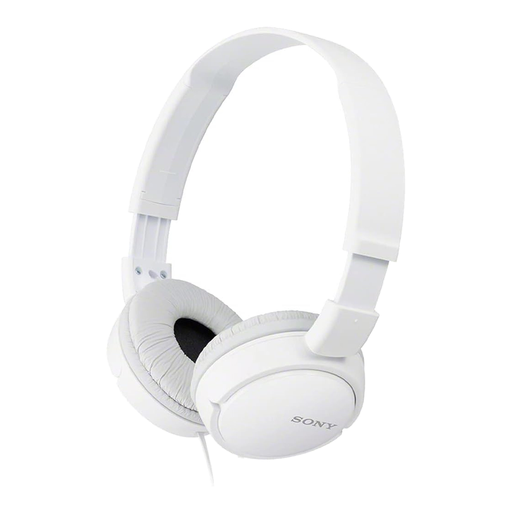
Why it suits this profile: This wired headset connects via 3.5 mm, folds up and weighs around 120 g according to the product sheet. It’s ideal for everyday music listening on a computer, tablet or other compatible device.
It doesn’t need a battery and clearly states a jack connection and a foldable design.
30 mm drivers, 1.2 m cable and a stated weight of 120 g.
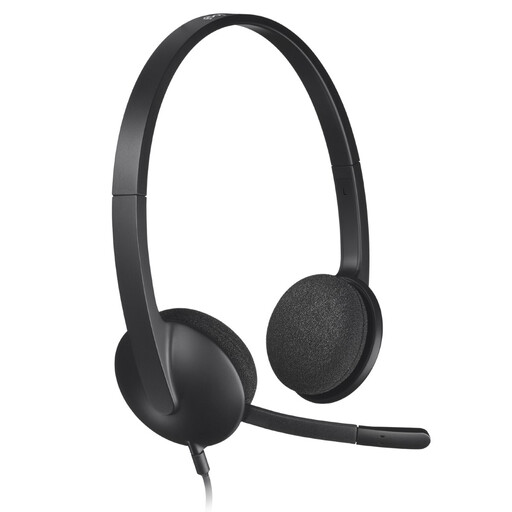
Why it suits this profile: Its USB connection and plug-and-play operation are practical for video calls, online classes and remote work on a PC or Mac.
A single USB port is all you need for connection, and the microphone can be positioned close to your mouth.
1.8 m cable, stereo sound and a microphone with stated noise reduction.
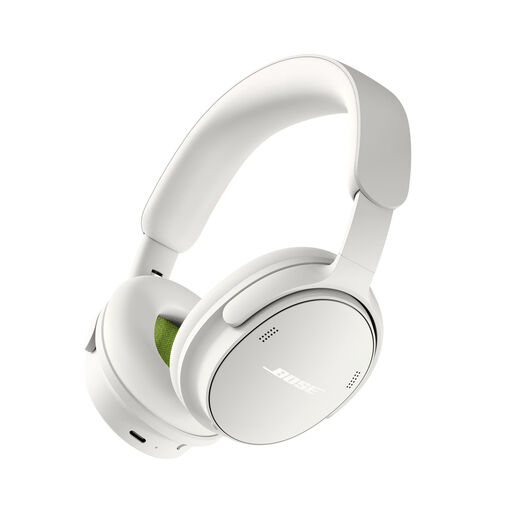
Why it suits this profile: This circum-aural Bluetooth model offers several listening modes, a USB-C connection and wired listening via the accessory mentioned on the product sheet.
Its different modes let you switch off active noise cancellation when the situation doesn’t call for it.
Bluetooth 5.4, built-in microphone, stated battery life of up to 24 hours and a weight of 230 g.
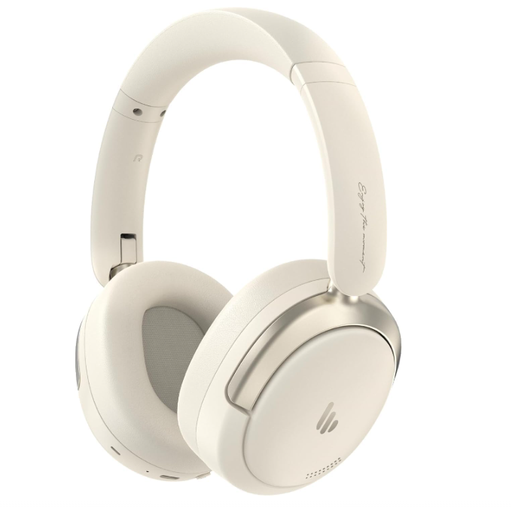
Why it suits this profile: It combines Bluetooth 5.4, dual-device connection, a built-in microphone, hybrid active noise cancellation and a foldable design for regular travel.
The dual connection saves you from manually switching between your phone and computer. The USB-C wired mode can also be used with compatible devices.
Stated battery life of 45 hours, fast charging, 40 mm drivers and active noise cancellation rated up to -44 dB.
We’ve put together a comprehensive, real-time selection of products that meet these strict criteria as well as European safety requirements.
For frequent calls, go for a headset with a built-in or adjustable microphone, a mute control and a connection that’s compatible with your computer. A USB model generally makes setup simpler on a PC or Mac, while a Bluetooth headset makes it easier to switch between your phone and computer.
This depends on the cable, hinges, ear cushions and, for a wireless model, the battery. Avoid pulling on the cable, store your headphones away from moisture and clean the surfaces with a soft cloth. Like all rechargeable batteries, the one in your headphones may gradually lose capacity over successive charge cycles.
Active noise cancellation can reduce certain regular noises, such as the hum of an engine, but it doesn’t replace being alert. Check for an ambient sound mode and turn the volume down when you’re on the move. In any case, prolonged listening at high volume can pose a risk to your hearing.