
Livraison le jour même ou le lendemain

Qualité garantie

Débloquez vos offres de bienvenue: Livraison GRATUITE | Jusqu'à -80 % | 30 jours d'essai gratuits à JoyPlus
Téléchargez l'application
Peace of mind at home is priceless. Yet, the home security market is a jungle of marketing promises that can quickly turn a sound investment into a real headache. Our mission is to guide you through this complexity. Let's break down the pitfalls to avoid and the criteria that truly matter for making the right choice.
Before falling for a tempting offer, beware of these three classic traps that can end up costing you dearly.
For home security that you can count on, rely on these objective technical criteria, not marketing hype.
A Full HD (1080p) resolution is the bare minimum for identifying a face or a license plate at close range. A 2K resolution offers a higher level of detail, which is very useful for zooming in on the image.
But nighttime image quality is just as crucial. Check for infrared (IR) LEDs for crisp black-and-white night vision, even in complete darkness. Some models offer color night vision, often thanks to a built-in spotlight, which adds a significant deterrent effect.
Your choice of video storage has a direct impact on your data privacy and your wallet.
The ideal solution? A model that offers both options for maximum flexibility.
Most devices operate on 2.4 GHz WiFi, a frequency that offers good range through walls. 5 GHz WiFi is faster but has a shorter range, which can be an advantage in an apartment to limit interference.
For a future-proof setup, check for compatibility with voice assistants (Amazon Alexa, Google Assistant) or with open protocols that allow devices from different brands to communicate with each other.
Every home is unique. Here is our selection of products that meet specific needs while avoiding the pitfalls we've just discussed.
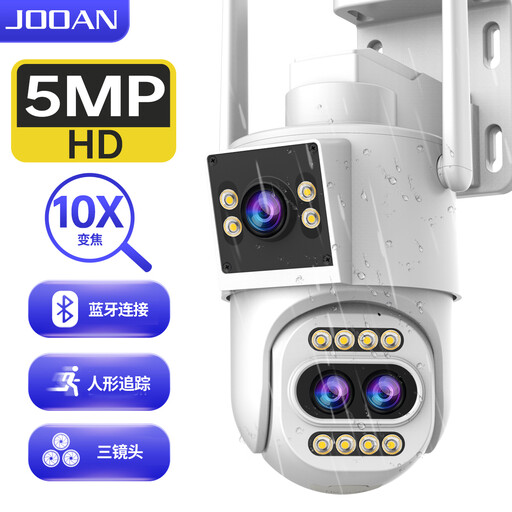
Why we recommend it: For those who demand comprehensive, no-compromise outdoor surveillance. Perfect for covering large properties, gardens, or driveways with pinpoint accuracy.
It supports local storage on a microSD card up to 256 GB, freeing you from a paid cloud subscription for continuous recording.
Its three-lens system with 10x optical zoom allows for both wide and detailed surveillance, capturing long-distance details that are invisible to a standard camera.

Why we recommend it: More than just a camera, this is a true communication hub. Ideal for keeping an eye on children, pets, or an elderly parent, while allowing them to contact you with a single touch.
Compatible with dual-band WiFi 2.4 GHz and 5 GHz, it avoids the connection issues and interference that often plague single-frequency devices.
The two-way video call feature with a built-in screen allows a child or elderly person to start a video call to your smartphone with a single press.
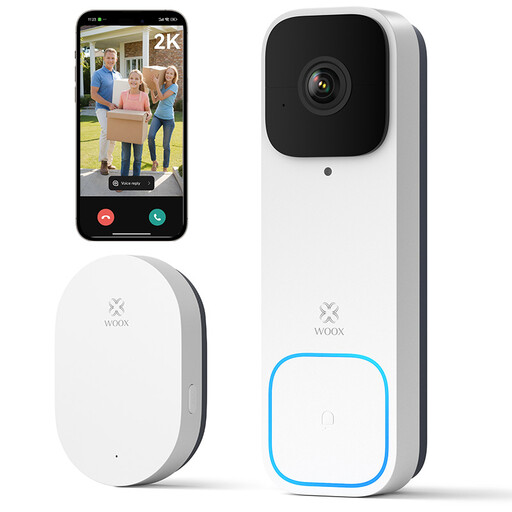
Why we recommend it: A simple and effective solution to secure your front door, without drilling a single hole or running any wires.
Delivered with its wireless chime and compatible with local SD card storage, it's a complete, standalone system right out of the box. Zero hidden fees.
Its rechargeable battery power and 100% wireless installation make it perfect for renters. Its vertical viewing angle lets you see visitors from head to toe.
If these models aren't the right fit for you, explore our full selection of products that meet our demanding selection criteria and local regulations.
Yes, but under very strict conditions. You have the right to film the interior of your property and its immediate surroundings (your door, your garden, your gate). However, it is strictly forbidden to film public roads, your neighbors' yards, or a shared space (lobby, landing) without the approval of the co-ownership or homeowners' association. Ensure that the field of view of your outdoor security camera is strictly limited to your private space.
It all depends on your usage. Live viewing and uploading recordings to the cloud are the most bandwidth-intensive operations. When idle, consumption is negligible. For a camera that records to the cloud upon motion detection, monthly data usage can range from a few GB to several dozen GB. If you have a capped internet plan (e.g., a 4G/5G connection), you should prioritize local recording on an SD card.
Battery life varies greatly depending on the frequency of motion detection and interactions. For a smart video doorbell like the Woox model, the manufacturer claims a battery life of 4 to 5 months based on 5 triggers per day. On a busy street, this battery life will naturally be shorter. Most models will alert you via the app when the battery is low.