
Livraison le jour même ou le lendemain

Qualité garantie

Débloquez vos offres de bienvenue: Livraison GRATUITE | Jusqu'à -80 % | 30 jours d'essai gratuits à JoyPlus
Téléchargez l'application
Setting up a home workstation that is both functional and pleasant has become a necessity for many of us. But when faced with the jungle of office furniture, it's easy to fall into traps that turn a good investment into a source of regret and back pain. Before you make your choice, let's review the mistakes you should absolutely avoid.
comfortable office chair should adapt to your body, not the other way around. The absence of adjustable lumbar support or armrests can quickly lead to pain.industrial-style desk might be easy on the eyes, but if its steel frame is too thin or poorly designed, it will wobble with every keystroke. Stability is a non-negotiable criterion for any remote work setup worthy of the name.computer desk without checking its depth means you risk not having enough space to rest your wrists. Likewise, choosing low-quality materials means exposing yourself to scratches and premature wear and tear in just a few months.To successfully set up your home office, the key is to focus on a few technical details that make all the difference in your daily routine.
An ergonomic office chair is much more than just a seat. Here are the key points to check:
The desk is the centrepiece of your setup. Its choice should be based on practicality and durability.
electric sit-stand desk is no longer a gimmick. Alternating positions throughout the day helps combat the negative effects of a sedentary lifestyle. Models with memory presets allow you to switch from one height to another at the touch of a button.To help you see more clearly, here are a few options that meet specific needs.

Why we chose it : Ideal for those who want essential ergonomics without breaking the bank. Perfect for daily use, it's the ideal compromise between comfort and budget.
Unlike entry-level chairs, this model includes adjustable lumbar support and a tilt function. It thus sidesteps the trap of surface-level ergonomics.
The flip-up armrests allow the chair to slide under the desk, which is a valuable space-saver. A real plus in small apartments.

Why we chose it : For those who spend long hours at their desk and want to incorporate more movement into their day. The flexibility of height adjustment is a real wellness asset.
It tackles the problem of a sedentary lifestyle head-on by offering a practical solution for alternating postures, an aspect often overlooked by traditional fixed desks.
The 4 memory presets allow you to save your favourite heights (e.g., two for sitting, two for standing) and change your posture in the blink of an eye.
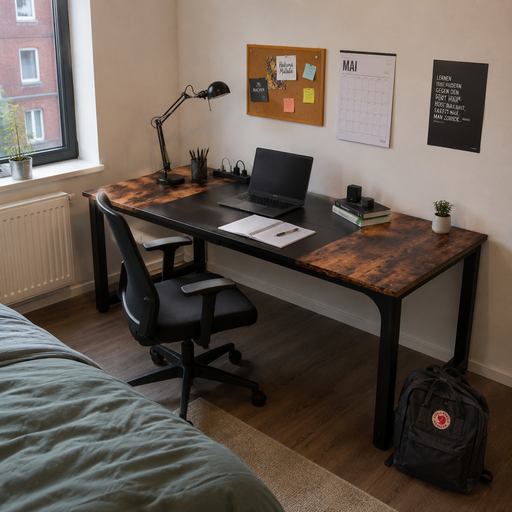
Why we chose it : Designed for those who want to make no compromises on space, whether for a multi-monitor setup, creative projects, or even sharing the desk. Its sturdiness is a major asset.
Its steel frame with 5 x 5 cm tubes and its load capacity (up to a claimed 260 kg) guarantee rock-solid stability, a far cry from stylish but flimsy desks.
The XXL work surface of 180 x 80 cm offers enough space for a pro setup or for two people, without ever feeling cramped.
We've selected a full range of products that check all the boxes on our list of requirements.
It all depends on the quality of its components and the intensity of its use. For a model with a steel base, solid casters, and a durable cover (high-quality mesh or fabric), expect it to last between 5 and 10 years. Regular maintenance, like tightening the screws, can also make a big difference.
For anyone who spends more than 6 hours a day sitting while working from home, the answer is yes. It's an excellent investment in your health. The ability to change posture energises the day, reduces fatigue, and relieves the back and legs. The idea isn't to ban sitting, but to be able to alternate simply and regularly.
The golden rule: measure your room and allow for at least 80 cm to 1 metre of clearance behind the desk for the chair to move back. Then, assess the width needed for your equipment (one or two monitors, computer, etc.) and the depth to rest your forearms without being too close to the screen. A depth of 60 cm is the bare minimum, but aim for 70 or 80 cm for optimal comfort.