
Livraison le jour même ou le lendemain

Qualité garantie

Débloquez vos offres de bienvenue: Livraison GRATUITE | Jusqu'à -80 % | 30 jours d'essai gratuits à JoyPlus
Téléchargez l'application
With the rise of remote work, creating a proper home office has become a priority. Yet, choosing a suitable home office desk can often be a real headache. Faced with an overwhelming number of options, the pitfalls are numerous and can quickly turn a good investment into a source of daily frustration. Before you pull out your credit card, let's review the mistakes you should absolutely avoid.
A poorly chosen desk can sabotage your productivity and comfort. Here are the three key points to keep in mind.
To ensure you choose a desk that will last, focus on a few objective technical criteria.
A desk's sturdiness depends primarily on its frame. Opt for a steel structure; the thickness of the tubes is an excellent indicator of solidity. Sections of 5 x 5 cm, for example, already provide excellent rigidity. The maximum load capacity is also a crucial piece of information. Consider 50 kg as the bare minimum for a standard computer desk. For a large work desk, you'll need to aim much higher. For the desktop, high-density particleboard with a scratch-resistant and water-resistant coating is a guarantee of durability. This is a combination often found on popular industrial-style desks.
The ergonomics of your setup directly depend on the desktop's dimensions.
If you opt for a height-adjustable desk, the adjustment mechanism is the focal point. Models with dual motors (one motor per leg) are generally faster, quieter, and more stable. The presence of memory presets is a real comfort bonus: you can switch from sitting to standing with a single press, without fumbling to find the perfect height each time.
Every user has different needs. Here is our selection of models that meet specific uses while avoiding the most common pitfalls.
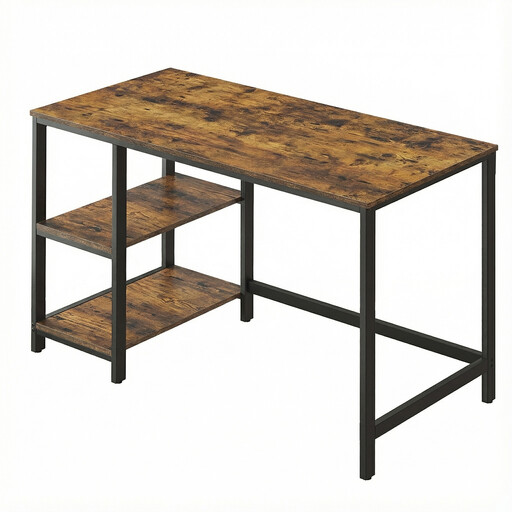
Why it's a great fit: Ideal for setting up a functional first home office without breaking the bank. Its 120 x 60 cm dimensions fit easily into most spaces while providing enough surface for a monitor and a laptop.
Its steel frame and adjustable feet ensure good stability, even on uneven floors. This counters the common problem of a wobbly desk.
Its two removable shelves can be installed on either the left or right side, allowing for flexible, customised storage.
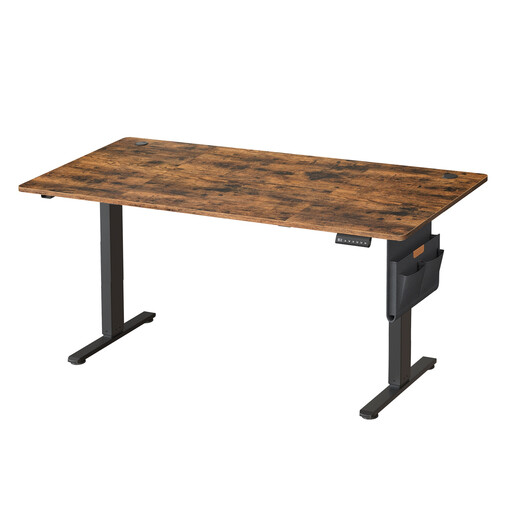
Why it's a great fit: Designed for those who spend long hours at their desk and want to alternate between sitting and standing. Its large 160 x 70 cm surface and electric mechanism make it a prime ally for productivity and well-being.
Its high-quality motor ensures smooth and quiet height adjustment. The robust steel frame guarantees perfect stability, even in the standing position, avoiding the common pitfalls of entry-level adjustable models.
The 4 memory presets are a real daily convenience for switching between positions. The integrated cable grommets and storage pouch are perfect for keeping a workspace clean and organised.
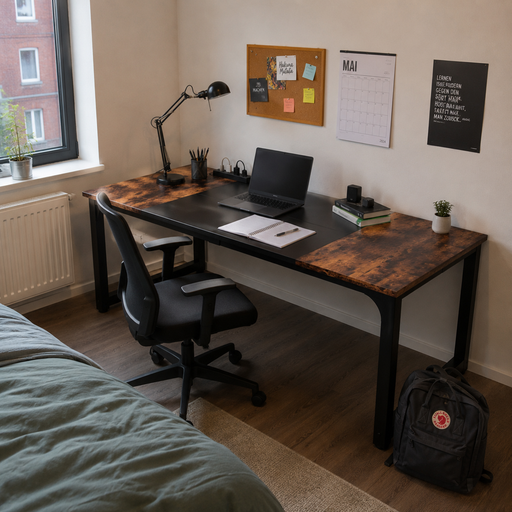
Why it's a great fit: Perfect for creatives, developers, or anyone juggling multiple screens and numerous files. Its extra-large work surface offers unparalleled comfort for large-scale projects.
Its steel frame (5 x 5 cm tubes) and a stated load capacity of 260 kg make it incredibly stable, eliminating any fear of a flimsy desk.
Its massive 180 x 80 cm work surface allows you to set up a complete workstation without ever feeling cramped. Note: the desktop is composed of four panels, a detail to consider for the final aesthetic.
We have compiled a complete and up-to-date selection of desks that meet our selection criteria and safety standards.
A motor's longevity depends on its quality and your frequency of use. A well-made motor, used a few times a day, is designed to last for many years. Dual-motor models, where the effort is distributed, are logically more durable.
It's the bare minimum, especially if you're only using a laptop or a modestly sized monitor (up to 24 inches). For better visual comfort and to be able to rest your forearms comfortably, a depth of 70 cm or more is highly recommended, particularly if you have a large monitor or a multi-screen setup.
Good cable management is essential for a clean and safe workspace. Look for desks that integrate cable grommets into the desktop. You can also add accessories like raceways or cable management trays to mount under the desk to group and hide everything. This is a crucial point for a sit-stand desk to prevent cables from snagging or unplugging during height changes.