What should you compare before choosing?
First, decide whether you value choosing your own beans, hands-on preparation or pre-portioned coffee most. Then compare ongoing costs, maintenance, drinks and the space you’ll need for your set-up.
| Criteria |
What to check |
Who is most likely to prioritise it |
| Beans and preparation |
Check whether the machine uses beans, ground coffee or pre-portioned coffee, and whether the grinder is built in or separate. |
If I want to choose my own beans without filling and tamping a portafilter for every drink, the type of machine matters just as much as its level of automation; around 28% of consumers put this need first. |
| Total cost for your usage |
Compare the machine, coffee, maintenance products, any filters and a grinding solution over the same period and for a similar number of drinks. |
When I make coffee regularly, I want to weigh up ongoing costs against the cost of the machine; around 22% of consumers prioritise the total cost. |
| Maintenance and parts |
Check the instructions for the exact model, its cleaning procedures and recommended products. Note the machine’s reference number to identify compatible parts. |
If I want a routine that fits into my day, I also check what needs to be handled and how easy it is to access the parts that need maintaining; around 22% of consumers prioritise this. |
| Drinks for your household |
Check the recipes available on the exact model and how to clean the milk system, if it has one. |
For a household that switches between short and long coffees and milk-based drinks, the recipes and steps involved can guide your choice; around 17% of consumers prioritise drink variety. |
| Space available |
Measure the width, depth and height of the area where you’ll put the machine, allowing room to access the reservoirs and parts that need cleaning. |
If my worktop space is limited, I also measure the room needed for a separate grinder, if required, and for using the machine; around 11% of consumers put the machine’s footprint at the top of their list. |
Bean-to-cup machines on Joybuy
These Joybuy models have built-in bean grinders for making coffee at home from whole beans. Check the recipes and steps involved to make sure they suit your habits.
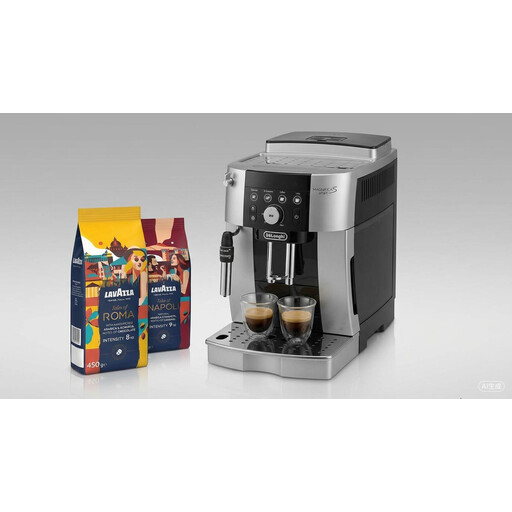 Image unavailable
DeLonghi ECAM250.23.SB Magnifica with Lavazza Tales of Napoli & Roma, 450 g (2 packs)
The built-in grinder lets you make espresso from whole beans. Milk is frothed manually using the steam wand.
The product description lists 13 grind settings and four recipes. The bundle includes Lavazza whole-bean coffee.
View on Joybuy
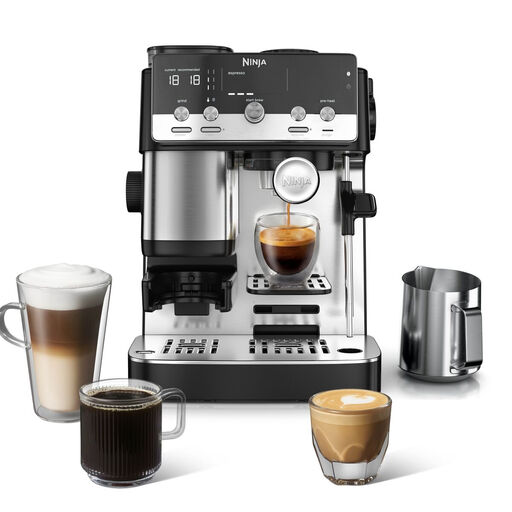 Image unavailable
Ninja Luxe Café Mini 2-in-1 ES301EU
The built-in grinder lets you make espresso and filter coffee in one machine. The milk frother is manual.
The product description lists automatic dosing and an integrated grinder. Check that you’re happy with the steps involved in using the frother.
View on Joybuy
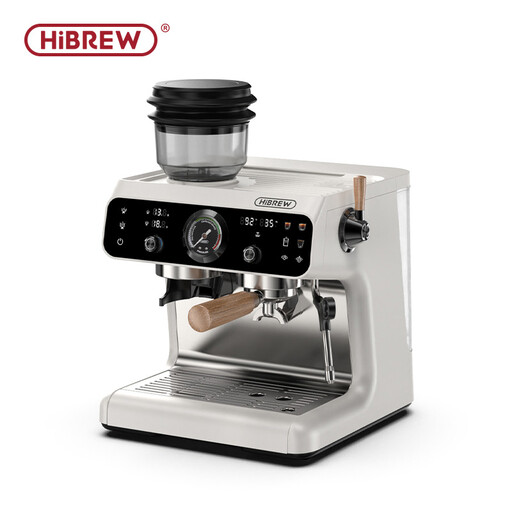 Image unavailable
HiBREW H7B Upgraded Dual Boiler Barista Pro
This model combines a built-in grinder with a portafilter. Making coffee with the portafilter and using the steam wand both involve manual steps.
The product description lists 30 grind settings, a 250 g hopper and a 58 mm portafilter.
View on Joybuy
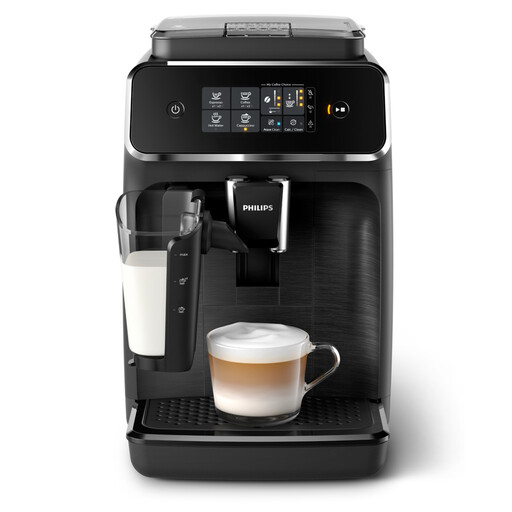 Image unavailable
Philips EP2230/10 Series 2200 with LatteGo
The built-in grinder makes coffee from whole beans, while the LatteGo system is designed for milk-based drinks. The product description says the brew group is removable.
The product description lists 12 grind settings. The compatible AquaClean filter isn’t included, so check the maintenance requirements for this model.
View on Joybuy
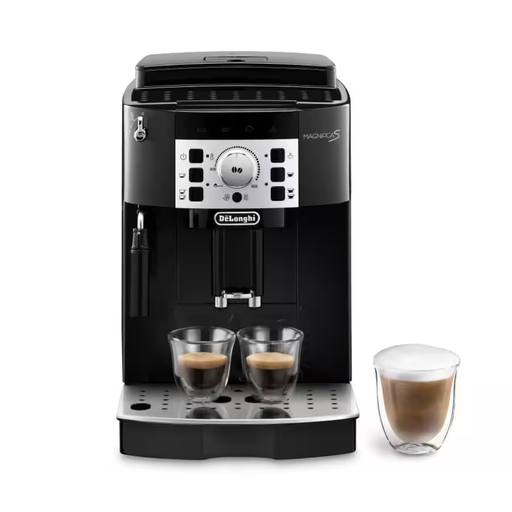 Image unavailable
De’Longhi Magnifica S ECAM22.140.B
The built-in grinder uses whole beans to make coffee. Milk is frothed manually using the steam wand.
The product description lists one- or two-cup preparation and a descaling programme indicated by the machine.
View on Joybuy
Frequently asked questions
How can I compare costs without assuming a payback period?
Add up the cost of the machine, coffee, maintenance products, any filters and a grinding solution if needed, all over the same period. Divide the total by the same number of drinks for each option, using the prices you actually pay. This personalised calculation doesn’t guarantee a saving.
What maintenance does the Philips EP2220, for example, need?
Philips support information mentions descaling, degreasing with tablets and lubricating the brew group. Parts to clean may also include the drip tray, coffee grounds container and water reservoir, as well as the milk system on some versions. Follow the instructions for your exact model rather than assuming the same schedule applies to every machine with a grinder.
Does an AquaClean filter mean I don’t need to do any maintenance?
No. For compatible machines, Philips’ promise of less frequent descaling depends on using and activating the filter, which needs to be replaced. It doesn’t replace the cleaning and degreasing recommended for the EP2220.
How can I plan for replacing a part?
Note the machine’s full reference number and identify the part before ordering it. For the EP2220/10, FixPart lists, among other parts, the Philips O-ring 996530059406. This reference doesn’t tell you when it will need replacing.
What should I check before using the machine for the first time?
Read the safety booklet and installation instructions for the exact version. Philips documentation covers several versions, so check your model’s accessories and features rather than assuming they’re the same across different references.


