
Livraison le jour même ou le lendemain

Qualité garantie

Débloquez vos offres de bienvenue: Livraison GRATUITE | Jusqu'à -80 % | 30 jours d'essai gratuits à JoyPlus
Téléchargez l'application
For miniaturists, designers, and engineers?: the quest for ultimate detail is an obsession. The resin 3D printing market is evolving at a breakneck pace, and terms like 14K or 16K are popping up on every spec sheet. In this jungle of specifications, finding the perfect machine for ultra-detailed projects can quickly become a headache.
Our mission?? To help you see things more clearly. This guide breaks down the criteria that truly matter and presents our selection of the most promising models for 2026, all without corporate-speak or marketing jargon.
Before diving into our top picks, let's review a few key concepts that will make all the difference in the quality and reliability of your prints.
In theory, a higher screen resolution (14K or 16K) means smaller pixels, and therefore potentially finer details. But in practice, the only metric that truly matters is the XY resolution (the actual pixel size). Indeed, a large 16K screen can have an XY resolution similar to, or even worse than, a more compact 14K screen. Also, remember to check the light source (COB, Fresnel lens)?: a perfectly uniform exposure is just as crucial for achieving smooth surfaces and crisp details.
For rapid prototyping or small-batch production, speed is of the essence. The latest machines are pushing 150?mm/h (and beyond?!), thanks in part to next-generation ACF release films that reduce the peel forces between layers. Meanwhile, a large-format resin 3D printer offers the flexibility to print massive parts or produce many small objects in a single run. This can radically streamline your production workflow. It's up to you to define your priorities to find the ideal trade-off.
Fortunately, the latest innovations are making 3D printing more accessible and, above all, more reliable. Automatic bed levelling (auto-levelling) spares you one of the most tedious and error-prone calibrations. Other features, like a heated resin vat, are a significant advantage?: by keeping the resin at an ideal temperature, they ensure perfect viscosity and minimise failures, especially on long prints. Finally, AI-powered monitoring cameras or debris sensors are welcome safeguards for printing with peace of mind.
Here are three machines that caught our eye, each with its own strengths to meet the needs of the most demanding users.
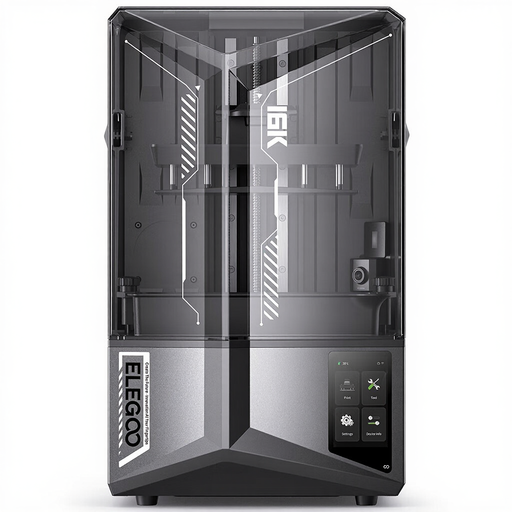
Why it stands out With its 16K screen, the ELEGOO Saturn 4 Ultra is clearly playing in the ultra-high-definition league. But what truly sets it apart is its smart, heated resin vat, which keeps the material at a constant 30?°C. According to the manufacturer, this is a major asset for improving fluidity and reducing defects, especially during long prints or in a cool room. The integrated AI camera for live monitoring and anomaly detection (empty bed, warping, etc.) makes it a prime ally for securing your production.
Pros
Who is it for?? For expert hobbyists and professionals who want the pinnacle of technology to maximise the quality and success rate of their prints, especially for complex models or small batches.
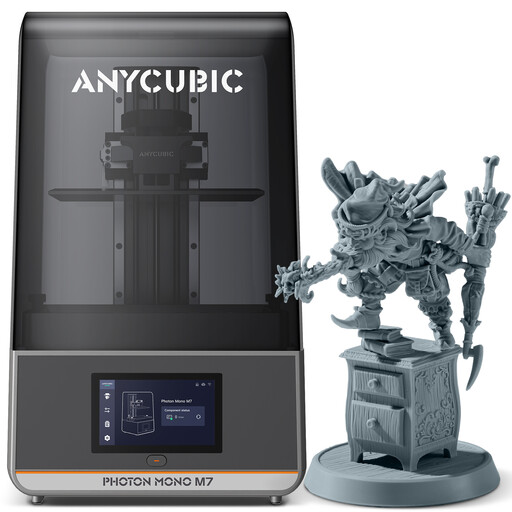
Why it stands out The Anycubic Photon Mono M7 represents an excellent balance of resolution, speed, and volume. Its 10.1-inch 14K screen (16.8 × 24.8 ?m XY resolution) promises formidable detail for miniatures and prototypes. It features the LighTurbo 3.0 optical system, which combines a COB light source and a lens for perfectly uniform exposure. Built for speed, it can reach 150?mm/h with suitable resins, according to Anycubic.
Pros
Who is it for?? Ideal for creators and pros looking for a fast, high-performance machine capable of handling medium-sized models with high precision, without the creature comforts like a heater or integrated camera.
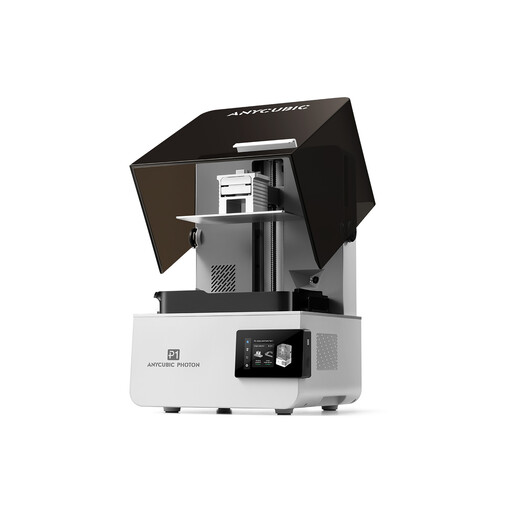
Why it stands out The Photon P1, on the other hand, goes all-in on robustness and mechanical precision. It is equipped with an industrial-grade ball screw Z-axis and dual linear rails, guaranteeing unparalleled stability, which is essential for heavy or ultra-precise prints. Its machined steel build plate ensures flawless flatness and adhesion. It is also designed to handle highly viscous resins (up to 8000?cps), opening the door to a wide range of engineering materials.
Pros
Who is it for?? For professionals and artisans (jewellers, engineers) who place reliability, dimensional accuracy, and compatibility with engineering resins at the top of their priority list. Here, the machine's robustness is non-negotiable.
Don't forget that a great printer is only half the battle?: its full potential is only unlocked with a quality resin that is perfectly suited to your project. Whether you're looking for a standard, water-washable, tough, or flexible resin, check out our complete selection.
Discover our selection of 3D printing resins
The difference lies in the total number of pixels on the LCD screen. A 16K screen has more pixels than a 14K one. However, the most important metric is the XY resolution, expressed in micrometres (?m)?: it represents the actual size of a single pixel. The lower this number, the finer the printed details can be.
It's not mandatory, but it's a real plus for reliability. By keeping the resin at a stable temperature, a heated vat ensures ideal viscosity. The result?: the resin flows better, and layer adhesion is improved. This is especially valuable for prints that last for hours, when using engineering resins, or if your workspace is a bit cool.
For a professional, it's practically a must-have. Time is money, and auto-levelling saves you both. This feature eliminates a tedious manual calibration and drastically reduces the risk of first-layer failure, the number one cause of 3D printing errors. It guarantees much better consistency from one print to the next.