
Livraison le jour même ou le lendemain

Qualité garantie

Débloquez vos offres de bienvenue: Livraison GRATUITE | Jusqu'à -80 % | 30 jours d'essai gratuits à JoyPlus
Téléchargez l'application
Whether for remote work, content creation, or your gaming sessions, clear audio and an intelligible voice are essential. Yet, the headset market is a real jungle, saturated with marketing promises that make choosing a daunting task. Our mission?: to help you see clearly and identify the criteria that truly matter for a smart, long-lasting purchase.
Before you dive in, let's review the three most common pitfalls that can turn a promising purchase into a real disappointment.
To make an informed choice, it's essential to understand a few key parameters that will determine if a product is right for you.
The choice between a wired model and a wireless Bluetooth headset depends on your need for mobility and reliability.
The quality of your voice depends directly on the type of mic and its technology.
A headset worn for several hours a day must be comfortable. Pay attention to the weight of the device, the ear cushion materials (leatherette, fabric, velour), and the headband adjustment. A headset that is too heavy or tight will quickly become unbearable.
To illustrate this advice, here are a few models perfectly suited for three very different user profiles.
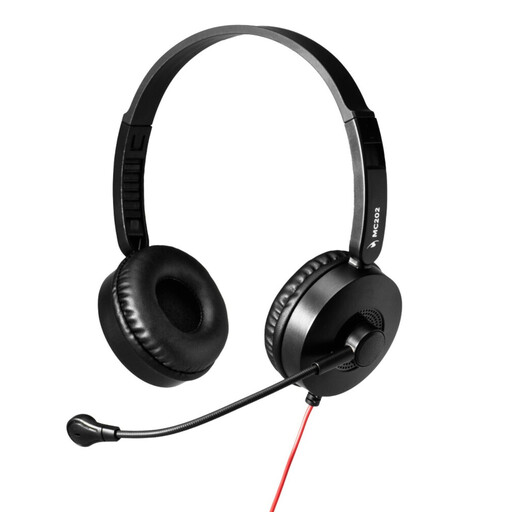
Why it stands out : Perfect for back-to-back video calls, this headset gets straight to the point. It's the reliable, simple solution for those who spend their days in meetings and want clear audio without fussing over settings.
It avoids the compatibility trap by focusing on a single connection: USB-A for PCs. No adapters, no unpleasant surprises. It's designed for one job, and it does it perfectly.
'Plug & Play' simplicity thanks to its built-in sound card. Adjustable boom mic with noise reduction ensures your voice is always intelligible.
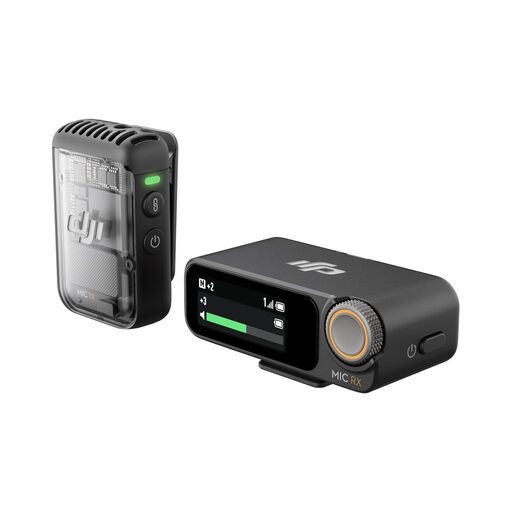
Why it stands out : For vloggers, journalists, or podcasters, audio quality is non-negotiable. This wireless microphone system is compact, powerful, and easily connects to a smartphone or camera for professional-grade sound recording, even on the move.
It tackles the 'bad mic' pitfall by offering a solution entirely dedicated to voice capture. Its internal 32-bit float recording feature acts as a safety net, ensuring no take is ever lost.
Pro audio quality with intelligent noise cancelling. Record-breaking 250m range and broad compatibility (iPhone, Android, cameras).
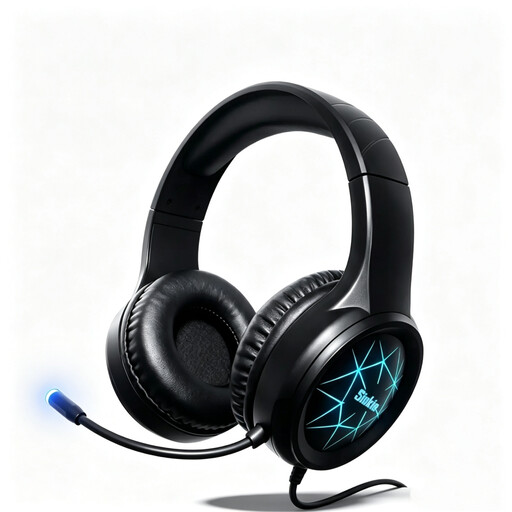
Why it stands out : Designed for in-game immersion and communication, this gaming headset combines surround sound, a high-performance mic, and broad compatibility. It's built for long gaming sessions on PC, PS5, Xbox, or Switch.
It avoids the 'useless gadgets' trap by focusing on the essentials: 50mm drivers for immersive sound and a mic that effectively cancels background noise. Its dual USB + 3.5mm jack connectivity ensures maximum compatibility.
Stereo surround sound for total immersion. Multi-platform compatibility (PC, consoles) thanks to its dual connectivity.
Explore our full selection of products that meet our quality criteria and current safety standards.
A USB headset, as its name suggests, plugs into your computer's USB port. It includes its own sound card, which guarantees consistent audio quality regardless of the machine. A headset with a 3.5mm jack connects to the audio port of your device (PC, console, smartphone). Its sound quality will therefore depend on the host device's sound card. Note that on PCs with separate mic and headphone jacks, an adapter (often included) will be necessary.
Yes, with one condition. For competitive gaming, opt for a wireless headset that uses a 2.4?GHz connection (via a USB dongle) rather than standard Bluetooth. This technology offers near-zero latency, which is crucial for perfect synchronisation between sound and image. Bluetooth is still perfectly viable for more casual or mobile gaming.
Always unplug your headset before handling it. Use a soft, slightly damp cloth to clean the headband and earcups. If the cushions are removable, follow the manufacturer's instructions for a more thorough cleaning. Never use harsh chemicals and ensure no moisture gets into the electronic components. Regular maintenance is the secret to longevity.