
Livraison le jour même ou le lendemain

Qualité garantie

Débloquez vos offres de bienvenue: Livraison GRATUITE | Jusqu'à -80 % | 30 jours d'essai gratuits à JoyPlus
Téléchargez l'application
The headphones market is overflowing with promises: record-breaking battery life, immersive sound, absolute comfort. Yet, the experience all too often ends in disappointment. A model praised for its endurance dies mid-day, a gaming headset refuses to pair with your smartphone, or a pair of earbuds becomes painful after just one hour.
As a product expert at Joybuy, my mission is to guide you through this marketing jungle. Let's cut through the jargon and focus on what truly matters. Here are the most common pitfalls and the objective criteria for making a truly informed choice.
To avoid these disappointments, simply focus on a few key technical specifications. These are what will determine if a pair of headphones is truly right for you.
The connection type defines the possible uses for your headphones.
The form factor of your headset has a direct impact on comfort and sound isolation.
Whether for remote work, calls, or online gaming sessions, microphone quality is paramount. A good headset with a microphone must capture your voice clearly and intelligibly while filtering out ambient noise. Boom microphones (whether detachable or not) generally yield much better results than mics hidden inside the earcups.
Rather than an endless list, here are a few models that meet specific needs, based on the objective criteria we've just discussed.
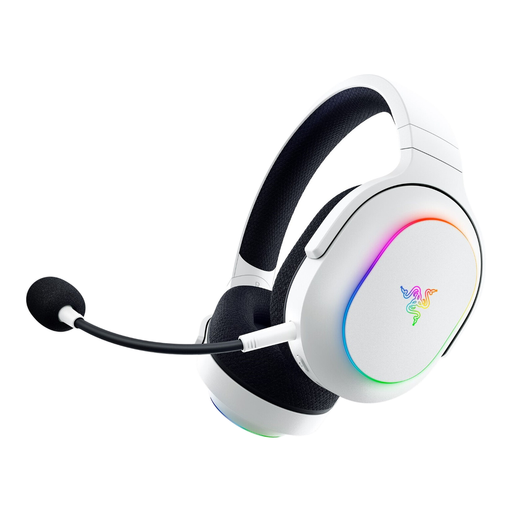
The ideal user: Perfect for those who juggle gaming on PC/console and listening on the go. Its feather-light weight (285g) and memory foam cushions make it very comfortable, even during long sessions.
It sidesteps the false versatility trap with its SmartSwitch dual connectivity, allowing you to switch on the fly between the low-latency 2.4 GHz connection (for gaming) and Bluetooth (for calls on your smartphone).
Razer HyperSpeed (2.4 GHz) connectivity for uncompromising gaming performance. Detachable cardioid mic, ideal for more discreet use when traveling.
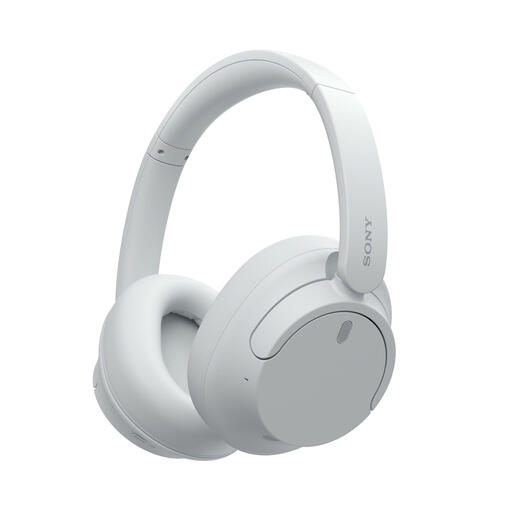
The ideal user: Designed for professionals and travelers who need to isolate themselves in noisy environments. Its extremely light weight (192g) and over-ear design make it a valuable ally for long workdays or long-haul flights.
It tackles the pitfall of overstated battery life with concrete, reliable figures: up to 35 hours of listening with Active Noise Cancellation (ANC), enough to last several days of heavy use without needing a recharge.
Highly effective Active Noise Cancellation (ANC) for optimal focus. Feather-light and very comfortable, with dual connectivity (wired and wireless) for maximum versatility.
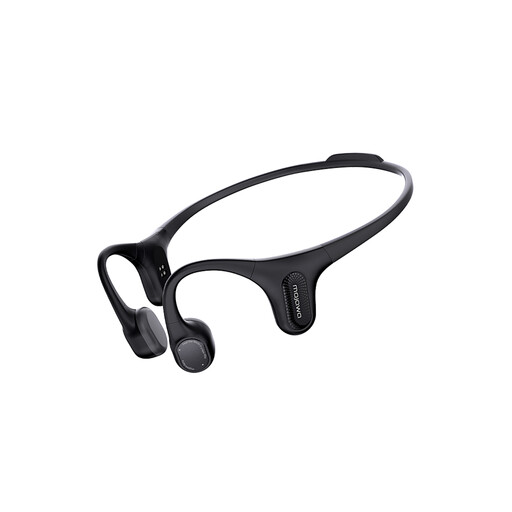
The ideal user: Perfect for runners, cyclists, and other athletes who want to listen to music without being cut off from their surroundings. The bone conduction technology leaves the ears open, allowing you to remain aware of potential dangers (traffic, etc.).
It solves the problem of comfort and fit during exercise. Unlike in-ear buds that can slip or fall out with sweat, its titanium frame ensures a stable and secure fit under all circumstances.
Enhanced safety thanks to the Open-Ear design. IP67 certification, making it resistant to sweat and even brief immersion in water.
We've curated a comprehensive selection of products that meet these demanding selection criteria and adhere to current safety standards.
Their longevity depends on build quality and how you use them. On a wireless headset, the battery is often the first component to fail, typically after 2 to 4 years of regular use. On a wired model, the weak points are the cable and the earpads, which are fortunately replaceable on some high-end models. Careful maintenance (avoiding moisture, not twisting the cable) can significantly extend their lifespan.
Yes, but the results aren't always optimal. Gaming headsets are often tuned to emphasize key in-game sounds (bass for explosions, treble for footsteps). This sound signature, known as a "V-shape," can sound less natural for music, which generally benefits from a flatter, more balanced sound. Fortunately, many modern gaming models offer software equalizers to adapt the audio for different uses.
The PS5 does not natively support audio from standard Bluetooth headsets. To use a Bluetooth headset, you will need a Bluetooth audio adapter (dongle) to plug into one of the console's USB ports. However, the simplest solution is to choose a headset that is officially PS5-compatible, which most often uses a 2.4 GHz wireless connection via an included dongle.