
Livraison le jour même ou le lendemain

Qualité garantie

Débloquez vos offres de bienvenue: Livraison GRATUITE | Jusqu'à -80 % | 30 jours d'essai gratuits à JoyPlus
Téléchargez l'application
Looking for a GravaStar Mercury wireless gaming mouse for playing on PC or Mac, but finding yourself faced with spec sheets packed with figures and promises? Between sky-high DPI figures, 8K polling rates, perforated shells and metal chassis, it is easy to pay for a feature your setup will not really benefit from.
Before placing your order, keep these three pitfalls in mind:
A lightweight gaming mouse makes fast movements easier, particularly when using low sensitivity and a large mouse mat. However, weight is not everything. At 49 g, a mouse feels extremely responsive and moves with the slightest motion, while a 79 or 88 g model offers a more controlled feel, often appreciated in strategy games, during long sessions or by users looking for greater stability.
The shape deserves equal attention: the Mercury models featured here are approximately 124 mm long, with a width ranging from 63.5 to 64.5 mm. They are better suited to medium to large hands. Before ordering, check the position of your palm and fingers, as well as your grip style — palm, claw or fingertips resting on the buttons.
The M1 Pro and X Pro models use a magnesium alloy and a perforated structure. This material contributes to their distinctive look and low weight, but it also conducts more heat. Avoid direct sunlight and keep the mouse well away from liquids.
The Mercury M1 Pro and M2 feature a PAW3395 optical sensor. Their advertised maximum resolution reaches 26,000 DPI, with acceleration of up to 650 IPS. The Mercury X Pro goes a step further with a PAW3950 sensor advertised at 32,000 DPI.
In practice, competitive players do not necessarily use the maximum setting. Instead, start with moderate sensitivity, then adjust it according to your screen, the space available on your desk and the game you play. With low sensitivity, a sufficiently large mouse mat remains essential to get the most from an ultra-lightweight gaming mouse.
The polling rate indicates how often the mouse sends its position to the computer. An 8K gaming mouse sends more updates than a model limited to 1,000 Hz, but this frequency also places greater demands on the system and may reduce battery life.
Bluetooth is convenient for versatile use and computers equipped with it. For gaming, 2.4 GHz is generally preferable for keeping latency low without having to deal with a cable. Wired mode, meanwhile, allows you to continue using the mouse while it charges.
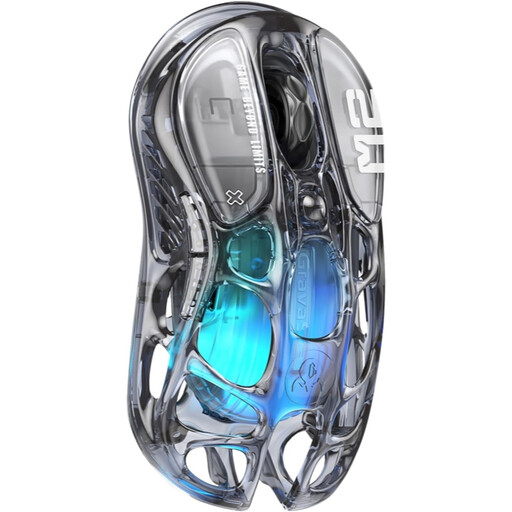
Why this choice suits this type of user : It combines Bluetooth, 2.4 GHz and wired connectivity in a 79 g design, without requiring you to buy a 4K or 8K receiver.
The listing clearly states a frequency of 1,000 Hz and a PAW3395 sensor with 26,000 DPI. You are not paying for a higher polling rate that you may not actually need.
79 g, five customisable buttons compatible with macros, and five GLOWSYNC RGB lighting modes.
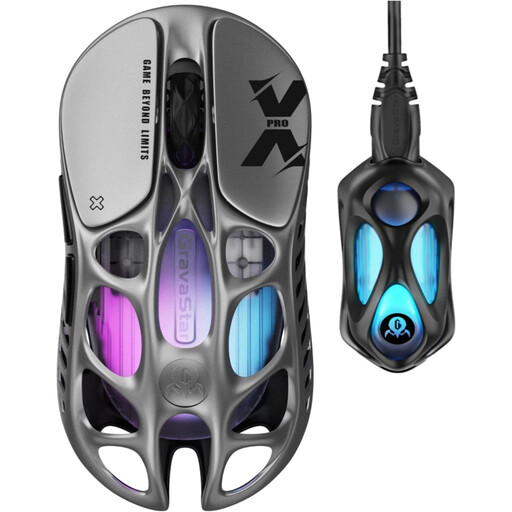
Why this choice suits this type of user : At 49 g, with a PAW3950 sensor and an included 8K receiver, it is aimed at users who want to make the most of a high-frequency setup.
The 8K dongle is included in the box, so you do not have to buy it separately.
Advertised 32,000 DPI, 8,000 Hz frequency, Bluetooth 5.1, built-in memory and battery life of up to 110 hours depending on use.
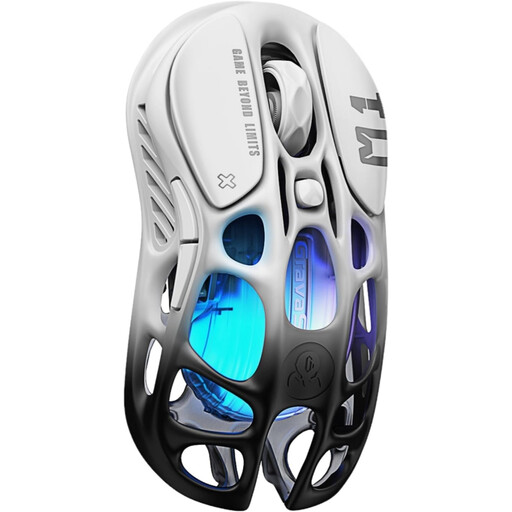
Why this choice suits this type of user : It lets you move up to 4K without choosing the extreme lightness of the X Pro.
The listing distinguishes between the included 1K receiver and the 4K model sold separately. Remember to factor this extra cost into your budget.
Perforated magnesium chassis, 88 g, PAW3395 sensor with 26,000 DPI and three connection modes.
We have brought together a complete, real-time updated selection of products that meet these demanding criteria, in compliance with European safety regulations.
For a stable connection, plug the 2.4 GHz or 8K receiver directly into the computer. If necessary, use the included USB-A to USB-C extension cable. Avoid placing the dongle behind a metal case or too far away from the mouse.
The five programmable buttons can be assigned commands or macros, depending on the compatible software. However, check that the driver works properly with your system, particularly on Mac. The product listing mentions Windows/OS, but customisation features may vary from one platform to another.
Clean the shell with a dry cloth. With a perforated mouse, do not use any liquid and avoid third-party fast chargers: the listing for some models recommends using only the supplied Type-C cable. To preserve battery life, switch off the mouse if you do not intend to use it for a long period.
The listings indicate Windows/OS compatibility, along with wired, Bluetooth and 2.4 GHz connectivity. Advanced features — macros, RGB lighting and profiles — may depend on the software available for your system. Check the details of your chosen version before ordering.
Not necessarily. A rate of 1,000 Hz is sufficient in many cases. 4K and 8K are mainly intended for players with a computer capable of handling this frequency who want more frequent position updates. Your screen, processor and the games you play should guide your choice.
The M2 is listed at 79 g, 26,000 DPI and 1,000 Hz. The M1 Pro weighs 88 g and can reach 4,000 Hz with a receiver sold separately. The X Pro weighs just 49 g, advertises 32,000 DPI and 8,000 Hz, and includes its 8K receiver.