
Livraison le jour même ou le lendemain

Qualité garantie

Débloquez vos offres de bienvenue: Livraison GRATUITE | Jusqu'à -80 % | 30 jours d'essai gratuits à JoyPlus
Téléchargez l'application
Replacing your graphics card can transform your experience in gaming, video editing or 3D software. But an impressive spec sheet alone doesn't guarantee compatibility with your computer. A card that's too long, an underpowered power supply or an unsuitable amount of video memory can quickly turn a great deal into a regrettable purchase.
Before comparing different gaming models from NVIDIA or AMD, start by identifying the features that really matter for your needs.
A card with 8 or 16 GB of video memory isn't necessarily faster than a less generously equipped model. The memory bus width, its frequency, the graphics processor architecture and the quality of the cooling system all have a direct impact on performance.
GDDR7 memory, found on several recent cards, offers higher bandwidth than GDDR6 or GDDR4 with comparable configurations. That doesn't work miracles though: a card equipped with GDDR7 still depends on its GPU, its memory bus and the resolution you plan to play at.
Modern graphics cards typically take up two or three expansion slots, and some particularly hefty models even approach four. Before placing your order, check:
A low profile graphics card addresses a different set of needs. The MSI GeForce GT 1030 and GT 710 models shown below measure roughly 153 to 160 mm in length, depending on the version, and consume little power. They can therefore fit into certain compact cases, but they are clearly not designed for modern high-definition gaming.
The TDP, or stated graphics power, isn't enough to determine the power supply wattage you need. You also have to account for the processor, drives, other components and peak power draw.
As a guide, product listings recommend a 550 W power supply for the Radeon RX 7600, 650 W for certain RTX 5060 Ti and RTX 5070 models, 750 to 850 W for RTX 5070 Ti and RTX 5080 cards, and up to 1,000 W for some RTX 5090 models. These figures should be cross-referenced with the manufacturer's recommendations, but also with the connectors actually available inside your PC.
For office work, video playback and less demanding games, an entry-level card can be perfectly adequate. For high-refresh-rate 1080p gaming, a card like the Radeon RX 7600 or RTX 5060 Ti is worth considering, depending on the games and the level of detail you're after.
For 4K gaming, the graphics card needs sufficient memory and cooling capable of sustaining the load over time. High-end models such as the GeForce RTX 5080 and GeForce RTX 5090 are aimed at much more demanding uses: high-resolution gaming, 3D rendering, creative work and certain AI-based processing tasks. Performance can, however, vary noticeably depending on the software, drivers and graphics settings.
A PCIe 5.0 graphics card can work with a motherboard that has a PCIe port from an earlier generation, provided mechanical and electrical compatibility is assured. The effective speed will then be limited by the oldest generation supported by the whole setup.
Also remember to check the number and type of outputs available: DisplayPort, HDMI, or sometimes VGA and DVI on older cards. If you use multiple monitors, check how many outputs can be used simultaneously, as well as the maximum supported resolution.
Passive cooling, which has no fan, runs silently but requires good airflow inside the case. It's best suited to office work and multimedia use, rather than prolonged graphics loads.
More powerful cards typically feature two or three fans, heat pipes and sometimes a vapour chamber. A recent power supply may also be required for the 12V-2x6 connector, particularly on certain RTX 5080 and RTX 5090 models. The cable must be fully inserted and remain perfectly aligned.
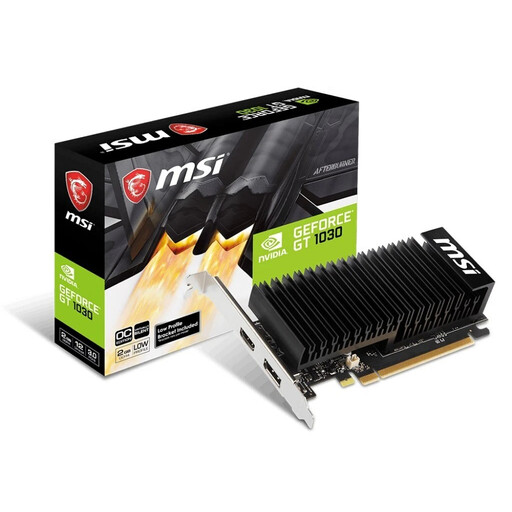
Why this choice suits this profile: its low profile design and stated 20 W power consumption make it easy to upgrade a compact computer for office work, multimedia and a few undemanding games.
Passive cooling reduces noise, but airflow must still be adequate. This card is not designed for 4K or particularly demanding modern games.
2 GB of DDR4, PCI Express 3.0 interface, HDMI and DisplayPort outputs, single-slot format.
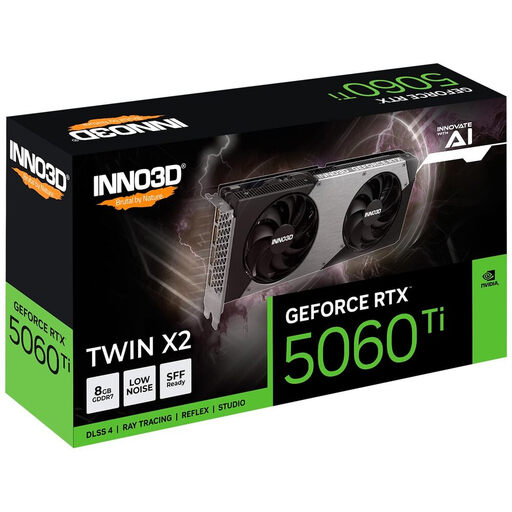
Why this choice suits this profile: its 8 GB of GDDR7, PCIe 5.0 x8 interface and HDMI 2.1b and DisplayPort 2.1b outputs meet the needs of a versatile gaming PC.
The spec sheet recommends a 650 W power supply and mentions an 8-pin connector: check both points before buying.
Dual-fan cooling, stated 0 dB mode, 8 GB of GDDR7 and four video outputs.
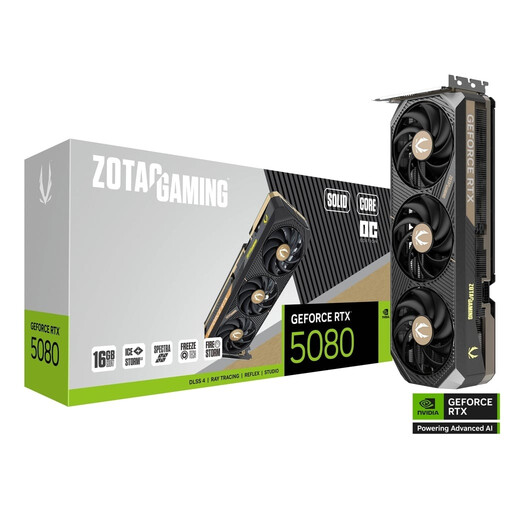
Why this choice suits this profile: with its 16 GB of GDDR7, PCIe 5.0 interface and advanced cooling, it's aimed at demanding games, creative work and high-resolution displays.
The spec sheet notes a 12V-2x6 connector, a large form factor and a recommended 850 W power supply: measuring your case isn't optional.
16 GB of GDDR7, three DisplayPort outputs, HDMI 2.1b, dual BIOS and a graphics card support bracket included.
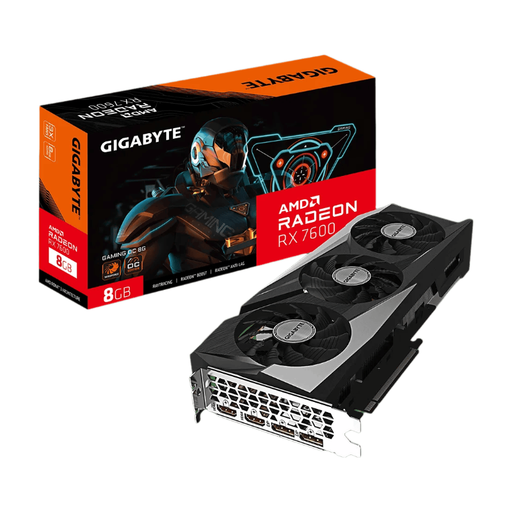
Why this choice suits this profile: this AMD graphics card combines 8 GB of GDDR6, four video outputs and WINDFORCE cooling for 1080p gaming and sustained multimedia use.
The spec sheet states 282 mm in length, 50 mm thickness, an 8-pin connector and a recommended 550 W power supply: measure the available space in your case before ordering.
RDNA 3 architecture, GDDR6 memory at 18 Gb/s, two HDMI 2.1a outputs and two DisplayPort 1.4a outputs.
Start by looking at the games you plan to play, your monitor's refresh rate and your power supply's wattage. A Radeon RX 7600 or a GeForce RTX 5060 Ti can suit a 1080p gaming PC, while an entry-level model will be more at home with older or less demanding games.
In many cases, yes, provided the motherboard has a compatible PCIe x16 slot. The connection will then run at the generation supported by the oldest component. Still, check the card's physical dimensions, the operating system, driver compatibility and the power connectors.
There's no standard lifespan. It depends on factors including temperature, dust, frequency of use and the settings applied. A well-ventilated case, cleaning with compressed air and a suitable power supply all help to preserve the hardware. Before any intervention, turn off the computer and unplug it from the mains.