
Livraison le jour même ou le lendemain

Qualité garantie

Débloquez vos offres de bienvenue: Livraison GRATUITE | Jusqu'à -80 % | 30 jours d'essai gratuits à JoyPlus
Téléchargez l'application
Juggling a laptop, a smartphone, and a tablet with an army of chargers is a real headache. Your bag weighs a ton, wall outlets are always occupied, and often, the charging performance is disappointing. The GaN charger has emerged as the miracle solution, but the market is flooded with models whose promises don't always hold up.
As the Head of Product Selection at Joybuy, my role is to help you see things more clearly. Before you make a decision, here are the three pitfalls to avoid so you don't regret your purchase?:
To ensure you don't make a mistake, focus on a few essential technical points. This is where a charger's true performance and versatility lie.
Power, measured in Watts (W), is the first criterion. But the total advertised power isn't everything. The key is to check how it's distributed among the different ports.
The goal of a single USB power adapter is to say goodbye to cable clutter. The choice of ports is therefore strategic.
Every user is different. Here are a few options that cater to different scenarios and avoid the pitfalls we've discussed.
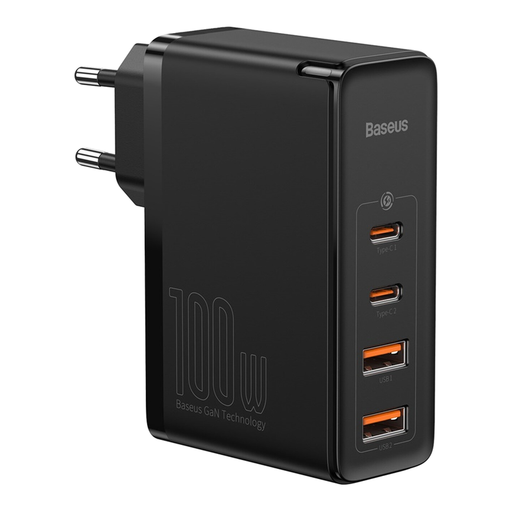
Why this model is a great fit : For those who juggle a laptop, tablet, and smartphone, this charger is a true pocket-sized powerhouse. It allows you to power your entire digital ecosystem without compromising on speed.
The manufacturer provides a detailed breakdown of the power distribution (e.g., 65W + 30W), which helps avoid the "total power" mirage. No nasty surprises : you know exactly what to expect when plugging in multiple devices.
Four ports (2 USB-C, 2 USB-A) and a total power of 100W for maximum versatility.
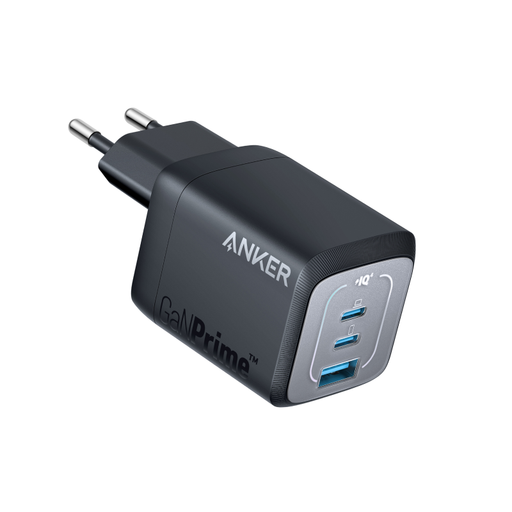
Why this model is a great fit : Ideal for students and professionals on the go who want to travel light. Its record-breaking compactness allows it to be discreetly slipped into any bag.
Here, GaN technology is paired with the ActiveShield 2.0 safety system which, according to Anker, continuously monitors temperature to prevent overheating—the Achilles' heel of ultra-compact chargers.
Ultra-compact form factor with 3 ports (2 USB-C, 1 USB-A) for great versatility while traveling.
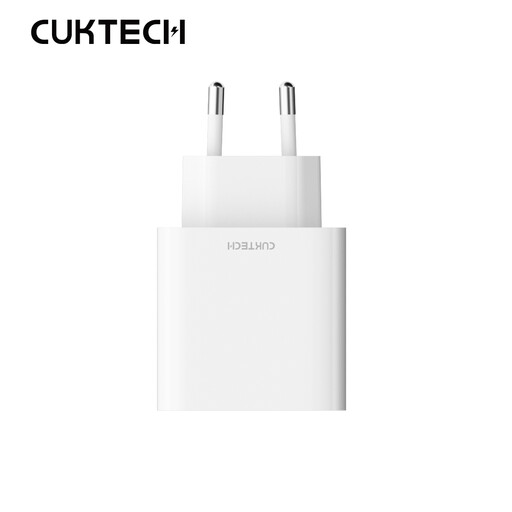
Why this model is a great fit : For those looking for a simple and effective solution to charge a smartphone and a small accessory. Perfect as a replacement for the original charger, or as a secondary charger at home or in the office.
With 30W and two ports, power distribution is simple and predictable, eliminating any ambiguity about its performance. It gets straight to the point, and does it well.
A cost-effective and compact solution that combines a modern USB-C port with an ever-practical USB-A port.
Discover our complete and up-to-date selection of chargers that meet our selection criteria and European safety standards.
It all depends on your devices. For a smartphone alone, 20-30W is sufficient. For a laptop (like a MacBook Air) and a phone, aim for 65W. For a more powerful PC (like a 16" MacBook Pro) or for charging multiple power-hungry devices at the same time, a 100W model or higher is recommended. Always check the maximum input power accepted by your most demanding device.
No, as long as you choose a quality, CE-certified model. Modern chargers, especially those compatible with Power Delivery, communicate with the device to provide just the right amount of power it needs. This smart management prevents overcharging and preserves your battery's lifespan.
Absolutely not, and this is a detail that makes all the difference. To take full advantage of a 65W or 100W charger, you must use a USB-C cable rated to handle that much power. A low-quality cable will not only throttle the charging speed but can also be dangerous. Look for cables explicitly certified for 60W, 100W, or more.