
Livraison le jour même ou le lendemain

Qualité garantie

Débloquez vos offres de bienvenue: Livraison GRATUITE | Jusqu'à -80 % | 30 jours d'essai gratuits à JoyPlus
Téléchargez l'application
By our product experts, August 27, 2026
Tired of juggling an arsenal of chargers for your laptop, smartphone, and tablet? The promise of a single, compact, and ultra-powerful GaN charger is certainly appealing. But the market is flooded with models featuring often-misleading technical specs. The result: many users end up with a charger that fails to deliver on its promises, overheats dangerously, or, even worse, recharges their devices at a snail's pace.
To avoid falling for this trap, you need to know how to sidestep the most common marketing ploys. Here are the two mistakes that cost buyers the most, and more importantly, how to avoid them.
The number highlighted on the packaging often refers to the total combined output (100W, 160W, etc.). Many buyers assume they can get this maximum power from any port at any time. This is a mistake. In reality, this power is shared across all ports. Plugging in a second device can cause the output to drop drastically and unexpectedly, leaving the charger unable to properly power a laptop. For example, a 100W multi-port power adapter might only deliver 65W on its main port and 30W on the second, and even less if all ports are in use.
Is your smartphone compatible with "ultra-fast" charging? Great. But if your new USB-C fast charger doesn't support the same protocol (like Power Delivery (PD) 3.0, Quick Charge (QC) 4+, or PPS), it will charge at a crawl. Manufacturers are often vague about supported protocols, settling for a generic mention like "fast charging." The result is a major disappointment and charging times that drag on forever.
To choose a GaN charger that will truly deliver on its promises, focus on these two non-negotiable points.
Never rely on the total wattage alone. Scrutinise the technical specifications to find the breakdown of power delivery for different configurations. Reliable information will look like this:
This information is your best guarantee that the charger can power your devices simultaneously and efficiently. For a MacBook charger or any other laptop, a port capable of delivering a minimum of 65W continuously is essential.
USB-C has established itself as the standard for fast charging. For a future-proof investment, prioritise a charger with at least two USB-C ports. An additional USB-A port remains useful for older devices or small accessories (smartwatches, earbuds, etc.). A good compact travel charger must offer this versatility to let you travel light without making compromises.
We have selected models that meet specific needs while avoiding the pitfalls we've just described.
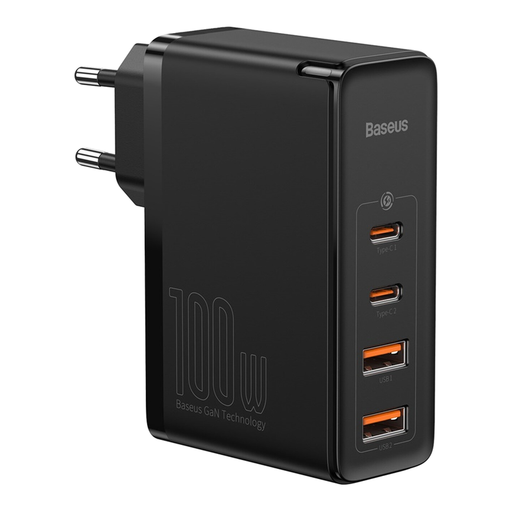
Perfect for those who juggle a laptop, smartphone, and other devices. It single-handedly replaces up to four bulky chargers, both at the office and on the go.
Its spec sheet is crystal clear about power distribution: up to 100W on a single USB-C port, or 65W + 30W when using both USB-C ports. This ensures a stable charge for a computer, even with a phone plugged in.
Versatility: 2 USB-C and 2 USB-A ports for maximum compatibility. Ample Power: Its 100W is sufficient for most laptops, including power-hungry models.
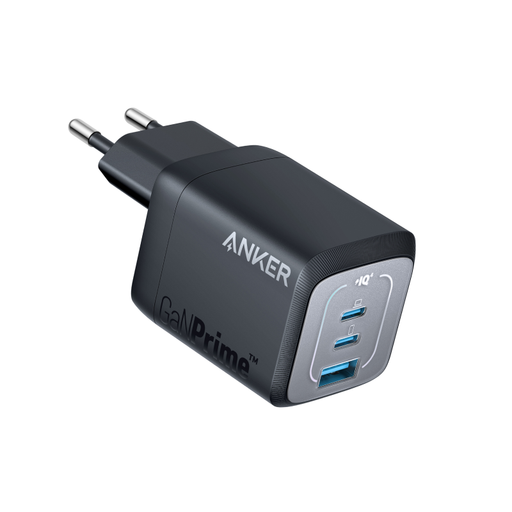
Designed for nomads who demand power in a pocket-sized format. Its foldable prongs and mini size make it perfect for slipping into any bag, while still being able to charge a MacBook Air, a smartphone, and a tablet.
Anker guarantees 67W on a single port and an intelligent power distribution that remains effective with multiple ports. It prevents overheating (a weak point of low-end compact chargers) with its ActiveShield 2.0 technology.
Ultra-Compact: 51% smaller than the original 67W Apple charger. Foldable Prongs: The detail that makes all the difference for portability and durability.
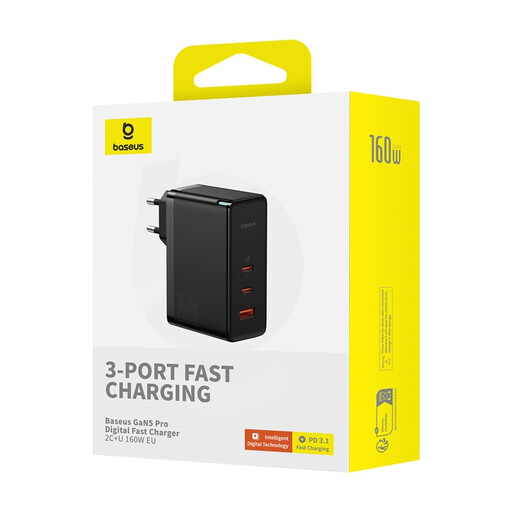
For creatives, developers, or gamers using high-performance machines (e.g., a 16-inch MacBook Pro) who need to charge multiple devices simultaneously without compromising on speed. A true desktop charging station, but in a portable form factor.
With 160W of total power, it offers incredibly flexible distribution. It can maintain a maximum charge on the main port even when other devices are plugged in, avoiding the classic pitfall of shared power that slows everything down.
Extreme Power: 160W total, with a main port that can deliver 140W on its own. 240W Cable Included: It comes with a USB-C cable rated for 240W, allowing you to harness its full power without bottlenecks.
Explore our full selection of chargers that meet our quality criteria and European safety standards.
Absolutely not, as long as you choose a quality, certified model. Modern GaN chargers, like all certified chargers, include chips that communicate with your device (smartphone, laptop, etc.) to deliver only the power it needs. They also feature multiple protections (against overheating, overvoltage, short circuits) that make them perfectly safe to use.
It all depends on the model:
No, and this is a classic pitfall. To take advantage of power greater than 60W, you need a USB-C cable specifically designed to handle 100W or more. These cables include an "E-Marker" chip that communicates its capabilities to the charger and the device. Using a standard cable with a high-power charger will automatically limit the charge to 60W. Therefore, always remember to check the maximum wattage supported by your cable.