
Livraison le jour même ou le lendemain

Qualité garantie

Débloquez vos offres de bienvenue: Livraison GRATUITE | Jusqu'à -80 % | 30 jours d'essai gratuits à JoyPlus
Téléchargez l'application
Creating or upgrading your gaming setup is an exciting project, but the market is saturated with products whose marketing promises often don't match reality. Between aggressive designs that hide poor ergonomics and gimmicky features that inflate the price, it's easy to make a mistake. As a product expert at Joybuy, my mission is to help you cut through the noise and choose the components that truly matter for your comfort and performance.
Before you start, here are the 3 most common pitfalls to avoid so you don't regret your investment.
To invest wisely, focus on a few objective technical specifications. These are the true guarantors of the quality and longevity of your gaming accessories.
Spending hours in front of a screen requires proper support. Forget about colours and logos for a moment and check these three points:
Good lighting transforms the experience. For a harmonious result, look beyond just "RGB":
For a PC watercooler, efficiency trumps aesthetics.
Here are a few options that meet these criteria, tailored for different user profiles.
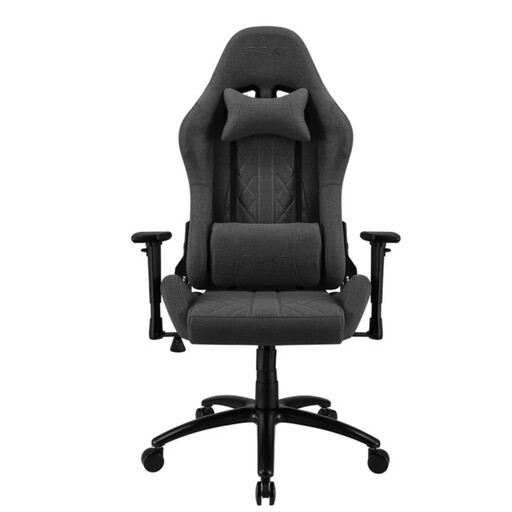
Why we chose it: This chair offers an excellent durability-to-comfort ratio for a controlled budget. It's the ideal reliable foundation for long gaming or remote work sessions, without unnecessary features.
Its 55 kg/m? foam and 100% metal frame prevent sagging and instability, the two plagues of entry-level chairs.
It offers comprehensive adjustments (3D armrests, adjustable cushions), a feature often reserved for much more expensive models.
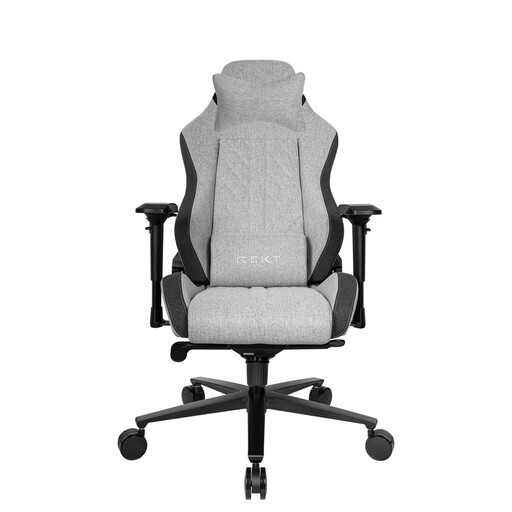
Why we chose it: For those who make no compromises on comfort and durability. Its premium materials (cold-cured foam, aluminium base) make it a long-term investment, built for intensive use.
Its 65 kg/m? cold-cured foam provides a perfect balance of firmness and comfort for support that never wavers. Its water-repellent Elastron fabric stays cool and is far more durable than PU leather.
Its aluminium ACD-12 base and 75 mm XXL casters guarantee rock-solid stability and a perfect glide.
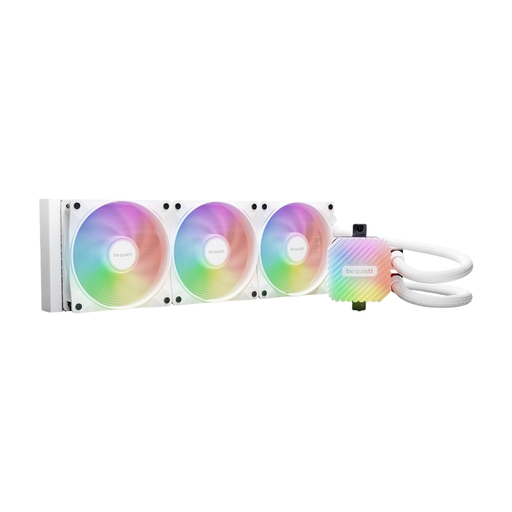
Why we chose it: This AIO is for users who love to push their hardware to its limits (overclocking, high-definition streaming). It's designed for maximum thermal dissipation, without the noise.
It doesn't sacrifice performance for aesthetics. Its state-of-the-art pump and high-static-pressure fans ensure formidable cooling efficiency, unlike AIO systems that are more flash than substance.
A 360 mm radiator for unmatched dissipation, an inaudible pump, and an included ARGB/PWM hub to control up to 6 fans and components.
To perfect your atmosphere, discover our selection of products that meet our quality criteria and current safety standards.
Its longevity primarily depends on the quality of its components. A model with a steel frame, an aluminium base, and high-density foam (over 60 kg/m?) can easily last more than 5 years with normal use. Conversely, an entry-level chair with a plastic base and low-density foam will show signs of wear (sagging, creaking) in less than two years.
Not necessarily. It's not a must-have for every build. A good air cooler (ventirad) is often sufficient for non-overclocked processors. However, a watercooler becomes a worthwhile option in several cases:
Most quality LED strips use a 3M adhesive that can be removed without leaving residue on smooth, non-porous surfaces (metal, plastic, varnished wood). Before installation, thoroughly clean the surface with isopropyl alcohol to ensure maximum adhesion. If you're worried about damaging a fragile surface (like unfinished wood), a trick is to apply a strip of painter's tape first, then stick the LED strip on top of it.