
Livraison le jour même ou le lendemain

Qualité garantie

Débloquez vos offres de bienvenue: Livraison GRATUITE | Jusqu'à -80 % | 30 jours d'essai gratuits à JoyPlus
Téléchargez l'application
Building your first battlestation is an exhilarating moment, but the process can quickly become a headache. Between the jungle of components and the myriad of peripherals, it's easy to feel lost. How can you be sure that all these parts will be compatible? How do you create a cohesive aesthetic without sacrificing performance? And most importantly, how do you assemble a complete gaming setup that won't break the bank?
This guide is here to light the way. Our goal: to give you clear advice and concrete recommendations for choosing the right PC gaming accessories. Together, let's review the cornerstones of a great complete gaming kit so you can get started under the best conditions, without the stress of searching for everything separately.
Before you dive into our selection, here are a few points to keep in mind to make the right choice.
A good gamer setup isn't just a pile of components. It's a true ecosystem where every piece must work in perfect harmony. First, think about aesthetics: peripherals with synchronised lighting, like RGB PC speakers and a matching keyboard, create a much more immersive atmosphere. Then, consider performance: a 100?Hz curved monitor is an excellent choice for fluidity, but only if your PC is powerful enough to deliver the necessary frames per second (FPS).
For a first gamer bundle, four peripherals are must-haves:
The idea of a budget-friendly gaming setup isn't to grab the cheapest products, but to find those with the best performance-to-price ratio. It's often better to invest a little more in durable, high-performance peripherals that will last for years, rather than having to replace them after just a few months.
Here is our selection of compatible and high-performing products, chosen to form the ideal foundation for your first gaming setup.
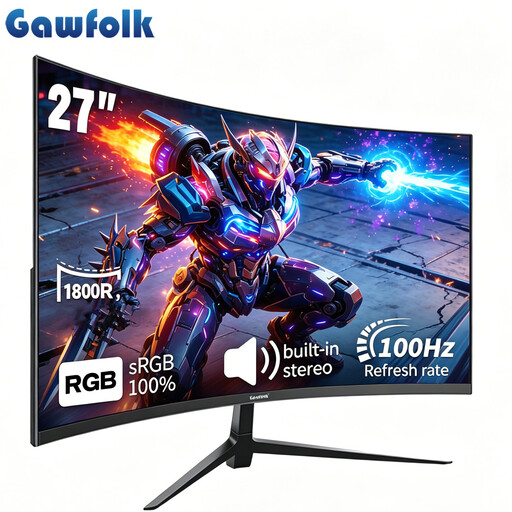
Why we chose it: This monitor checks three boxes highly sought after by gamers: a comfortable 27-inch size, an immersive 1800R curvature, and a 100?Hz refresh rate. The result is a visual experience that is both enveloping and fluid, ideal for adventure games and competitive titles alike.
Highlights:
Who is it for? For beginner gamers looking for immediate visual immersion without breaking the bank. It's an excellent starting point for an amazing visual experience.
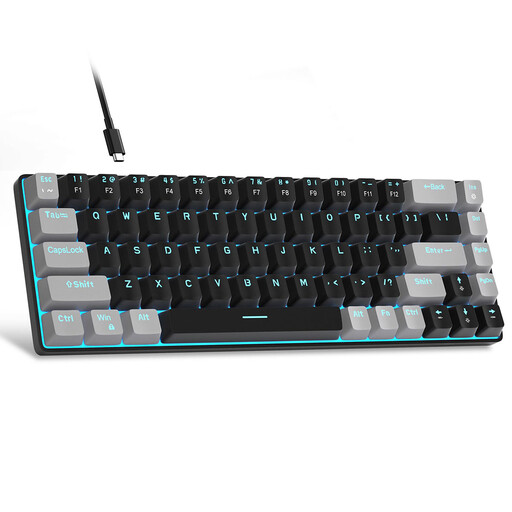
Why we chose it: The MageGee MK-Box features a compact 60% layout but retains dedicated arrow keys: a great compromise for gamers who want maximum space for their mouse.
Highlights:
Who is it for? For gamers seeking a responsive and compact mechanical keyboard, who prioritise efficiency and desk space. Please note, this is a QWERTY US layout.
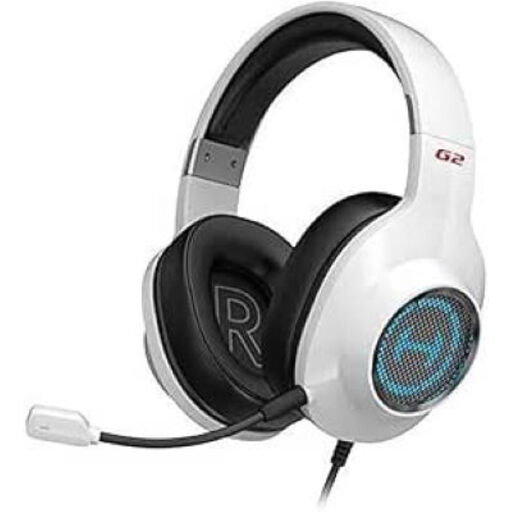
Why we chose it: The Edifier G2II gets straight to the point: quality surround sound and a microphone that ensures you're heard clearly. Thanks to its large 50?mm drivers and 7.1 surround virtualisation, it delivers precise sound spatialisation, an undeniable tactical advantage in-game.
Highlights:
Who is it for? For gamers who take teamwork seriously and need precise audio and reliable communication, without sacrificing long-term comfort.
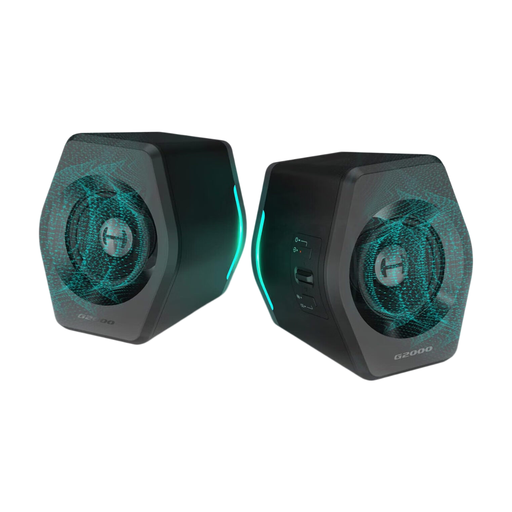
Why we chose them: These compact speakers are an excellent alternative to a headset for enjoying music, movies, or solo gaming sessions. They deliver surprisingly punchy sound for their size and add a touch of style with their customisable RGB lighting.
Highlights:
Who is it for? For gamers looking for a versatile audio system that can fill a small room for multimedia use while refining the aesthetic of their battlestation.
A setup's atmosphere isn't just about peripherals. Well-thought-out desk lighting can transform your space and reduce eye strain. To go further and perfect the atmosphere of your gaming corner, take a look at our selection of desk lights.
1. What does a basic gaming setup consist of? A basic setup includes the essentials: the tower (the PC), a monitor, a keyboard, a mouse, and an audio system (headset or speakers). Accessories like an XXL mouse pad, a headset stand, or ambient lighting can then be added to refine the installation.
2. What's a realistic budget for a first gaming setup? The budget can vary wildly. For peripherals alone (monitor, keyboard, headset, mouse), a budget of €300 to €500 is enough to acquire quality equipment to get started, like the products in our selection. Of course, the PC itself will represent the largest part of the investment.
3. Is it better to buy a gaming bundle or components separately? Buying components one by one offers maximum flexibility, but it requires time and some knowledge. For a beginner, starting with a selection of compatible and proven products, like those in this guide, is a much simpler and safer approach. It guarantees you'll build a coherent and complete gaming kit with no unpleasant surprises.