
Livraison le jour même ou le lendemain

Qualité garantie

Débloquez vos offres de bienvenue: Livraison GRATUITE | Jusqu'à -80 % | 30 jours d'essai gratuits à JoyPlus
Téléchargez l'application
Changing a component can give your system a serious new lease of life, but an impressive-looking specification sheet does not necessarily guarantee the right purchase. For PC gamers, content creators and compact-case users, the costliest mistakes usually involve compatibility, cooling and available power.
Here are the key points to check before choosing your gaming PC components, particularly an M.2 NVMe SSD or a PC graphics card.
A PCIe 5.0 SSD can boast impressive sequential read and write speeds. However, these figures depend on the motherboard, controller, cooling system and the type of files being handled. Installed in a PCIe 4.0 slot, a PCIe 5.0 SSD will generally operate at a lower speed.
In games, the difference between a fast PCIe 4.0 SSD and a PCIe 5.0 model does not necessarily translate into proportionally shorter loading times compared with the advertised transfer speeds. Capacity, thermal stability and system compatibility may have a greater influence on your decision.
The M.2 2280 form factor refers to a 22 × 80 mm board and is widely used in modern desktop and laptop computers. You must still check that the slot supports the NVMe PCIe protocol, rather than only M.2 SATA SSDs.
PCIe 5.0 SSDs generate more heat during prolonged transfers. Without a suitable heatsink, the controller may automatically reduce performance to prevent overheating. For installation in a PlayStation 5, a compatible heatsink is also essential if the SSD does not already include one.
A gaming graphics card should not be selected based solely on its video memory. You also need to check its length, thickness, connector type and the recommended power supply wattage.
An RTX 5090 or RTX 5080 graphics card may exceed 30 cm, occupy several slots and require a 12V-2x6 connector. At the other end of the scale, a low-profile card such as the GT 1030 or GT 710 consumes little power, but is mainly intended for office work, multimedia and less demanding games.
The actual available capacity will be lower than the figure shown on the packaging after formatting. Also remember to back up your important files: even the best SSD cannot replace a proper backup strategy.
GDDR7 memory increases the bandwidth of newer generations, but it cannot work miracles if paired with an outdated processor, an undersized power supply or a poorly ventilated case.
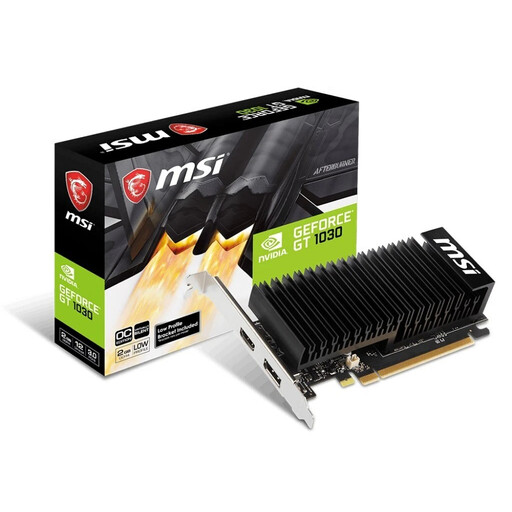
Why this product suits this profile: Its low-profile design, passive cooling and stated 20 W power consumption make it suitable for small cases, office work and multimedia use.
The specifications clearly state its compact form factor and fanless design. However, make sure there is good airflow, as the heatsink can become hot.
2 GB of DDR4 memory, PCIe 3.0 interface, HDMI and DisplayPort outputs, low-profile design.
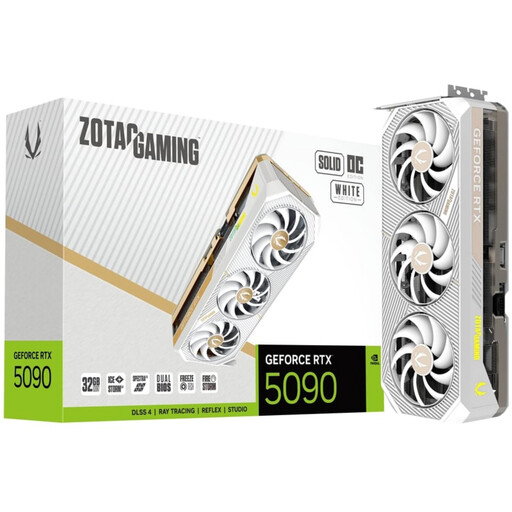
Why this product suits this profile: With 32 GB of GDDR7 and a PCIe 5.0 x16 interface, it is designed for systems dedicated to high-resolution gaming, content creation and certain intensive graphics workloads.
Its dimensions, weight and 12V-2x6 connector are specified clearly. You will therefore need a large case, a suitable power supply and the supplied support bracket.
32 GB of GDDR7, three 100 mm fans, dual BIOS and four video outputs.
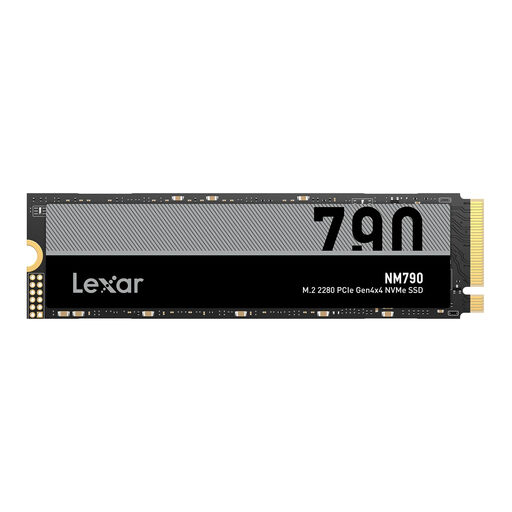
Why this product suits this profile: Its 4 TB capacity is ideal for large game libraries, video projects and professional files stored on a PC or compatible PS5.
Its PCIe 4.0 x4 interface means you do not pay for PCIe 5.0 when your motherboard does not support it. For PS5 use, a suitable heatsink is still essential.
4 TB, M.2 2280 form factor, advertised read speeds of up to 7 400 MB/s and write speeds of 6 500 MB/s.
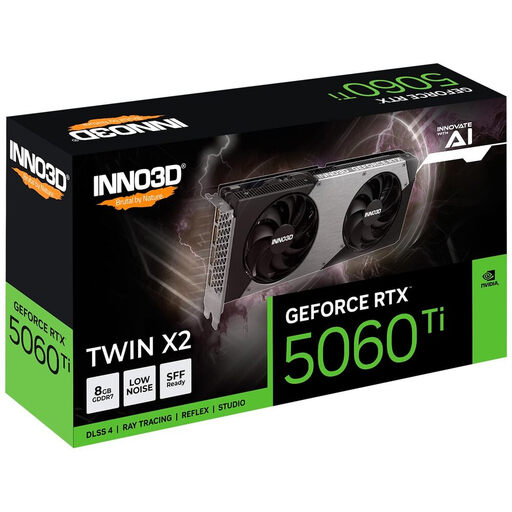
Why this product suits this profile: This gaming graphics card combines 8 GB of GDDR7, dual-fan cooling and a stated length of 250 mm, making it easier to install in a wide range of systems.
The recommended 650 W power supply and 8-pin connector are clearly specified. Check both before installation.
8 GB of GDDR7, PCIe 5.0 x8 bus, three DisplayPort outputs and fan stop at low loads.
We have put together a complete, real-time updated list of products that fully meet these strict selection criteria and European safety regulations.
Before handling any components, shut down the computer completely and unplug it from the mains. To install an SSD, use the M.2 slot indicated in the motherboard manual and secure the module without forcing or bending it. For a graphics card, check that the PCIe latch is locked securely and that the power cables are fully inserted.
Once the computer has restarted:
A 1 TB SSD is suitable for a limited selection of games and everyday applications. A 2 TB SSD gives you more flexibility for day-to-day use. A 4 TB SSD becomes worthwhile if you want to install several AAA games, store 4K videos or keep a substantial work library.
Not necessarily. You first need a motherboard equipped with an M.2 PCIe 5.0 slot. For mainly gaming-focused use, a fast PCIe 4.0 SSD is already sufficient in most cases, while generally placing fewer thermal demands on your system.
The required power depends on the model you choose and the rest of your system. As a guide, the specifications state 550 W for the Gigabyte RX 7600, 650 W for the INNO3D RTX 5060 Ti, 750 W for the Palit RTX 5070 Ti and up to 1 000 W for certain RTX 5090 models. Always check the required connector and the manufacturer’s precise recommendation.