
Livraison le jour même ou le lendemain

Qualité garantie

Débloquez vos offres de bienvenue: Livraison GRATUITE | Jusqu'à -80 % | 30 jours d'essai gratuits à JoyPlus
Téléchargez l'application
Choosing gaming PC components is not simply a matter of stacking the most impressive figures from a specification sheet. A powerful graphics card can be held back by an underpowered PSU, an ultra-fast SSD may run below its potential on an incompatible motherboard, and a recent build can quickly become difficult to cool inside a compact case.
Whether you are a gamer, content creator, 3D professional or work with artificial intelligence tools, here are the key points to check before buying your hardware.
An SSD’s sequential read and write speeds are easy to highlight, but they do not tell the whole story. An M.2 PCIe 5.0 NVMe SSD can exceed 14 000 MB/s, without necessarily reducing loading times by the same proportion in every game. The processor, operating system, motherboard and software optimisation also play a part.
For everyday use, a PCIe 4.0 SSD offering around 7 000 to 7 450 MB/s is already a very sensible choice. PCIe 5.0 is mainly worthwhile for frequent transfers of large files, video editing or certain professional workloads.
An RTX 5090, RTX 5080 or RTX 5070 graphics card should not be chosen solely based on its video memory. You must also check the power supply unit’s recommended wattage, the required connector and the space available inside the case.
Some cards occupy between 2.5 and 3.8 slots and are more than 30 cm long. A Palit RTX 5080 recommends an 850 W power supply, while an ASUS ROG Astral RTX 5090 calls for 1 000 W or more. The 12V-2x6 cable must be fully inserted and should not be bent immediately next to the connector.
A gaming motherboard must be compatible with the intended processor, RAM and SSDs. An AM5 motherboard designed for AMD Ryzen processors cannot replace an Intel model with an LGA 1700 socket. Likewise, a B650 or B850 motherboard generally uses DDR5, while an Intel B760 motherboard is available in DDR4 or DDR5 versions.
The case format also matters: ATX, micro-ATX and Mini-ITX offer different amounts of space and different numbers of connectors.
For Full HD gaming, a card such as the RTX 5060 Ti with 8 GB of GDDR7 can fit perfectly into a balanced build, depending on the games you play and the settings you choose. With its 12 GB of GDDR7, the RTX 5070 is better suited to high-refresh-rate monitors, content creation and ray tracing. The RTX 5080 and RTX 5090 have 16 GB and 32 GB of GDDR7 respectively in the models featured, which may appeal to users working on 4K or 8K projects, 3D applications and certain artificial intelligence workloads.
Always check:
An M.2 NVMe SSD in the 2280 form factor must be installed in a compatible slot. On a PCIe 4.0 motherboard, a PCIe 5.0 SSD will be limited to the performance of the previous generation. Conversely, a PCIe 4.0 SSD can operate on an older platform, with speeds suited to the available interface.
To choose the right capacity:
An integrated SSD heatsink, or one supplied with the motherboard, helps dissipate heat during prolonged transfers. However, you should still maintain good airflow inside the case and back up important data regularly.
For an AMD build, the COLORFUL CVN B650M GAMING FROZEN V14 uses a micro-ATX form factor, with four DDR5 slots and two M.2 ports compatible with PCIe 5.0 or 4.0, depending on the slot and processor used. More compact, the COLORFUL CVN B850I GAMING FROZEN V14 in Mini-ITX format offers one PCIe 5.0 M.2 slot and another using PCIe 4.0.
For Intel systems, the GIGABYTE B760M H DDR4 is designed for processors compatible with the LGA 1700 socket. It offers four DDR4 slots and a PCIe 4.0 M.2 connector. Before placing your order, always take the time to consult the compatibility list published by the manufacturer.
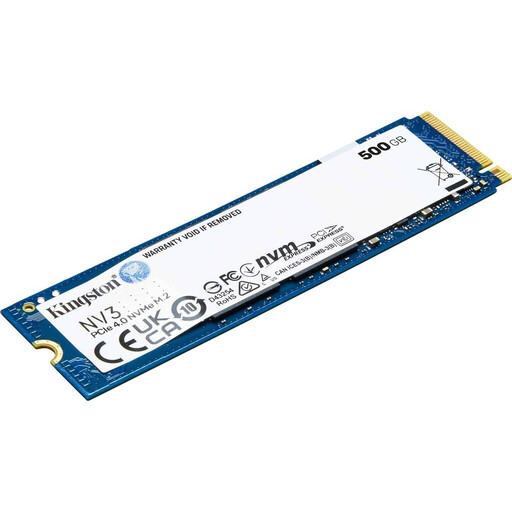
Why it suits this profile : Its M.2 2280 form factor and 500 GB capacity make it a suitable option for giving a laptop, mini PC or desktop PC a new lease of life.
The PCIe NVMe 3.0 x4 interface is clearly specified. This means you avoid paying for a standard that your computer could not take full advantage of.
Advertised read speeds of up to 3 500 MB/s and a compact 22 × 80 mm format.
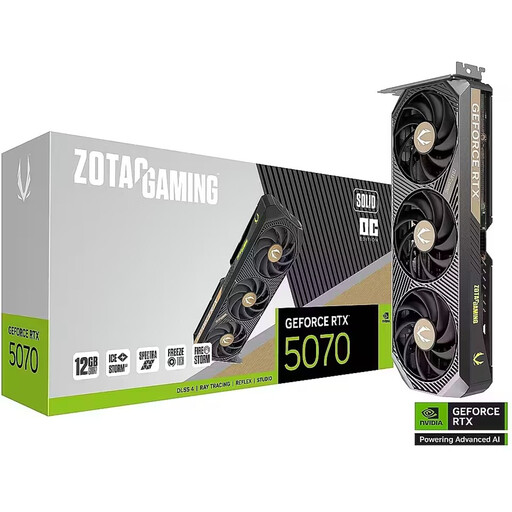
Why it suits this profile : Its 12 GB of GDDR7 and DisplayPort and HDMI outputs meet the needs of high-definition gaming, streaming and content creation.
The specification sheet clearly states the memory, 16-pin connector, approximately 2.5-slot format and recommended power supply of 650 W or more.
NVIDIA Blackwell architecture, 6 144 CUDA cores and an advertised boost clock speed of up to 2 572 MHz.
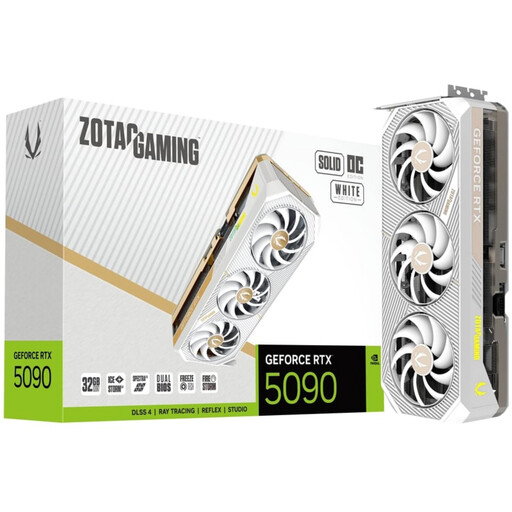
Why it suits this profile : With 32 GB of GDDR7 and a 512-bit memory bus, it is designed for builds dedicated to high-resolution gaming, content creation and the most demanding graphics workloads.
Its dimensions, weight of approximately 2.08 kg and 12V-2x6 connector are clearly specified. You will therefore need a spacious case, a suitable power supply and a support bracket for the card.
21 760 CUDA cores, PCIe 5.0 x16 interface and three DisplayPort 2.1b outputs alongside one HDMI 2.1b output.
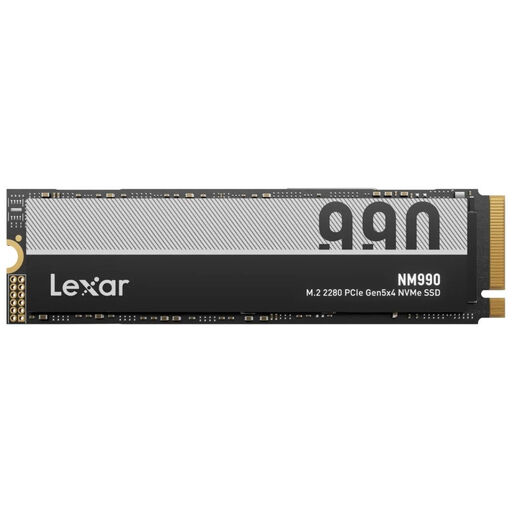
Why it suits this profile : Its 4 TB capacity is ideal for large game libraries, video files and 3D projects that require fast, high-capacity storage.
The heatsink and the need for a PCIe 5.0 platform must be taken into account before installation, particularly to prevent heat-related performance drops.
PCIe 5.0 x4 interface, advertised sequential read speeds of up to 14 000 MB/s and a 4 TB capacity.
We have put together a complete, real-time-updated list of products that meet these demanding selection criteria and European safety standards.
A 1 TB PCIe 4.0 M.2 NVMe SSD is an excellent starting point for your operating system and several games. PCIe 5.0 becomes worthwhile if your motherboard has a compatible slot and you regularly transfer very large files. In all cases, check for a heatsink and make sure there is enough space inside the case.
Not necessarily. You need to compare the recommended wattage, required connectors and the quality of the power supply unit. Depending on the model, an RTX 5060 Ti can be paired with a 650 W power supply, while some RTX 5080 and RTX 5090 models recommend 850 W and 1 000 W or more respectively. The case must also provide sufficient airflow.
Always leave part of the drive’s capacity free, install firmware updates recommended by the manufacturer and monitor the temperature during prolonged workloads. Regular backups remain essential: no storage medium is immune to failure. For recycling, take your SSD to a collection point for waste electrical and electronic equipment.