
Livraison le jour même ou le lendemain

Qualité garantie

Débloquez vos offres de bienvenue: Livraison GRATUITE | Jusqu'à -80 % | 30 jours d'essai gratuits à JoyPlus
Téléchargez l'application
Choosing a gaming PC case is about more than picking a colour or a front panel covered in RGB LEDs. The wrong choice can make a graphics card impossible to install, restrict cooling or require an incompatible power supply. Product listings often focus on design, but it is the internal dimensions and airflow that make the real difference day to day.
Here are the main pitfalls to avoid before placing your order, along with a selection of cases suited to different types of users in France.
A compact PC case can easily house a powerful build, provided it has the necessary internal clearances. You should check the graphics card length, CPU cooler height and power supply length separately.
A model advertised as ATX-compatible does not automatically guarantee that you can install a large graphics card or a 360 mm radiator. Fans and a radiator mounted at the front can also reduce the space available for the graphics card.
A RGB PC case can create a very attractive look, but the lighting has no direct effect on temperatures. For effective cooling, check instead for a mesh front panel, the number of fans supplied and the available mounting positions.
A PC case with included fans can help limit additional purchases, but check their size, position and connectors. Three-pin 5 V ARGB fans are not compatible with every RGB controller.
Some cases use a standard ATX power supply, while others only accept SFX or SFX-L units. This difference is particularly important with compact or dual-chamber models.
Cable management also deserves your full attention. Around 25 to 35 mm behind the motherboard makes building easier and prevents cables from being compressed against the side panel. With a tempered glass case, excessive pressure can even weaken the panel.
Start by identifying your motherboard format: Mini-ITX, Micro-ATX, ATX or E-ATX. An ATX PC case may support several formats, but E-ATX compatibility is sometimes limited to certain dimensions.
Next, check these three measurements:
If you are installing a long graphics card, allow a few millimetres of extra clearance. Also consider the power connector, which may require additional space behind the panel.
An airflow PC case generally has a perforated or mesh front panel to make it easier for cool air to enter. A typical setup places the front and bottom fans as intakes, with the rear and top fans as exhausts.
For a water-cooling PC case, do not focus solely on the radiator size. Also check the combined thickness of the radiator and fans, any potential interference with the RAM, and the space available above the motherboard.
Removable filters on the top, front and underside of the case make maintenance much easier. In a French home exposed to dust, regular cleaning helps preserve optimal airflow.
A PC case with tempered glass showcases your components beautifully, but always place the panel on a soft surface while building. Avoid impacts to the corners and do not overtighten the screws.
A glass panel does not remove the need for effective ventilation. For a machine that is used regularly, choose a mesh front panel or a design that clearly separates the areas reserved for cables and components.
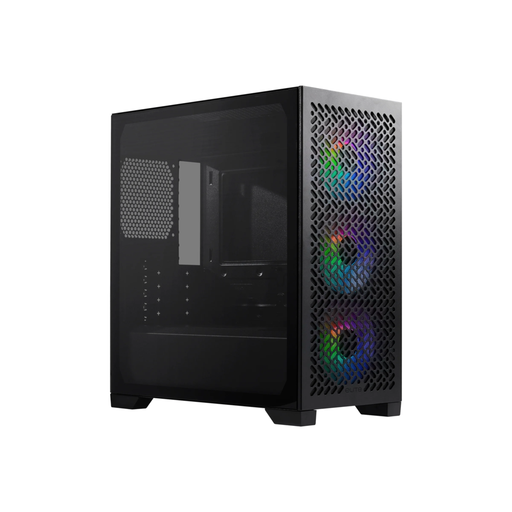
Why this choice suits this profile : This compact case supports Mini-ITX and Micro-ATX motherboards, while already including three 120 mm ARGB fans.
The listing specifies compatibility with graphics cards up to 365 mm, coolers up to 163.5 mm and ATX power supplies up to 160 mm.
Supports a radiator up to 360 mm at the front, with removable filters and USB-C and USB-A ports.
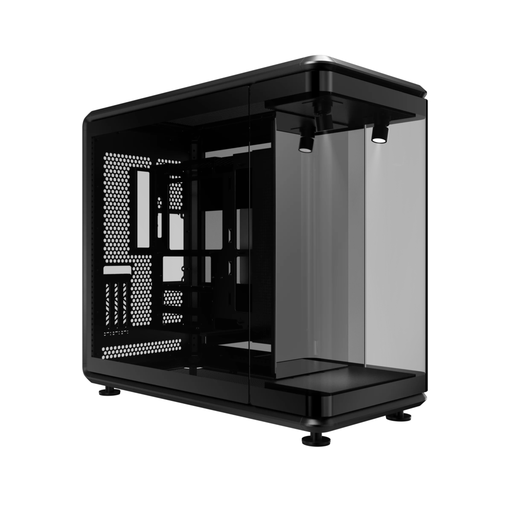
Why this choice suits this profile : Its spacious design is ideal for high-end builds, custom configurations and anyone who wants to show off their components.
The specifications list two mounting positions for 360 mm radiators and compatibility with graphics cards up to 430 mm.
Two tempered glass panels, 110 mm of cable-routing space and a PCIe 5.0 riser cable included.
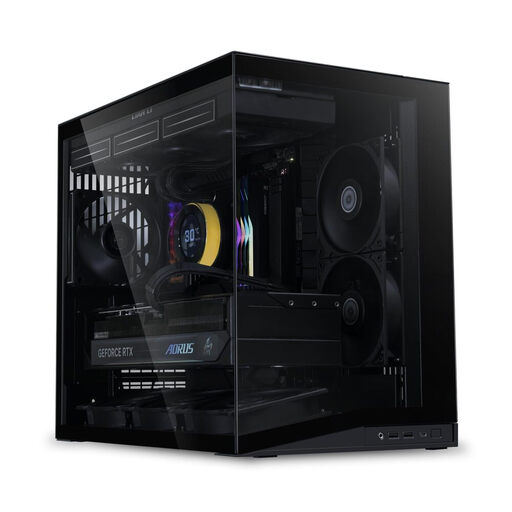
Why this choice suits this profile : Its dual-chamber design and mesh panels are ideal for creators and gamers who want to keep a visible build neatly organised.
The listing specifies that it only accepts SFX or SFX-L power supplies. This is an important restriction to check before buying to avoid any unpleasant surprises.
Graphics cards up to 395 mm, radiators up to 360 mm and a 4 mm tempered glass side panel.
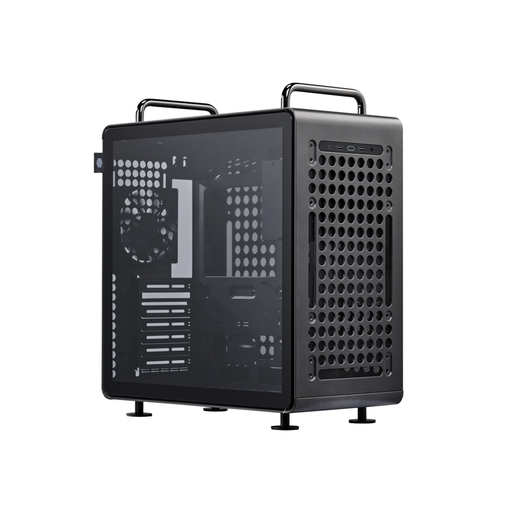
Why this choice suits this profile : Its vertical or horizontal orientation and 48.55 L capacity make it easy to install in a limited workspace.
Despite its adaptable format, it supports graphics cards up to 415 mm and motherboards up to the 280 mm E-ATX format.
Supports radiators up to 360 mm, ATX or SFX power supplies and a repositionable I/O panel.
We have put together a comprehensive, real-time-updated selection of products that meet these demanding criteria as well as European safety standards.
Measure your graphics card, then compare the result with the clearance stated by the manufacturer. Also check compatibility with a fan or radiator installed at the front, as this equipment can reduce the available space. Allow some extra room to make connecting the power cable easier.
For a typical gaming build, three front fans and one rear fan provide a solid starting point. The ideal number depends on the power consumption of the components, the room’s ventilation and whether or not you are using liquid cooling.
Glass is easy to clean with a soft cloth, but the filters and mesh front panel should be dusted regularly. Always switch off and unplug the computer before removing a filter or working inside the case.