
Livraison le jour même ou le lendemain

Qualité garantie

Débloquez vos offres de bienvenue: Livraison GRATUITE | Jusqu'à -80 % | 30 jours d'essai gratuits à JoyPlus
Téléchargez l'application
A gaming PC case isn't just about showing off your components behind illuminated panels. It directly affects cooling, noise levels, maintenance, graphics card compatibility and how easy the build is to put together. Choosing purely on looks can lead to unexpected costs or temperatures that are hard to keep under control.
An RGB PC case may come with several illuminated fans without offering an airflow suitable for a power-hungry build. The number of LEDs gives no indication of airflow, static pressure or noise levels.
Instead, check for a mesh front panel, the number of fans included and the available slots for adding more.
A long graphics card, a 360 mm radiator or a bulky power supply can render a case unusable, even if its ATX compatibility is clearly stated. You must check the dimensions in your final build, taking into account the fans and radiator you plan to install.
An ATX-compatible mid-tower PC case can be perfectly suitable for a high-performance machine. However, some compact models impose limits on GPU length, CPU cooler height or power supply format.
A very open front panel encourages airflow, but it also lets in more dust if no filters are fitted. Conversely, a closed, poorly ventilated case risks trapping heat. Removable filters on the front, top and bottom panels make maintenance much easier.
Cable management also deserves your attention. Too little space behind the motherboard tray can make closing the side panel difficult and disrupt airflow.
Start by checking the motherboard format: ATX, Micro-ATX or Mini-ITX. An ATX PC case will generally accept several formats, but the reverse is not always true.
Next, check the power supply format. Some compact cases, particularly dual-chamber models, require an SFX or SFX-L power supply and won't accept standard ATX units. This information must be checked before you buy, as it can significantly increase your build budget.
To choose an airflow PC case, go for a perforated or mesh front panel, easily accessible filters and a sensible fan layout. A common setup is to have intake fans at the front or bottom, and exhaust fans at the rear or on top.
A PC case with included fans can reduce the initial cost and simplify assembly. However, make sure you know their location, their PWM connector type and the 5 V three-pin ARGB lighting connector. These connectors are not interchangeable with 12 V four-pin RGB headers.
For a watercooling PC case, check the supported radiator size: 240, 280 or 360 mm, as well as the available thickness once the fans are installed. Also compare the maximum graphics card length with the allowed CPU cooler height.
A tempered glass panel improves component visibility, but requires some care during assembly. Place it on a soft surface and avoid any impact on the corners. Tempered glass can shatter if struck or subjected to excessive force.
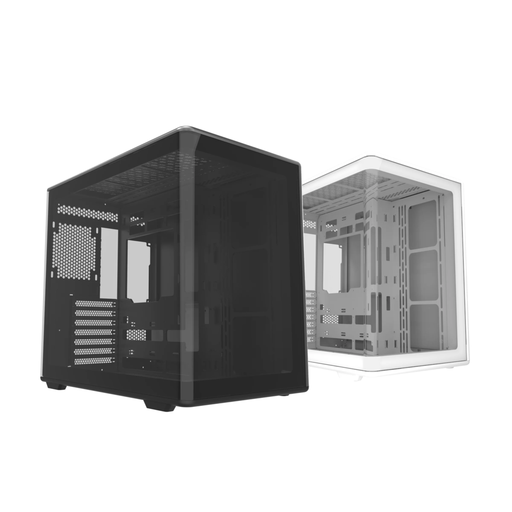
Why this choice suits this profile: This mid-tower PC case accepts Mini-ITX, Micro-ATX and ATX motherboards, with GPU compatibility up to 425 mm. Its four included fans mean you won't need to buy extra ones for a first build.
The specification mentions top, bottom and side filters, plus tool-free access: two valuable features for maintenance and future upgrades.
It supports two 360 mm radiators, an ATX power supply up to 240 mm and a CPU cooler up to 160 mm.
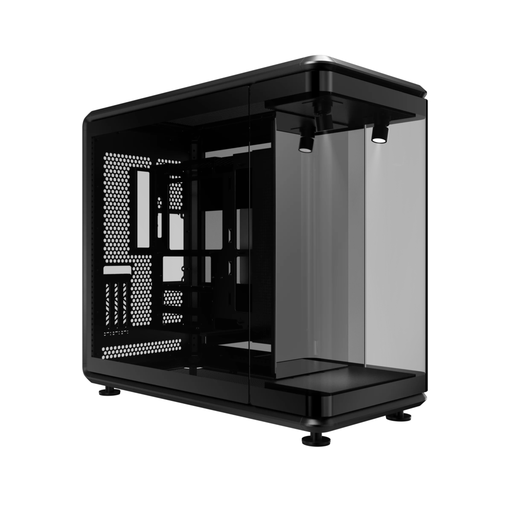
Why this choice suits this profile: With its 93 litres and two tempered glass panels, it's aimed at users who want to showcase an impressive build while retaining plenty of assembly freedom.
The stated dimensions let you check the available space before buying: GPU up to 430 mm, 110 mm dedicated to cable management and a power supply up to 210 mm.
It supports E-ATX motherboards, radiators up to 360 mm and includes a vertical PCIe 5.0 mounting cable.
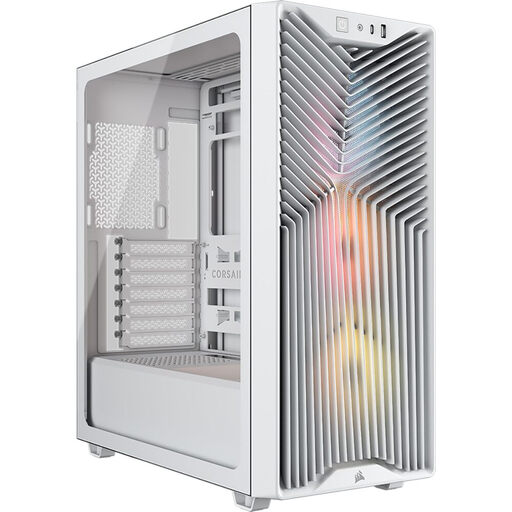
Why this choice suits this profile: This compact airflow PC case combines a mesh front panel, a tempered glass side panel and pre-installed white RS ARGB fans. A solid foundation for a customisable gaming build.
The high-density filters fitted on the top, front and bottom panels limit dust build-up and make regular cleaning easier.
Compatible with ATX, Micro-ATX and Mini-ITX, with PWM fan control and 5 V three-pin ARGB lighting.
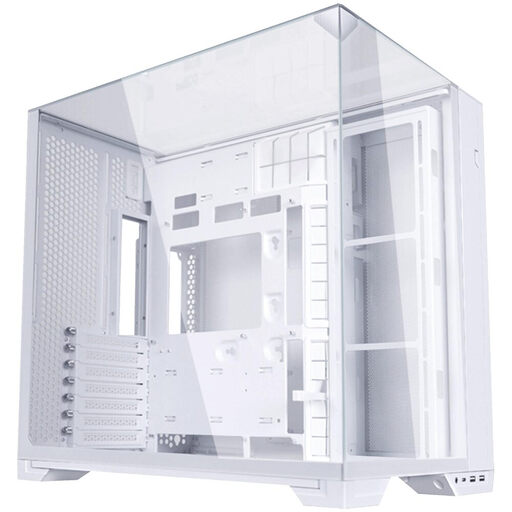
Why this choice suits this profile: Its dual-chamber structure and glass panels show off your components, while the rear space lets you hide cables separately for a clean finish.
The specification clearly states the following limits: 408 mm for the GPU, 167 mm for the CPU cooler and 220 mm for the ATX power supply.
Three tempered glass panels, support for 360 mm radiators and seven PCIe slots.
We've put together a comprehensive, real-time updated selection of products that meet these demanding criteria as well as European safety standards.
An ATX-compatible mid-tower PC case often offers the best balance between interior space and footprint. Still, check the GPU length, cooler height and the available radiator mounting positions. For a very large build or one with an E-ATX motherboard, a bigger case will make assembly easier.
It all depends on the power of your components and the airflow inside the case. Three or four fans correctly positioned are enough for many builds. However, examine the included models on a case-by-case basis: their connectors, control method and location can significantly affect the result.
Glass doesn't directly change how often you need to clean, but it does make dust more visible. Mesh panels and removable filters remain the most important features. Clean the glass with a dry microfibre cloth and always handle the panel with care.