
Livraison le jour même ou le lendemain

Qualité garantie

Débloquez vos offres de bienvenue: Livraison GRATUITE | Jusqu'à -80 % | 30 jours d'essai gratuits à JoyPlus
Téléchargez l'application
Often relegated to the status of a simple accessory, a good gaming mouse pad is nevertheless the cornerstone of a high-performance setup. But in a market saturated with options, how do you find your way? It's easy to fall into the classic traps that will sabotage your comfort and in-game precision. Our mission at the editorial desk: to help you decode the marketing jargon and focus on what truly matters.
Before pulling out your credit card, here are the 3 mistakes you must avoid:
To avoid these unpleasant surprises, forget the marketing and focus on concrete technical criteria. This is what will determine the performance and lifespan of your future ally.
The size of your pad should match your mouse sensitivity (DPI) and the available space on your desk.
The type of surface weave directly determines the glide sensation.
A good mouse pad is a long-term investment. To avoid having to replace it every year, check these two key points:
To help you see things more clearly, here's how these criteria translate into real products.
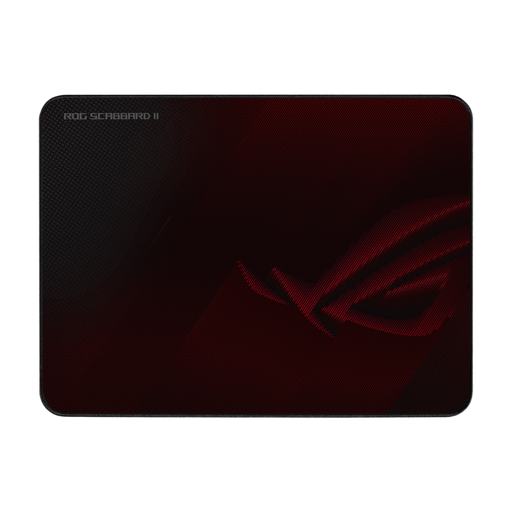
Why we chose it: For gamers who demand a fast and consistent glide, this pad offers a hybrid surface designed for pure speed. Its medium size is an excellent compromise between movement space and desk footprint.
Its flat-stitched edges resist fraying without creating an annoying raised border. The rubber base ensures rock-solid stability.
The protective nano-coating makes the surface resistant to water, oil, and dust, which makes maintenance incredibly simple and guarantees a glide that lasts.
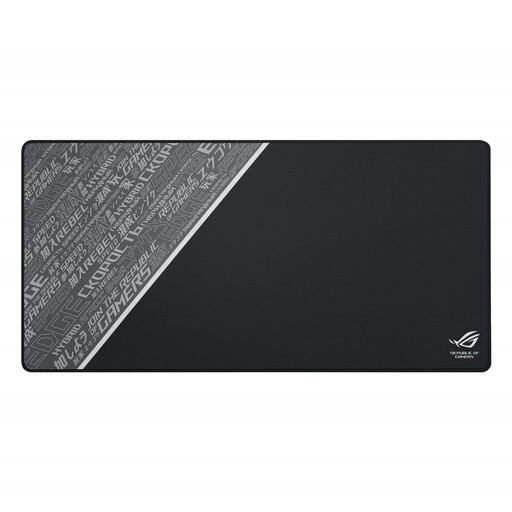
Why we chose it: Perfect for those who want to unify their gaming space. This XXL mouse pad (900 x 440 mm) accommodates your keyboard, mouse, and other peripherals, offering a massive gaming surface and a clean, unified aesthetic.
It solves the stability problem by anchoring both the keyboard and mouse on a single, massive non-slip base. The robust stitched edges ensure excellent longevity despite its large size.
The intricately woven cloth surface is optimised for precise sensor tracking, regardless of sensor type. Its 3 mm thickness provides comfortable cushioning for your wrist.
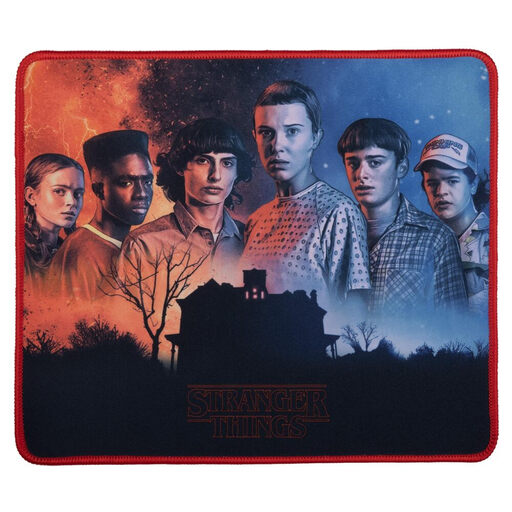
Why we chose it: For gamers who want to combine their passion for gaming with their love for their favourite shows. This pad offers solid performance for casual gaming while displaying an official design that personalises the setup.
Despite its affordable price point, it includes an effective non-slip rubber base and reinforced edges for better wear resistance than an unbranded, generic model.
Its main draw is the officially licensed design. The optimised microfibre surface provides precise control, suitable for both gaming and everyday office tasks.
We have curated a full selection of mouse pads that meet our quality criteria and safety standards.
Most cloth pads can be cleaned with a soft cloth, warm water, and a little mild soap. Gently scrub the surface, rinse with a clean, damp cloth, and then let it air dry completely on a flat surface. Above all, avoid the washing machine and dryer, which could damage the rubber base and the fabric weave. For pads with a special coating like the ROG Scabbard II, a simple wipe with a damp cloth is all it takes.
It all depends on your playstyle. A control mouse pad is often recommended for tactical FPS players (like Valorant or CS:GO) who prioritise headshot precision and micro-adjustments. Conversely, a speed mouse pad may be a better fit for players of fast-paced FPS games (like Apex Legends or Call of Duty) who need to perform quick 180° flicks and track highly mobile targets.
A high-quality mouse pad with stitched edges can last for several years, even with heavy use. The stitching prevents fraying, which is the main reason for replacing entry-level pads. The lifespan will also depend on maintenance: a clean surface is a surface that glides well and lasts longer.