
Livraison le jour même ou le lendemain

Qualité garantie

Débloquez vos offres de bienvenue: Livraison GRATUITE | Jusqu'à -80 % | 30 jours d'essai gratuits à JoyPlus
Téléchargez l'application
A good gaming mouse pad is an often-overlooked accessory, yet it can literally transform your gaming experience. Faced with an overwhelming market, it's easy to fall for marketing traps or choose an unsuitable model that will hamper your performance. Our guide is here to provide clarity and help you identify the criteria that truly matter for a smart, long-lasting purchase.
Before you even start comparing models, it's crucial to know the hidden flaws that can make a mouse pad frustrating to use daily, or even ready for the bin after just a few months.
To ensure you make the right decision, focus on three technical characteristics that make all the difference. They determine 90% of your future pad's performance and lifespan.
This is the number one criterion, as it directly depends on your playstyle and your favourite games.
The dimensions are not just a matter of aesthetics; they are primarily functional.
These details, which may seem secondary, are what guarantee comfort and longevity.
Here are a few options that cater to distinct user profiles, based on the objective criteria we've just outlined.
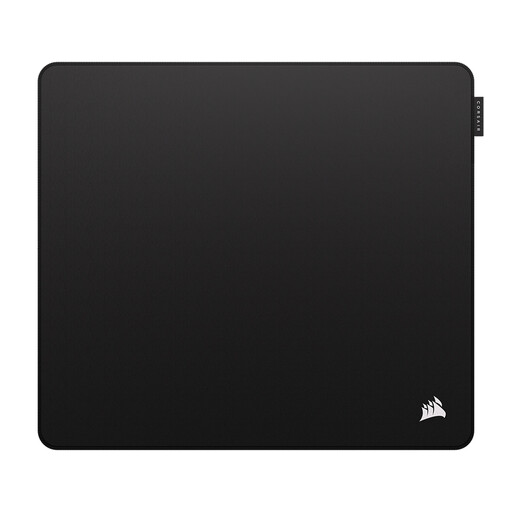
Why it's the right choice: Designed for players who demand absolute precision. Its "control" surface is optimised for low-DPI gaming, where stopping power and micro-adjustments make all the difference.
It avoids the "all-in-one" surface trap by fully committing to its specialisation in control. Its stitched edges and polyurethane base are guarantees against premature wear and unwanted slipping.
Esports-optimised surface: a perfect balance of friction and glide for pixel-perfect tracking. Durable construction: spill-proof and equipped with anti-fray edges.
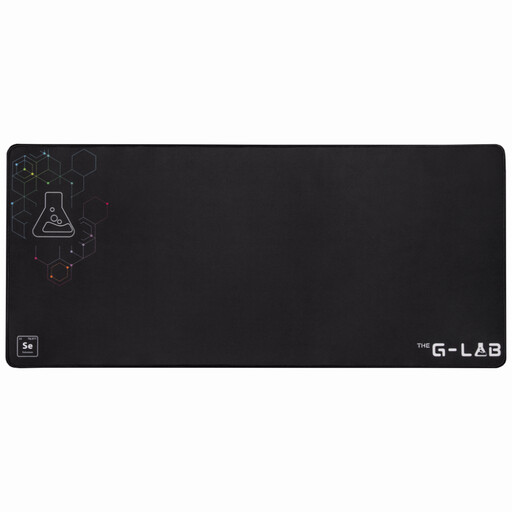
Why it's the right choice: Perfect for those who want to unify their desk with a single, continuous surface. Its 90x40 cm XXL format accommodates both keyboard and mouse, offering absolute freedom of movement and a clean, unified look for the entire setup.
Its reinforced stitched edges prevent fraying, a common flaw on large pads. Its ultra-grippy rubber base keeps it firmly in place, even with a heavy mechanical keyboard on top.
Massive surface area: 900 x 400 mm for limitless freedom of movement. Comfort and stability: 4 mm thickness for wrist comfort and a base that won't budge an inch.
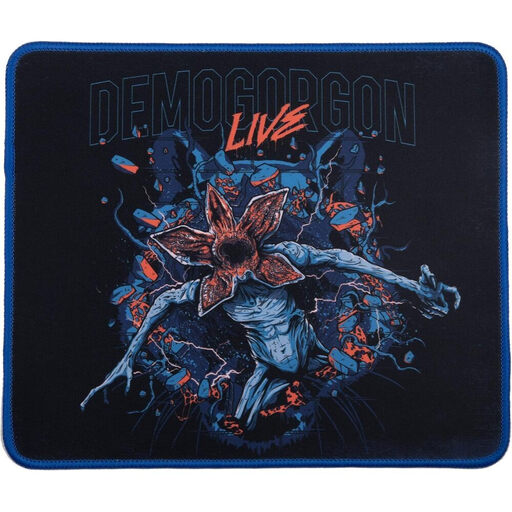
Why it's the right choice: For gamers who want to show off their passion and personalise their desk. This officially licensed *Stranger Things* pad combines a striking design with serious technical features for both gaming and general use.
Unlike many merchandise products, this pad doesn't sacrifice quality for design. Its optimised microfibre surface and non-slip rubber base make it a true piece of gaming gear, not just a gimmick.
Iconic official design: a must-have for fans of the series. High-performance surface: quality microfibre ensures a precise and controlled glide.
Explore our full selection of mouse pads that meet our standards for quality and durability.
1. How do I clean a fabric gaming mouse pad? Most fabric pads can be cleaned by hand. You'll need a soft sponge or cloth, some lukewarm water, and soap (or dish soap). Gently scrub the surface, rinse thoroughly without ever wringing the pad, and then let it air dry flat, away from direct sunlight. The washing machine and dryer are strictly off-limits.
2. Are RGB mouse pads a gimmick or a genuine upgrade? An RGB mouse pad adds an undeniable aesthetic touch to your setup, with customisable lighting that often syncs with your other peripherals (like on the Turtle Beach Sense AIMO XXL model). In terms of performance, there is no advantage. If your budget is tight, it's better to prioritise surface quality, a larger size, or robust stitched edges over lighting.
3. What is the lifespan of a good mouse pad? A quality model with stitched edges and a sturdy base can easily last 2 to 5 years, or even longer, with proper care. The tell-tale signs of wear include a surface that becomes too smooth or uneven, a base that no longer grips the desk, or edges that start to fray despite the stitching.