
Livraison le jour même ou le lendemain

Qualité garantie

Débloquez vos offres de bienvenue: Livraison GRATUITE | Jusqu'à -80 % | 30 jours d'essai gratuits à JoyPlus
Téléchargez l'application
A gaming mouse can make a long session far more comfortable… or quickly become a real source of frustration. A sensor offering several thousand DPI, flashy RGB lighting or a wireless connection is not enough to guarantee an experience suited to the way you play.
Before reaching the checkout, PC and console gamers should focus on the shape, weight, connectivity and features they will actually find useful. Here are the main pitfalls to avoid, the technical criteria to compare and a selection of recommended models for different types of user.
A setting of 36 000 or 42 000 DPI is bound to catch the eye, but few gamers use sensitivity that high. DPI indicates the sensor’s sensitivity, not its inherent quality. In an FPS, consistent tracking, fine-tuned settings and sensor stability are far more important.
You should also check the tracking speed, expressed in IPS, the maximum acceleration and whether customisable profiles are available. A high-precision gaming mouse should remain perfectly controllable, even at low sensitivity and during large movements across the mouse mat.
An 8000 Hz mouse transmits its position much more often than a 1000 Hz model. This feature may appeal to gamers with a sufficiently powerful computer and a high-refresh-rate monitor. However, it can place greater demands on the processor and will not turn imprecise aiming into perfectly controlled movement.
Also check whether 8000 Hz mode works wirelessly or only when wired, depending on the model. The Corsair Sabre v2 PRO advertises this polling rate in wired mode, while the AJAZZ AJ159 APEX offers it wirelessly with its included receiver.
A mouse that is too wide, too heavy or designed only for right-handed users can become uncomfortable if you play with a claw grip or fingertip grip. Conversely, an ultra-light model may sometimes have fewer buttons and offer more limited battery life.
For a wireless gaming mouse, check the advertised battery life for each connection mode, whether a USB-C cable is included and whether you can continue playing while it charges. RGB lighting can also reduce the time between charges.
For versatile use, an adjustable sensitivity range is generally sufficient. The models featured offer, among other things:
The polling rate should be assessed based on the processor, monitor and game you use. A rate of 1000 Hz is suitable for most uses. 8000 Hz modes are aimed more at systems designed to minimise input latency as much as possible.
A lightweight mouse makes fast movements easier, particularly in FPS games, but comfort also depends on weight distribution and the quality of the mouse feet. The AJAZZ AJ159 APEX weighs 56 g, the Corsair Sabre v2 PRO 36 g and the Turtle Beach Pure SEL 49 g, according to their product specifications.
An ergonomic mouse with an asymmetrical shape, such as the Razer Basilisk or ASUS ROG Gladius III, may suit right-handed users who prefer greater palm support. Ambidextrous or symmetrical models offer more freedom for certain grips and are better suited to left-handed users, but they will not necessarily fit every hand.
The number of buttons should primarily match the type of game:
RGB mouse lighting is primarily an aesthetic feature. Make sure the software lets you disable it, save profiles and reassign controls. For compatibility, also check the supported systems and the functions available on PC, Mac or console.
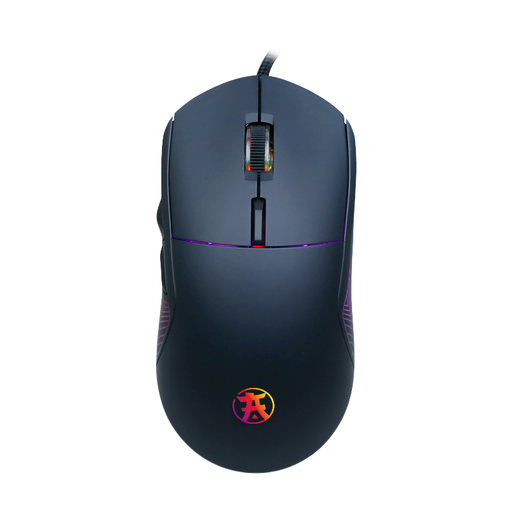
Why this choice suits this profile : This wired USB gaming mouse combines an ergonomic grip, six programmable buttons and adjustable sensitivity of up to 7200 DPI, without the need to manage a battery.
The wired connection eliminates charging-related interruptions, while the six buttons save you from relying on numerous complicated keyboard shortcuts.
Adjustable optical sensor, six programmable buttons and customisable RGB backlighting, according to the product specifications.
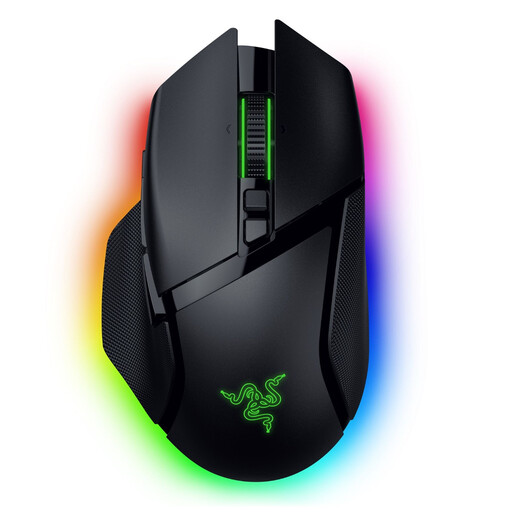
Why this choice suits this profile : Its ergonomic right-handed shape, 11 programmable controls and multidirectional scroll wheel are designed for users who want plenty of customisation options.
Its three connection modes let you switch between 2.4 GHz, Bluetooth and USB-C depending on the game or everyday use, without relying on a single connection.
Sensor rated at 35 000 DPI, battery life of up to 140 hours in HyperSpeed Wireless mode and 13-zone Chroma RGB lighting.
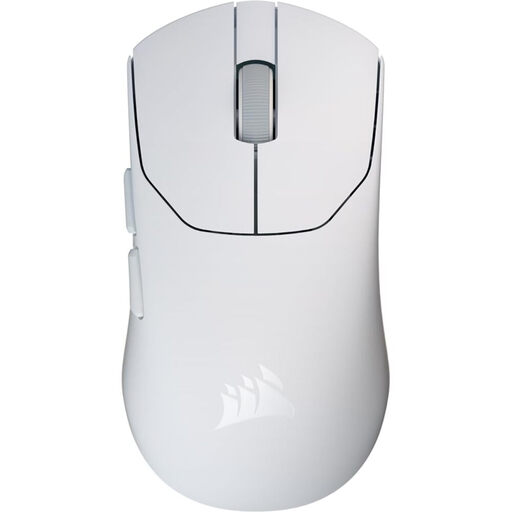
Why this choice suits this profile : Weighing just 36 g, with a 2.4 GHz connection and five programmable buttons, this model is aimed at FPS players who prioritise fast movements and a lightweight design.
The product specifications clearly distinguish the 8000 Hz rate in wired mode from wireless use. This lets you choose the right mode instead of assuming that every feature is available in both configurations.
Weight of 36 g, sensor offering up to 33 000 DPI, battery life of up to 70 hours and an included USB 8K receiver.
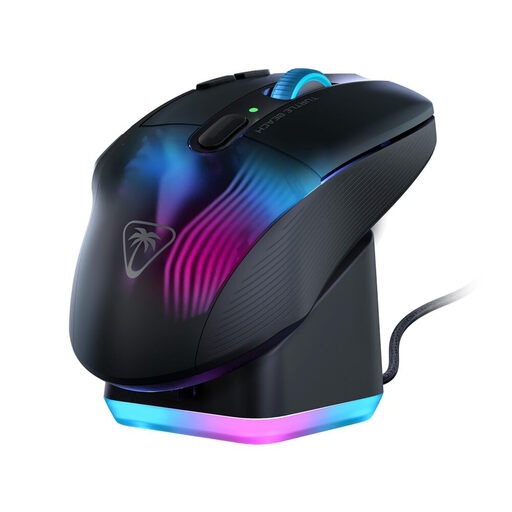
Why this choice suits this profile : Its 10 buttons and 29 programmable inputs via Easy-Shift[+] make it easier to access abilities, items and shortcuts in games with a large number of commands.
The RGB charging dock and advertised battery life of up to 100 hours reduce the need for daily charging, while still allowing you to play in wired mode.
2.4 GHz and Bluetooth connectivity, sensor rated at 19 000 DPI, 4D scroll wheel and five-zone RGB lighting.
We have put together a complete, real-time-updated list of products that fully meet these strict selection criteria and European safety regulations.
Choose a weight that suits your grip, an adjustable sensor, smooth-gliding feet and a stable connection. A lightweight mouse can make large movements easier, but shape and balance ultimately come down to personal preference. A temporary DPI reduction button can also be useful for more precise aiming.
Models using a 2.4 GHz connection with a dedicated receiver are designed for low-latency gaming. However, you should consider battery life, the distance between the receiver and the mouse, and any potential interference. Bluetooth is better suited to office work and compatible devices.
Lifespan depends on the switches, cable or battery, maintenance and intensity of use. Manufacturers sometimes state a click rating, but this alone is not enough to predict the lifespan of the mouse as a whole. Clean it with a soft, dry cloth, avoid liquids and replace the mouse feet when they become worn.