
Livraison le jour même ou le lendemain

Qualité garantie

Débloquez vos offres de bienvenue: Livraison GRATUITE | Jusqu'à -80 % | 30 jours d'essai gratuits à JoyPlus
Téléchargez l'application
A gaming mouse can significantly improve comfort and precision in an FPS, MOBA or RPG. But technical specifications do not always tell the whole story. An extravagant DPI count, bright RGB lighting or a multitude of buttons do not necessarily guarantee a better experience.
Before placing your order, start by identifying the criteria that really matter for your needs: connection type, weight, shape, battery life, configuration software and compatibility with your computer or console.
A high-precision mouse capable of reaching 26 000 or 36 000 DPI may seem superior to a model limited to 6 400 or 7 200 DPI. In practice, most players use a much lower sensitivity. DPI indicates the sensor’s maximum sensitivity, not the overall quality of its tracking.
Also look at tracking speed, expressed in IPS, maximum acceleration and the option to save several sensitivity levels. A programmable gaming mouse lets you switch quickly between settings depending on the game.
A lightweight mouse makes fast movements easier, particularly when using low sensitivity in FPS games. However, an ultra-light model may have fewer buttons or use a shape that is not well suited to certain hands.
How the mouse feels in your hand matters more than its appearance. An ergonomic gaming mouse designed for right-handed users will not necessarily suit a left-handed or ambidextrous user. You should also identify your grip style: palm, claw or fingertip.
A wireless gaming mouse offers welcome freedom of movement, but you need to keep an eye on battery life, charging time and whether a 2.4 GHz receiver is included. Bluetooth is convenient for everyday use and connecting several devices, while 2.4 GHz is generally the preferred choice for gaming.
A wired gaming mouse eliminates the need to recharge and can be set up in seconds. On the other hand, its cable can restrict movement if it is not flexible or long enough. Also remember to check the box contents, required software and compatible systems.
The polling rate, also known as the report rate, indicates how often the mouse sends its position to the computer. 1 000 Hz means one report every millisecond. Models offering 4 000 or 8 000 Hz may appeal to some competitive players, but they place greater demands on system resources and can reduce battery life in wireless mode.
For versatile use, several sensitivity levels, a stable optical sensor and an easily accessible DPI button are often more useful than a spectacular maximum figure. A 36 000 DPI mouse may suit those who want a broad range of adjustment, without that level being necessary for everyday use.
Compare the stated weight without the cable for wireless models, and pay attention to the design of the feet. PTFE feet are appreciated for their smooth glide on a suitable mouse mat. A flexible cable also helps reduce friction and snagging on the desk.
For long sessions, choose a shape that naturally supports your hand, a pleasant-to-touch finish and buttons that are easy to reach without having to move your fingers excessively.
The number of buttons should match the games you play. Five programmable buttons may be enough for an FPS, while an RPG or strategy game may sometimes benefit from eight to thirteen controls. Check whether the software lets you create profiles, shortcuts and macros, and whether these settings can be saved to the mouse’s onboard memory.
An RGB gaming mouse is primarily designed to customise its appearance. Aura Sync, Chroma or proprietary RGB effects generally require dedicated software. If battery life is more important than style, choose a model whose lighting can be switched off.
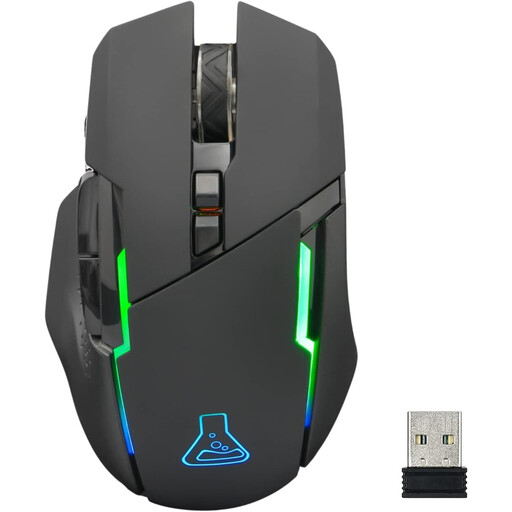
Why it suits this profile : This wireless gaming mouse offers five sensitivity levels, five profiles and six buttons. It is advertised as compatible with PCs, the PS4, Xbox One and Macs.
The 400 to 7 200 DPI levels are clearly identified, and the RGB lighting can be switched off to preserve battery life.
2.4 GHz connection up to 10 m, six buttons, switchable RGB lighting and an advertised two-year warranty.
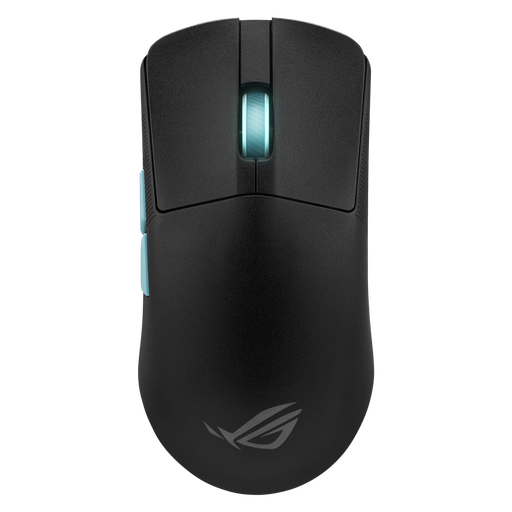
Why it suits this profile : Weighing 54 g, with tri-mode connectivity and a sensor adjustable up to 36 000 DPI, it is aimed at players looking for precise control and flexible setup options.
The specifications clearly distinguish between 2.4 GHz, Bluetooth and USB-C connections, with battery life stated separately for each mode.
54 g, ROG AimPoint sensor advertised at 36 000 DPI, five programmable buttons, USB-C cable and advertised battery life of up to 119 hours in 2.4 GHz mode.
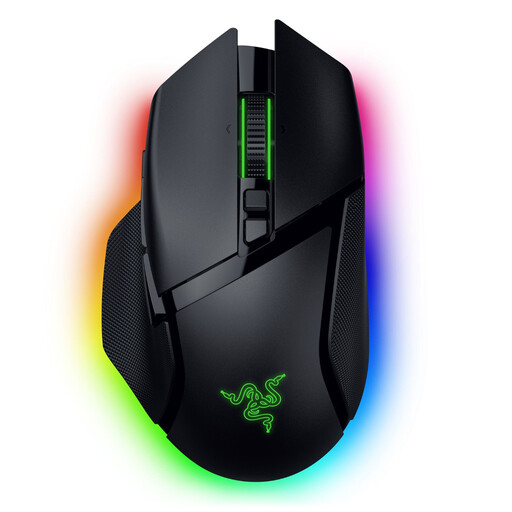
Why it suits this profile : Its many controls and multi-mode scroll wheel make it well suited to RPGs, strategy games and anyone who regularly switches between work and play.
The specifications detail the 13 customisable controls, the different connection modes and the advertised battery life, rather than focusing solely on the lighting.
Sensor advertised at 35 000 DPI, 13 RGB zones, four-way scroll wheel and advertised battery life of up to 140 hours in HyperSpeed mode.
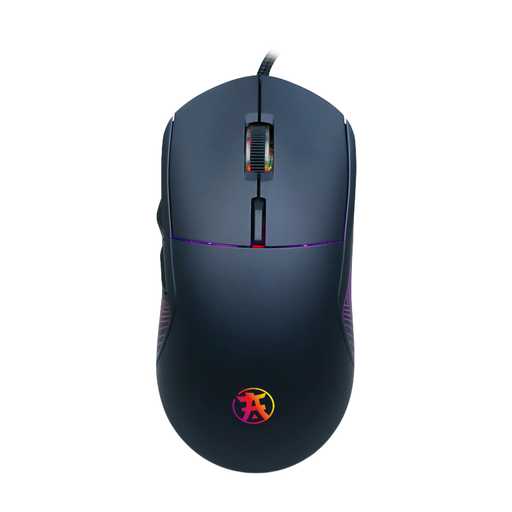
Why it suits this profile : Its USB connection is ideal for players who do not want to monitor a battery or set up a wireless receiver.
A wired connection eliminates interruptions caused by recharging, while the sensitivity and buttons remain configurable.
Up to 7 200 DPI, six programmable buttons, RGB backlighting and advertised compatibility with PCs, Macs, the PS4, the PS5 and Xbox.
We have brought together a complete, real-time updated selection of products that meet these demanding selection criteria and European safety standards.
Choose a moderate weight, a stable shape, an adjustable optical sensor and a limited number of buttons that are easy to reach. A lightweight mouse can make fast sweeps easier, while a 1 000 Hz report rate is a common baseline. The ideal setting will then depend on your sensitivity and the surface of your mouse mat.
A 2.4 GHz model with a dedicated receiver can be perfectly suitable for competitive play. Check the connection stability, advertised battery life and whether you can continue playing while the mouse is charging. Bluetooth alone is better suited to versatile use and connecting several devices.
Lifespan depends on the quality of the components, how often the mouse is used, how well it is maintained and how you handle the cable or battery. The figures quoted for switches, expressed as a number of clicks, remain technical indications provided by manufacturers and do not represent a guaranteed usage period. Regular dry cleaning and using the mouse on a suitable surface will help preserve the feet and sensor.