
Livraison le jour même ou le lendemain

Qualité garantie

Débloquez vos offres de bienvenue: Livraison GRATUITE | Jusqu'à -80 % | 30 jours d'essai gratuits à JoyPlus
Téléchargez l'application
A gaming mouse isn't just another peripheral. It's an extension of your hand—the weapon that can tip the scales between victory and defeat. But with a jungle of available models, it's tough to navigate the options. To help you see clearly and find the perfect one, this guide breaks down the key criteria and presents a selection of the best mice for every type of gamer.
Before diving into our top picks, let's review the technical specs that truly make a difference. Here are the key points to analyse to find the mouse that will match your grip, playstyle, and budget.
The choice between a wired gaming mouse and a wireless gaming mouse is often the first question that comes up.
The weight and shape of the mouse have a direct impact on your comfort and performance. A lightweight gaming mouse (often under 80 grams) promotes quick movements and reduces wrist fatigue—a major advantage in fast-paced shooters (FPS). The ergonomics must match your grip style (palm, claw, or fingertip) to ensure optimal comfort during hours of gameplay.
We have selected three models that cater to distinct needs and budgets, from the casual player to the hardcore competitor.
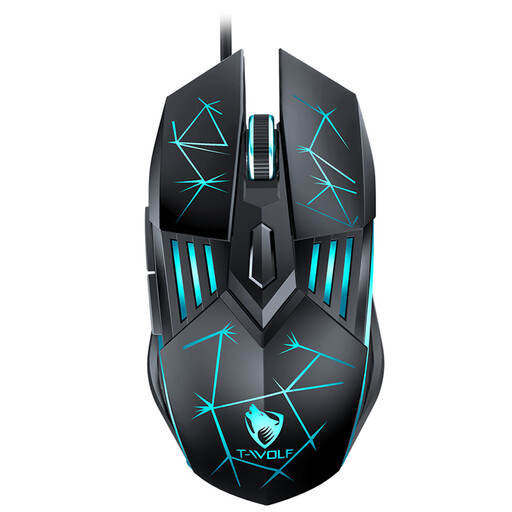
Why it stands out: This is the perfect model for taking your first steps into gaming. It combines the essential features of a gaming mouse at a rock-bottom price, without compromising on performance.
Advantages:
Who is it for? Ideal for casual gamers or beginners looking for a reliable and effective budget-friendly gaming mouse to get started.
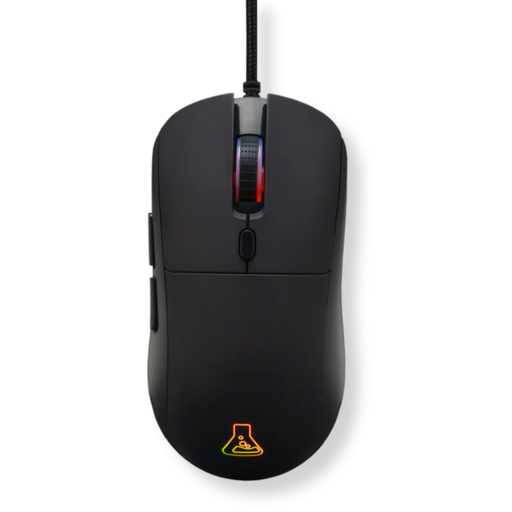
Why it stands out: The Kult Cobalt strikes the perfect balance between performance, customisation, and a lightweight design. Its dedicated software offers full control over its settings, making it a highly versatile choice for more demanding gamers.
Advantages:
Who is it for? Passionate and competitive gamers who want a responsive, lightweight, and fully customisable mouse to shave off those crucial milliseconds in FPS or MOBA games.
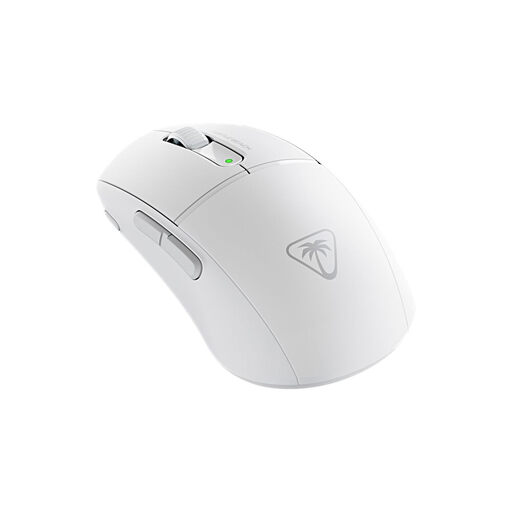
Why it stands out: Engineered for pure performance, the Burst II Air is a pro gaming mouse that goes all-in on speed and precision. Its feather-light weight and near-zero latency wireless connection make it a formidable weapon for high-level play.
Advantages:
Who is it for? Competitive gamers and esports professionals who accept no compromises on weight, responsiveness, and freedom of movement.
Our selection is just a taste. If you're a die-hard fan of wired mice or are looking for a model with specific features, our catalogue is full of other gems.
? Explore our complete collection of wired gaming mice to find your next ally.
There's no "perfect" DPI; it all depends on your playstyle and screen size. Generally, a low DPI (between 400 and 1600) is preferred for precision, especially for aiming in FPS games. A high DPI allows for much faster camera movements and rotations. The best option is a mouse with a dedicated button to adjust DPI on the fly, allowing you to adapt your sensitivity mid-game.
For many gamers, especially in fast-paced titles like FPS games, a lightweight gaming mouse is an undeniable advantage. It reduces inertia, allowing for quicker movements and limiting wrist fatigue. Conversely, other players prefer the feeling of control and stability from a slightly heavier mouse. Ultimately, it's purely a matter of preference and feel.
Historically, pro gamers swore by wired connections for their complete lack of latency. Today, the game has changed. The 2.4?GHz wireless technologies in high-end gaming models offer performance that is virtually identical to that of a wired gaming mouse. The choice, therefore, comes down to your priority: the peace of mind of a cable (no battery, no interference) or the absolute freedom of movement of wireless.