
Livraison le jour même ou le lendemain

Qualité garantie

Débloquez vos offres de bienvenue: Livraison GRATUITE | Jusqu'à -80 % | 30 jours d'essai gratuits à JoyPlus
Téléchargez l'application
Navigating the jungle of PC peripherals can quickly become a headache. The gaming mouse market is a flood of technical jargon, performance promises, and bold designs. As product experts at Joybuy, our role is to help you see things more clearly. Our goal isn't to sell you an "ideal" model at all costs, but to give you the tools to find THE mouse that truly matches your gaming habits and budget, while avoiding the common pitfalls.
Before we dive in, let's debunk a few myths and marketing claims that can cost you dearly:
To make the right choice, focus on the features that have a direct impact on your gaming experience.
The sensor is the heart of the mouse. DPI (Dots Per Inch) defines the mouse's sensitivity: the higher the DPI, the faster the cursor moves on screen for the same hand movement. As we've seen, a range of 400 to 8,000 DPI is more than enough for 99% of gamers. Trust the quality of the sensor (models from PixArt are a benchmark) more than the maximum DPI number on the box.
The polling rate, measured in Hertz (Hz), indicates how often the mouse reports its position to the computer. Today, a 1000 Hz polling rate is the standard to aim for to ensure a perfectly smooth and responsive experience.
Weight and shape are highly personal criteria. Your choice will mainly depend on three factors:
Here is a selection of models that check all the boxes, designed for different player profiles and based on the objective criteria we've just covered.
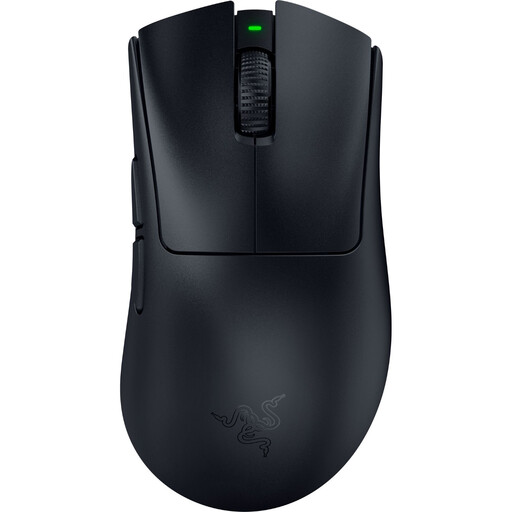
Why it's a match: Designed for pure performance, its feather-light 56g weight is ideal for the fast, precise sweeping motions crucial in FPS games. Its HyperSpeed wireless technology and Focus Pro optical sensor guarantee flawless responsiveness and tracking.
It doesn't rely solely on its light weight: its legendary ergonomic shape ensures optimal comfort. Its wireless technology is built for competition, eliminating any risk of latency.
The perfect combo: extreme lightness (56g), an ultra-precise optical sensor, and a near-zero latency wireless connection.
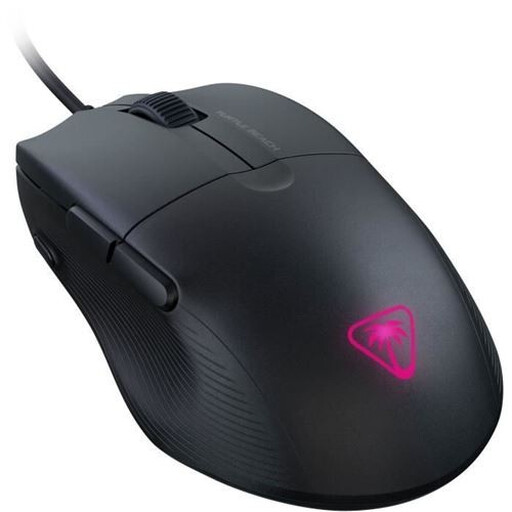
Why it's a match: A formidable option for those who want the essentials without breaking the bank. Its record-breaking 49g weight and ergonomic shape make it a comfortable and agile choice, perfect for beginners or for versatile use.
No inflated numbers here. It gets straight to the point: a genuinely useful ultra-light weight, a proven shape, and no superfluous features that drive up the price.
An unbeatable weight-to-performance ratio in this price segment. The reliability of a wired connection for an immediate plug-and-play experience.
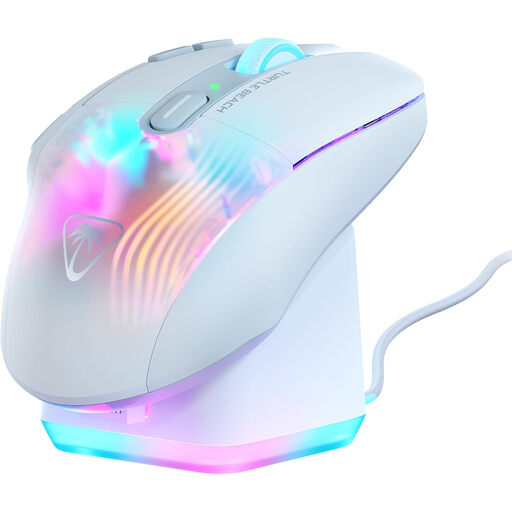
Why it's a match: The ultimate weapon for games that require a flood of shortcuts (MMO, MOBA). Its 10 physical buttons expand into 29 programmable functions. Its ergonomic shape and charging dock make it the perfect ally for gaming marathons.
Its heavier weight (99g) isn't a flaw, but a deliberate choice for stability and comfort, going against the grain of the race to be lightweight. Here, the number of buttons isn't a gimmick: it provides real functional value.
Formidable versatility thanks to its programmable buttons (Easy-Shift[+] technology) and an ergonomic design built for absolute comfort, even after hours of play.
Explore our complete selection of gaming mice, all chosen for their performance and reliability.
The lifespan of a gaming mouse is mainly measured by the durability of its switches, whose endurance is expressed in millions of clicks. An entry-level model will last for 10 to 20 million clicks, while high-end models can exceed 80 or even 100 million clicks, ensuring several years of intense gaming.
Most mice are plug-and-play: you plug them in, and they work. However, to access advanced options (customising RGB lighting, creating macros, fine-tuning DPI steps...), you will need to install the manufacturer's software. The good news is that your settings are often saved to the mouse's onboard memory, so you won't have to reconfigure them on another PC.
Yes, without a shadow of a doubt, provided you choose a model with a 2.4 GHz wireless connection. This technology, which uses a small USB dongle, now offers latency and signal stability identical to that of a wired model, even at the highest level of competition. Bluetooth, on the other hand, should be reserved for office work or casual gaming on the go.