
Livraison le jour même ou le lendemain

Qualité garantie

Débloquez vos offres de bienvenue: Livraison GRATUITE | Jusqu'à -80 % | 30 jours d'essai gratuits à JoyPlus
Téléchargez l'application
The gaming mouse market is a dense jungle of technical jargon and marketing promises. Between the race for higher DPI, the quest for featherlight designs, and dizzying polling rates, it's easy to feel lost or end up paying for completely unnecessary features. Our mission: to help you cut through the noise and understand the specs that will truly make a difference in your game.
Before you dive in, let's debunk some common pitfalls together:
To make a smart choice, focus on what directly impacts your comfort and in-game performance.
The weight and shape of the mouse should be tailored to your grip style (palm, claw, or fingertip) and your games of choice.
Here, precision is king. Forget the maximum DPI number; it's the quality of the optical sensor that matters most. A good sensor ensures perfect tracking, without unwanted hardware acceleration or any dropouts.
The choice of connection and the number of buttons depend on your need for freedom and your thirst for customisation.
To guide you, we've identified a few models that meet specific needs, based on the performance and relevance criteria we've just discussed.
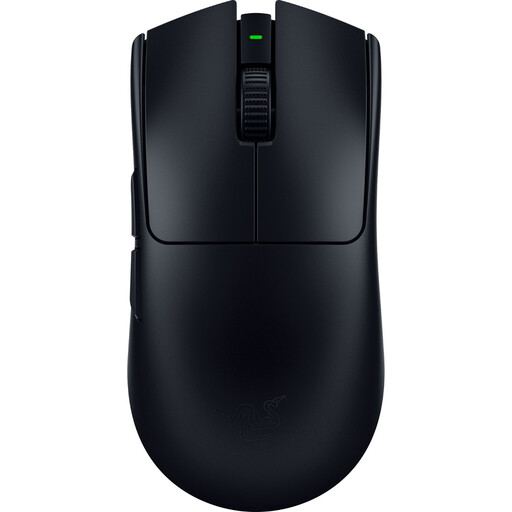
Why it's a great choice: Developed with esports pros, this mouse is a machine built for pure performance. Its featherlight weight and ambidextrous shape guarantee lightning-fast reflexes, a must-have in competitive FPS games.
It weighs in at just 54g with a solid shell, allowing it to avoid the trap of perforated designs that attract dust. While it does feature an 8,000 Hz polling rate, its real strength lies in its cutting-edge sensor and ultra-balanced design.
Its Razer Focus Pro 35K Gen-2 optical sensor ensures surgical precision on any surface, even glass. Its battery life lasts up to 95 hours for marathon gaming sessions.
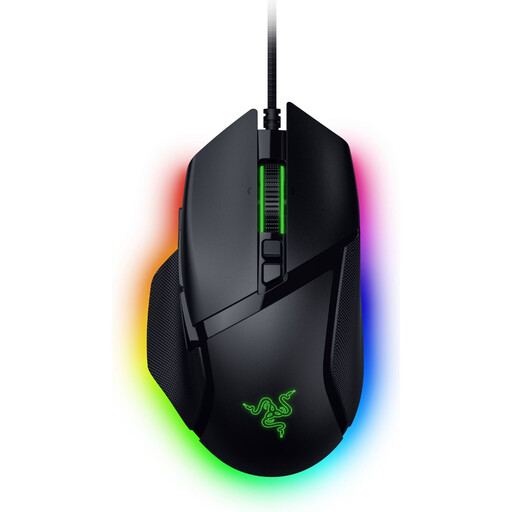
Why it's a great choice: Perfect for gamers who want maximum control and shortcuts at their fingertips. Its ergonomic right-handed shape and myriad of buttons make it the ideal ally for MMOs, RPGs, and even advanced productivity tasks.
At 101g, it isn't chasing extreme lightness. It focuses entirely on ergonomics and functionality, proving that performance isn't just measured by weight, but by the synergy between the tool and its use.
Its 13 programmable controls, including a multi-function trigger, are a game-changer. Its Razer HyperScroll tilt wheel intelligently switches between scrolling modes to adapt to any situation.
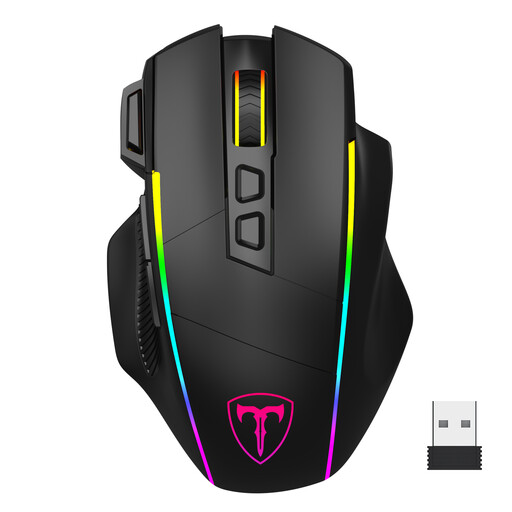
Why it's a great choice: For gamers who want maximum features without breaking the bank. This mouse combines versatile connectivity, programmable buttons, and RGB mouse lighting, all in a well-designed ergonomic package.
Its maximum sensitivity of 10,000 DPI is a realistic and perfectly sufficient value. It focuses on a coherent set of features rather than overselling a flashy spec sheet.
Its triple connectivity (2.4G, Bluetooth, wired) makes it ultra-versatile. Its 8 programmable buttons, including a rapid-fire key, offer a clear advantage in action games.
Discover our full selection of mice that meet our performance criteria and current safety standards.
For the vast majority of gamers, a 1,000 Hz mouse is more than sufficient. The latency difference with an 8K Hz model is measured in fractions of a millisecond, a gain that is completely imperceptible in real-world conditions. 8K Hz mice are aimed at a niche of top-tier esports players with high-end PCs capable of handling the extra CPU load.
It all depends on your priorities:
There's no magic number, but most gamers set their sensitivity between 800 and 3,200 DPI. A lower sensitivity promotes aiming precision, while a higher sensitivity allows for quicker reactions. The most important thing isn't having the highest DPI number, but having a quality sensor that ensures reliable and flawless tracking.