
Livraison le jour même ou le lendemain

Qualité garantie

Débloquez vos offres de bienvenue: Livraison GRATUITE | Jusqu'à -80 % | 30 jours d'essai gratuits à JoyPlus
Téléchargez l'application
A gaming mouse isn’t chosen on DPI or RGB effects alone. Between claims of lightning-fast response, ultra-light designs and programmable buttons, some features make a real difference, while others mainly push up the price.
Before you place an order, check the connectivity, shape, weight, software compatibility and conditions of use. Here are the criteria to consider when comparing a wireless gaming mouse, a wired gaming mouse or a tri-mode model, without relying on marketing claims alone.
A mouse advertising 32,000 or 42,000 DPI won’t automatically be better suited to the way you play. DPI refers to the sensor’s maximum sensitivity, but most players use much lower settings to maintain precise control.
For FPS games, consistent tracking, the option to save multiple settings and quick access to sensitivity controls are often more useful than an impressive maximum figure. So, assess a high-precision mouse by looking at its sensor, tracking speed, acceleration and the quality of its configuration software.
An 8,000 Hz mouse theoretically reports its position more often than a model capped at 1,000 Hz. This feature may appeal if you have a powerful enough computer and a high-refresh-rate monitor. However, it places greater demands on your system and isn’t essential for everyone.
Also check whether the 8K receiver is included. With some models, it’s sold separately or requires a dedicated accessory. The product listing should specify the connection mode, available polling rate and compatibility requirements.
A lightweight mouse can make quick movements easier, but a very small or heavily perforated model may not suit larger hands or a palm grip. Conversely, a larger ergonomic mouse may offer better support, depending on your habits.
Before ordering, compare the model’s dimensions, weight and orientation. Ambidextrous mice can suit different users, while a right-handed design generally provides more pronounced thumb support.
A wired mouse plugs straight into a USB port and doesn’t need recharging. It’s a great choice for a fixed setup, players who want to keep things simple and long gaming sessions. A cable that’s long and flexible enough can also help prevent it getting in the way on your desk.
A Bluetooth mouse is better suited to travel, use with a laptop or everyday office tasks. Bluetooth is all about versatility, while a 2.4 GHz connection with a USB receiver is generally preferred for gaming. A tri-mode mouse typically combines wired USB, Bluetooth and 2.4 GHz connectivity, making it easy to switch between devices.
Look at the specifications as a whole:
A 32,000 DPI mouse may offer a wide range of settings, but focus on the software quality, profile stability and whether there’s an easily accessible DPI button.
A programmable mouse lets you assign shortcuts, macros or secondary commands. For strategy games and MOBAs, several side buttons can be very useful. In an FPS, too many controls can make the mouse harder to handle.
Also check the stated switch lifespan, whether the mouse feet can be replaced and whether the software is available for Windows. RGB lighting is mainly for looks; you should be able to switch it off if you’d rather avoid distractions.
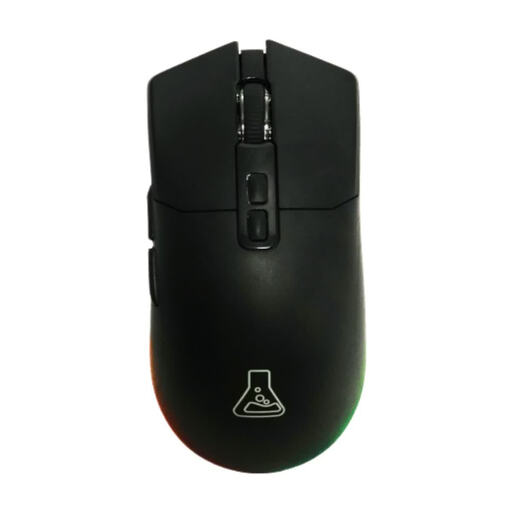
Why it suits this type of player : its symmetrical design, three connection modes and 7 programmable buttons make it a versatile choice for getting started with gaming on PC or Mac.
Sensitivity is adjustable up to 12,000 DPI, and the mouse works via 2.4 GHz, Bluetooth 5.0 or USB, so you’re not tied to a single connection mode.
Stated weight of 62 g, polling rate of up to 1,000 Hz and battery life of up to 60 hours with RGB switched off.
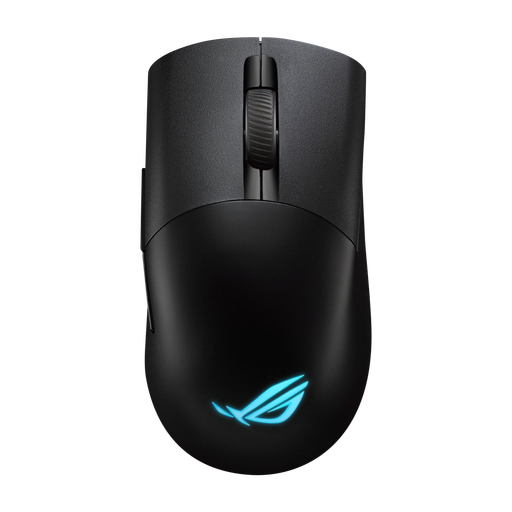
Why it suits this type of player : its ergonomic right-handed shape, tri-mode connectivity and detailed settings are designed for players who like to customise their gear.
All three connection modes are clearly listed, while DPI, button and RGB settings are managed through Armoury Crate rather than being limited to basic controls.
Sensor rated at 36,000 DPI, weight of 75 g, 5 programmable buttons and battery life of up to 119 hours with RGB switched off.
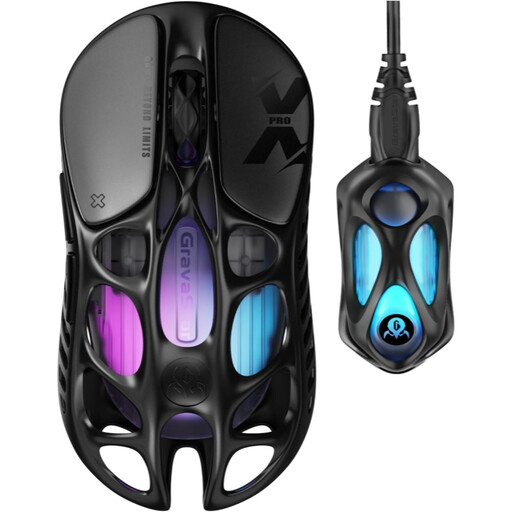
Why it suits this type of player : weighing just 49 g, with an 8K receiver included and tri-mode operation, it’s designed for players after an exceptionally light glide and advanced settings.
The 8K dongle is included in the box, so there’s no need to buy an extra accessory to use this polling rate.
PAW 3950 sensor rated at 32,000 DPI, 8,000 Hz polling rate, 5 programmable buttons and battery life of up to 110 hours.
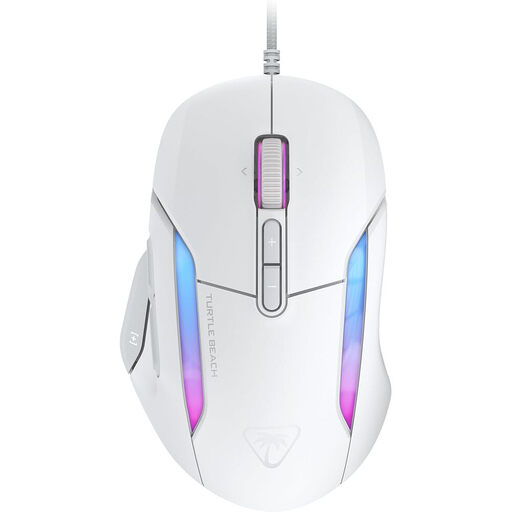
Why it suits this type of player : its USB connection, ergonomic design for medium to large hands and Easy-Shift functions make it a good fit for fixed setups and games with lots of commands.
The PhantomFlex cable, 4D scroll wheel and secondary functions add extra controls without relying on a battery.
Sensor rated at 26,000 DPI, 7 buttons offering up to 23 functions and a 1,000 Hz polling rate.
We’ve put together a comprehensive selection, updated in real time, of products that meet these demanding criteria and European safety standards.
Yes, as long as you choose a 2.4 GHz connection with a USB receiver and check the stated battery life, charging time and range. Bluetooth is better suited to versatility and everyday use. To avoid interruptions, choose a model that can be used via USB while it’s charging, if possible.
That depends on the switches, cable or battery, how well you look after it and how often you use it. Manufacturers sometimes state a click lifespan, but that figure alone isn’t enough to predict how long the mouse will work overall. Clean it with a soft, dry cloth, keep liquids away and replace the feet when they’re worn.
RGB is mainly decorative. Programmable buttons, on the other hand, can be very useful in MOBAs, strategy games or software that relies on lots of shortcuts. For an FPS, prioritise a stable shape, an adjustable sensor and a number of controls that won’t get in the way of your grip.