
Livraison le jour même ou le lendemain

Qualité garantie

Débloquez vos offres de bienvenue: Livraison GRATUITE | Jusqu'à -80 % | 30 jours d'essai gratuits à JoyPlus
Téléchargez l'application
Choosing a new gaming mouse can quickly become a headache. Between jargon-filled spec sheets, promises of stratospheric performance, and futuristic designs, it's easy to feel lost... and end up regretting your purchase. As a product selection expert at Joybuy, my role is to cut through the noise to help you identify what truly matters, far from the flashy marketing.
Before you dive in, watch out for these common traps that can cost you dearly:
To make an informed choice, focus on a few fundamental characteristics that will have a direct impact on your experience.
DPI (Dots Per Inch) measures the sensitivity of the mouse's sensor. A high DPI means the cursor will travel a greater distance on the screen for the same hand movement.
The polling rate, measured in Hertz (Hz), indicates how often the mouse reports its position to the computer. A rate of 1000?Hz has become the standard for flawless responsiveness, corresponding to a 1?ms response time.
The choice between a wired mouse and a wireless gaming mouse depends on your priorities:
Weight is a decisive factor. A lightweight mouse (often under 80g) allows for faster movements and reduces wrist fatigue, a clear advantage in fast-paced games.
Ergonomics are just as crucial. An ergonomic mouse that fits the shape of your right or left hand (for ambidextrous models) prevents strain. Take the time to identify your grip type to choose a suitable shape.
To guide you, here are a few options that meet specific needs, while avoiding the pitfalls mentioned earlier.
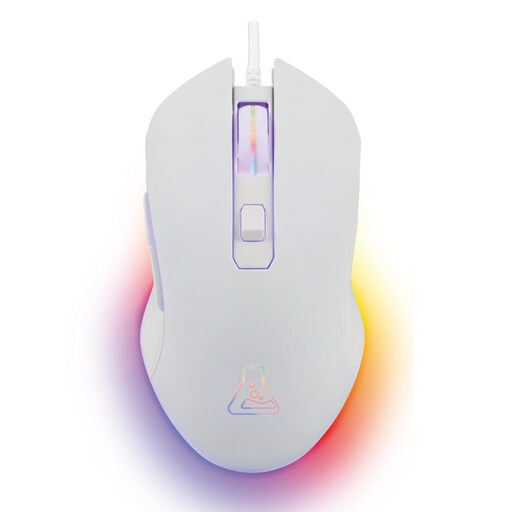
Why we chose it: It's the ideal starting point. It's aimed at gamers who juggle multiple genres and are looking for a reliable everyday mouse without breaking the bank.
It doesn't make you pay for excessive DPI. Its adjustable range up to 6400 DPI is perfectly suited for the majority of uses, from gaming to office work, without the fluff.
Instant "Plug & Play" simplicity, a comfortable ambidextrous design for all hands, and dynamic RGB mouse backlighting for style.
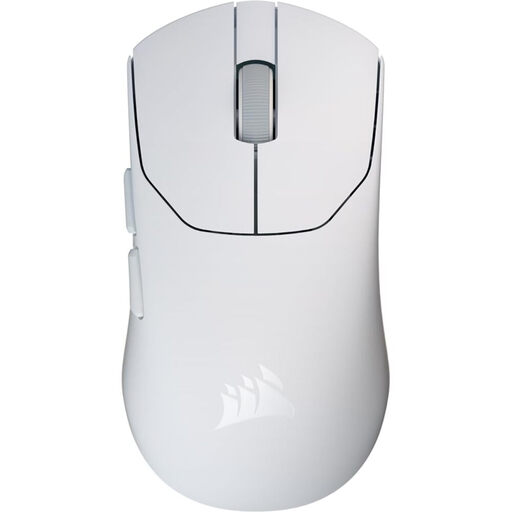
Why we chose it: Designed for FPS players where every gram and millisecond counts. Its extreme light weight and responsiveness are built for pure performance.
It focuses on the essentials for competition: a feather-light weight and a very high polling rate, rather than gimmicks or an excessive number of buttons.
A lightweight mouse at just 79 g for maximum agility and an 8000 Hz polling rate in wired mode for a near-instantaneous response.
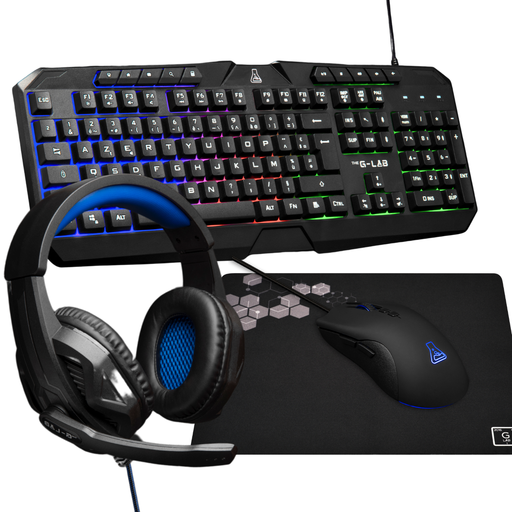
Why we chose it: Ideal for those building their first gaming setup or looking to upgrade all their gear on a tight budget. It's a cohesive and functional all-in-one solution.
It avoids the hassle of choosing separate and potentially incompatible peripherals. Everything is designed to work together, without breaking the bank.
A 4-in-1 gaming keyboard and mouse bundle that includes a headset and a mousepad. The 3200 DPI mouse is perfect for beginners, and the AZERTY keyboard is backlit.
We've compiled a full selection of products that meet our demanding selection criteria.
The durability of a gaming mouse primarily depends on the quality of its switches, often rated in millions of clicks (e.g., 20 or 50 million). For heavy use, a well-made mouse can last between 2 and 5 years. The quality of the cable and feet also plays a role.
Absolutely. An ergonomic mouse designed for gaming is, by definition, built for long hours of use—a clear benefit for office work. Its high precision and programmable buttons can even boost your productivity once configured with your favourite software shortcuts.
Most gaming mice are Plug & Play and work for basic functions right out of the box. However, to unlock their full potential, installing the proprietary software is almost essential. It's what allows you to customise the lighting of an RGB mouse, fine-tune DPI levels, create macros, or reassign buttons.