
Livraison le jour même ou le lendemain

Qualité garantie

Débloquez vos offres de bienvenue: Livraison GRATUITE | Jusqu'à -80 % | 30 jours d'essai gratuits à JoyPlus
Téléchargez l'application
Choosing a new gaming PC monitor can quickly become a headache. Between the technical jargon and the siren song of marketing, it's easy to feel lost or make a purchase you'll later regret. The goal isn't just to buy a screen, but to find the hidden gem that perfectly matches your needs: competitive gaming, total immersion in your movies, or productivity while working from home.
Before you pull out your credit card, let's review the common traps that make you pay a premium for often unnecessary features:
To make an informed choice, focus on a handful of fundamental parameters. These will determine 90% of your daily experience.
The refresh rate, expressed in Hertz (Hz), is the number of images the screen can display per second. The higher this number, the smoother the image—an essential criterion in fast-paced games.
The response time, measured in milliseconds (ms), indicates the time it takes for a pixel to change colour. The lower it is, the less you'll experience "ghosting" effects behind moving objects. For gaming, aim for a GtG response time of 5 ms or less.
The screen size and its resolution must go hand in hand. A large screen with too low a resolution will result in a pixelated image that's unpleasant to look at.
Each panel technology has its strengths and weaknesses.
Here are a few options that meet specific needs, taking into account performance criteria and the pitfalls to avoid.
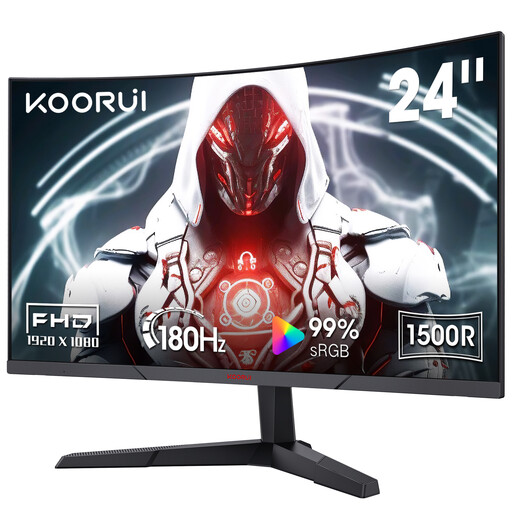
Why it's a great fit: This monitor is an excellent entry point into the world of competitive gaming. Its compact 23.6-inch Full HD format allows you to easily reach the high 180 Hz refresh rate, even with a mid-range setup.
It avoids the spec war by offering a 180 Hz refresh rate: a tangible gain over 144 Hz, without requiring a prohibitively expensive graphics card to enjoy it.
Its curved VA panel (1500R) ensures excellent contrast and subtle immersion, while FreeSync compatibility guarantees smooth gameplay without screen tearing.
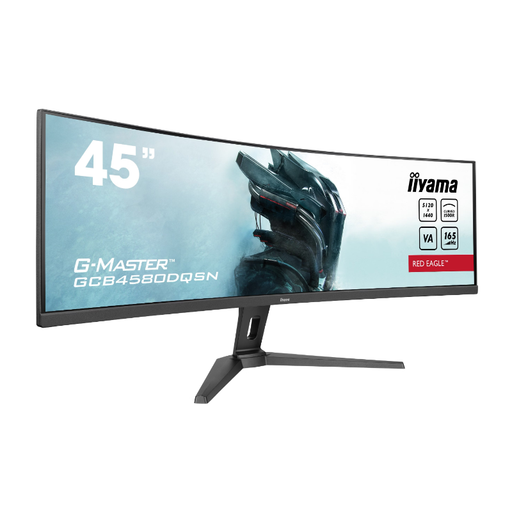
Why it's a great fit: For fans of panoramic experiences, this 45-inch ultrawide monitor is an absolute beast of immersion. Its Dual QHD (5120x1440) resolution in a 32:9 format is an excellent replacement for a dual-monitor setup, whether for gaming or working.
It doesn't sacrifice performance at the altar of size. With a 165 Hz refresh rate and a responsive time, it remains an excellent PC monitor for gaming, all while offering a gigantic workspace.
The built-in KVM switch and USB-C port (with 95W power delivery) are true game-changers for productivity: they allow you to control multiple machines with a single keyboard/mouse combo and charge your laptop via a single cable.
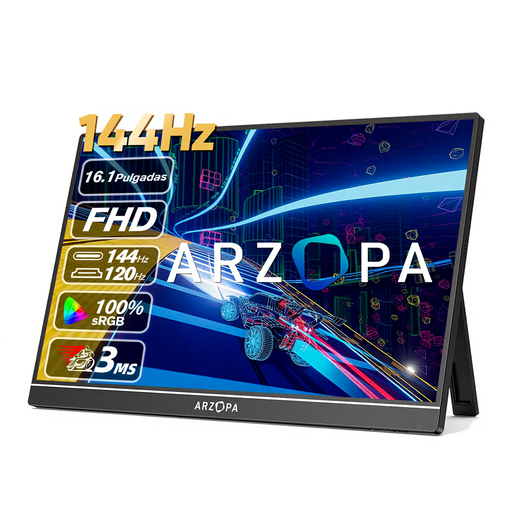
Why it's a great fit: This portable PC monitor is for those who want a second screen for their laptop without sacrificing fluidity in games. Its 16.1-inch size is easy to slip into a bag, and its USB-C connectivity radically simplifies setup.
While most portable monitors are stuck at 60 Hz, this model features an IPS panel that goes up to 144 Hz. This makes it a true nomadic gaming screen, not just a secondary display.
Its IPS panel guarantees beautiful colours (106% sRGB) and wide viewing angles, making it as effective for work as it is for entertainment. Its feather-light weight (780g) is a decisive advantage for taking it anywhere.
Discover our full selection of monitors that meet our criteria for performance and quality.
For fast-paced, competitive games like FPS (First-Person Shooters) or racing sims, a 144 Hz (or higher) monitor offers an undeniable advantage in fluidity and responsiveness. The image becomes sharper during sudden movements, which helps you track opponents better. For slower-paced games (strategy, RPGs), a 60 or 75 Hz monitor can be sufficient, but the improvement in visual comfort is still noticeable, even for office work.
The easiest way is to check online benchmarks (performance tests) for your graphics card in your favourite games.
A good quality PC monitor can work without issues for many years, typically between 5 and 8 years. The main point of wear is the LED backlight, which can lose some of its lustre (brightness) after tens of thousands of hours of service. In reality, it's often technological obsolescence (the desire to upgrade to a better resolution or refresh rate) that drives replacement, long before hardware failure.