
Livraison le jour même ou le lendemain

Qualité garantie

Débloquez vos offres de bienvenue: Livraison GRATUITE | Jusqu'à -80 % | 30 jours d'essai gratuits à JoyPlus
Téléchargez l'application
Choosing a new gaming monitor can quickly become a headache. Between indecipherable spec sheets and flashy marketing claims, it's easy to feel lost or make a purchase you immediately regret. As a product expert at Joybuy, my mission is to help you decode this jargon to make an informed decision that's perfectly suited to your needs and budget.
Before we present our top picks, let's break down three classic pitfalls that cost uninformed gamers dearly.
To avoid these pitfalls, focus on finding the right balance between three fundamental criteria.
An image's sharpness depends on its pixel density. Here are some simple guidelines for finding the right balance:
The refresh rate, measured in Hertz (Hz), indicates how many frames the monitor can display per second. A higher frequency makes motion appear sharper and reduces motion blur.
However, this fluidity can be ruined by screen tearing if the graphics card and monitor are not synchronised. This is where adaptive sync technologies come in:
A good monitor for PS5 or Xbox must not only have the right connectivity (HDMI 2.1 for 4K at 120?Hz) but also effective support for adaptive sync.
The type of LCD panel directly influences colour rendering, contrast, and responsiveness.
Rather than drown you in specs, we've matched products to specific user profiles to help you find the one that's right for you.
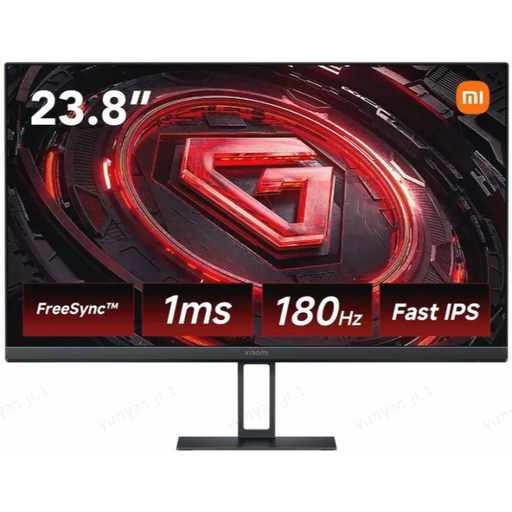
Why this choice? For FPS and MOBA players, every millisecond counts. This monitor focuses on the essentials: maximum responsiveness on a compact screen that allows you to keep the entire action in your field of view without moving your head.
It doesn't try to impress with a 4K resolution that would be superfluous for its size. It intelligently pairs a Full HD resolution with a responsive 23.8-inch panel and a high refresh rate, optimising performance without extra cost.
180 Hz refresh rate and a Fast IPS panel with a 1 ms (GtG) response time for first-class motion clarity and responsiveness.
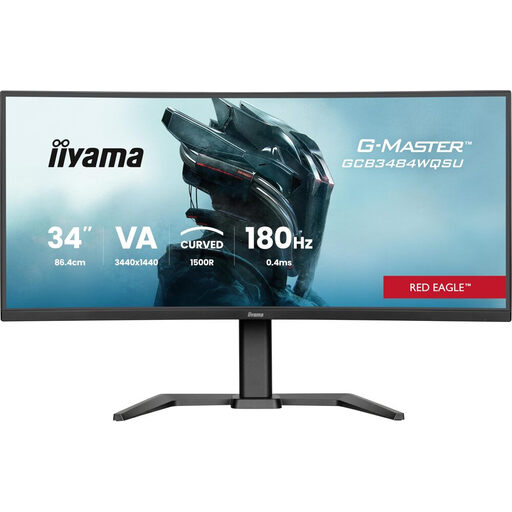
Why this choice? Ideal for players of RPGs, simulation, or adventure games who want to fill their field of view. The 21:9 format offers an undeniable immersive advantage and a comfortable workspace for multitasking.
It doesn't sacrifice smoothness for size. With 180 Hz and a 1 ms MPRT response time, it remains high-performing for fast-paced gaming, while its curved VA panel (1500R) maximises contrast and immersion—the two strengths of this format.
21:9 UltraWide QHD format (3440x1440) for panoramic immersion. AMD FreeSync Premium compatibility ensures a smooth, tear-free gaming experience.
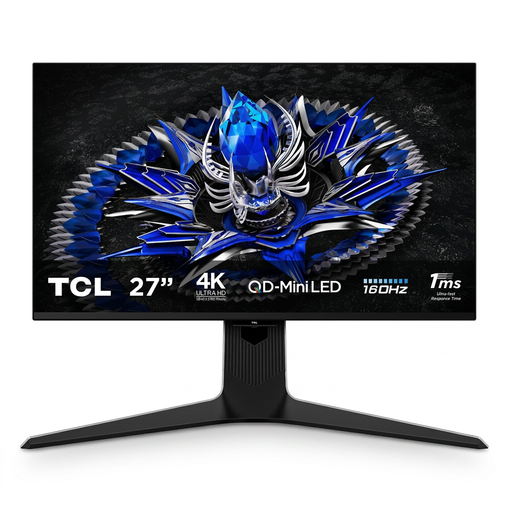
Why this choice? For those who want to make no compromises on image quality. This monitor is aimed at PC and next-gen console gamers, as well as content creators who demand perfect colour accuracy and top-tier contrast.
It doesn't just slap a "4K" logo on the box. It combines this high resolution with cutting-edge Mini LED backlighting (1152 zones) and a 160 Hz refresh rate for a true-to-form HDR experience and rock-solid fluidity.
QD-Mini LED technology for exceptional contrast and HDR brightness (VESA DisplayHDR 1400 certified). Excellent colour gamut coverage (95% DCI-P3) and precise factory calibration (ΔE < 0.99).
We have compiled a comprehensive and up-to-date list of monitors that meet our criteria for quality and performance.
The benefit of a curved screen mainly depends on its size and your viewing distance. On an ultrawide curved monitor of 34 inches or more, the curve helps fill your peripheral vision, which enhances immersion in simulation, racing, or adventure games. For a 27-inch or smaller 16:9 screen, the effect is much less pronounced and is more a matter of personal preference.
Yes, it's highly recommended. Even with a 144?Hz gaming monitor, the frames per second (FPS) generated by your graphics card constantly fluctuates depending on the scene's complexity. Adaptive sync (FreeSync or G-Sync) adjusts the monitor's refresh rate in real-time to match the graphics card's output, eliminating screen tearing and micro-stuttering for a visibly smoother result.
To get the highest refresh rates, use a DisplayPort cable. Most HDMI cables (with the exception of the 2.1 standard, which is essential for combinations like 4K at 120?Hz) are limited to lower refresh rates at high resolutions. Once connected, don't forget to manually enable the desired refresh rate in your Windows display settings or through your graphics card's control panel (NVIDIA or AMD).