
Livraison le jour même ou le lendemain

Qualité garantie

Débloquez vos offres de bienvenue: Livraison GRATUITE | Jusqu'à -80 % | 30 jours d'essai gratuits à JoyPlus
Téléchargez l'application
Choosing a new gaming monitor can be a daunting task. Between refresh rates, panel types, and resolutions, it's easy to get lost in a sea of technical jargon. Our mission?: to give you clear benchmarks and practical advice to find the monitor that's perfectly suited to your games and your setup, cutting through the marketing noise.
Before diving into our top picks, it's crucial to understand the features that define a great gaming experience. Let's break down the three key points together.
The screen's size, combined with its resolution, determines the sharpness and level of detail in the image.
These two factors are crucial, especially in fast-paced games.
The panel type has a direct impact on colour rendering, viewing angles, and responsiveness.
Here are three models that stand out from the crowd, each tailored to a specific type of gamer.
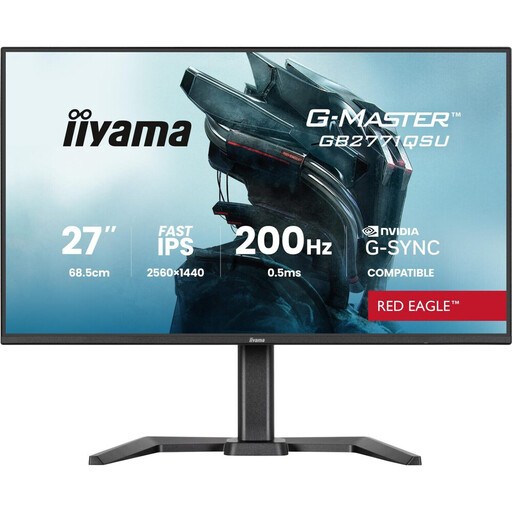
Why it stands out This iiyama monitor is the archetype of a balanced, high-performance model. It checks all the right boxes?: a WQHD (2560 x 1440) resolution on a 27-inch diagonal and a responsive Fast IPS panel. The perfect combo for blending superb image quality with the fluidity essential for gaming.
Pros
Who is it for?? For the all-around gamer who refuses to sacrifice multiplayer performance for the beauty of single-player games. It's also an excellent choice for content creators who juggle gaming, graphic design, and video editing.
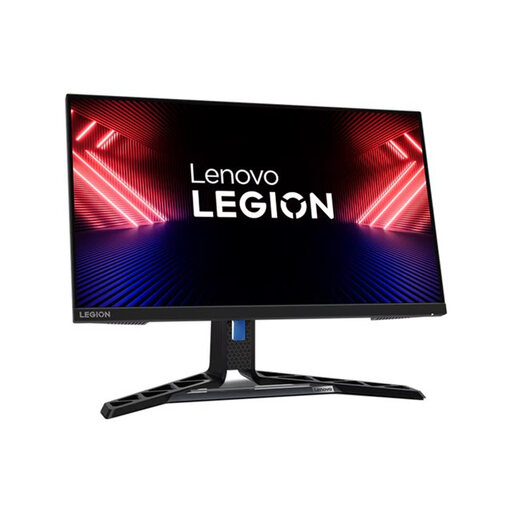
Why it stands out The Lenovo R25i-30 gets straight to the point?: raw performance for e-sports. Its Full HD resolution on a 24.5-inch screen unleashes your graphics card's full power to reach peak FPS, while its 0.5?ms (MPRT) response time ensures surgical sharpness in the fastest movements.
Pros
Who is it for?? For competitors and e-sports enthusiasts playing titles like Valorant, Counter-Strike, or Apex Legends, where every millisecond counts and fluidity is king.
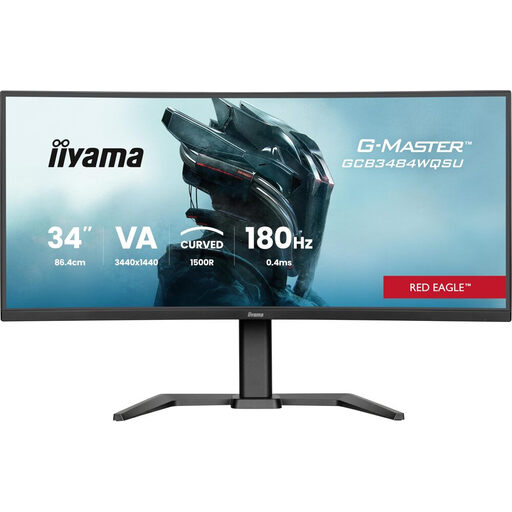
Why it stands out This 34-inch curved gaming monitor redefines immersion. Its 21:9 UltraWide format and 1500R curve literally wrap around your field of view for a stunning panoramic experience. All this, with exemplary smoothness thanks to its 180?Hz refresh rate.
Pros
Who is it for?? For fans of adventure games, racing sims, flight simulators, or RPGs who want to dive right into the heart of the action. It's also a productivity powerhouse, perfect for displaying multiple windows side-by-side without feeling cramped.
Once you've chosen your monitor, the next step is to perfect the atmosphere of your setup. Well-designed ambient lighting not only enhances immersion?: it also reduces eye strain during long sessions. Monitor light systems project a soft glow behind the screen, which softens the sometimes harsh contrast with the rest of the room.
To improve the ergonomics and atmosphere of your gaming space, check out our selection of LED Lights for Gaming Monitors.
To put it simply?: the IPS panel is king for faithful colours and wide viewing angles. The VA panel is the champion of contrast, with much deeper blacks. Finally, the TN panel bets everything on speed with the lowest response times on the market, at the expense of colour richness and viewing angles.
Absolutely. Moving from 60?Hz to 144?Hz or 165?Hz provides a gain in smoothness and clarity that is immediately noticeable, especially in fast-paced games. Camera movements are smoother, and tracking targets is easier. For a regular gamer, it's a game-changing improvement.
A curved gaming monitor aims to enhance immersion by wrapping around your field of view. This curvature maintains a more consistent distance between your eyes and the entire screen surface, which limits distortion at the edges—an effect that's particularly noticeable on large or ultrawide models. Ultimately, it's mostly a matter of personal preference.