
Livraison le jour même ou le lendemain

Qualité garantie

Débloquez vos offres de bienvenue: Livraison GRATUITE | Jusqu'à -80 % | 30 jours d'essai gratuits à JoyPlus
Téléchargez l'application
Choosing a new gaming monitor can quickly become a headache. Between refresh rates, panel types, and resolutions, it's easy to get lost in a sea of technical jargon. This guide is here to cut through the noise and give you the keys to finding the gaming monitor that will elevate your favourite games, without breaking the bank or bringing your PC to its knees.
As a product expert at Joybuy, my role is to guide you through this tech jungle so you can make the best choice.
Before diving into our top picks, let's review the three core pillars that define a great monitor gaming experience.
The refresh rate (in Hertz, or Hz) is the number of images the screen displays per second. The higher this number, the smoother the image—a decisive advantage in fast-paced games.
Response time (in milliseconds, ms) measures how quickly a pixel can change colour. The lower it is (ideally 1 ms or less), the less ghosting (that unsightly motion blur) you'll experience, ensuring the action is always perfectly clear.
Resolution determines image sharpness, while screen size directly impacts your immersion.
The panel type has a direct impact on colour reproduction, contrast, and viewing angles.
A curved gaming monitor enhances immersion by wrapping around your field of view. The effect is most noticeable on larger diagonals (27 inches and up).
We have selected three monitors that tick all the boxes for different player profiles and budgets, chosen for their technical specs and excellent value.
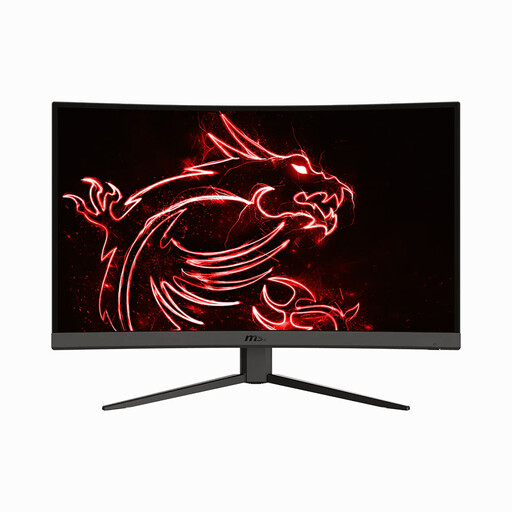
Why it stands out: It ticks all the right boxes: a large 31.5-inch curved panel, WQHD resolution, and a high refresh rate. It's the ideal entry ticket to an immersive gaming experience without having to break the bank for a 4K setup.
Key Features:
Who is it for? Ideal for fans of adventure, simulation, and strategy games who want a large screen for maximum immersion. Its excellent balance of size, resolution, and responsiveness makes it a very versatile choice.
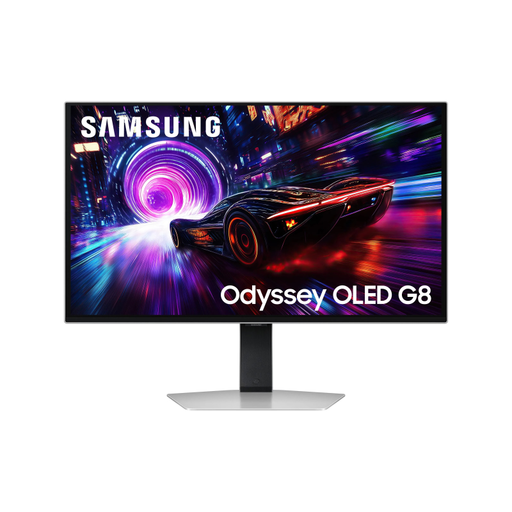
Why it stands out: This monitor is a true technological showcase. It combines the best of everything: an OLED panel for absolute contrast, 4K for surgical sharpness, and 240 Hz for esports-grade responsiveness.
Key Features:
Who is it for? For demanding gamers, competitors, and enthusiasts of beautiful visuals who want to make absolutely no compromises. It's also a tool of choice for content creators thanks to its impeccable colour accuracy.
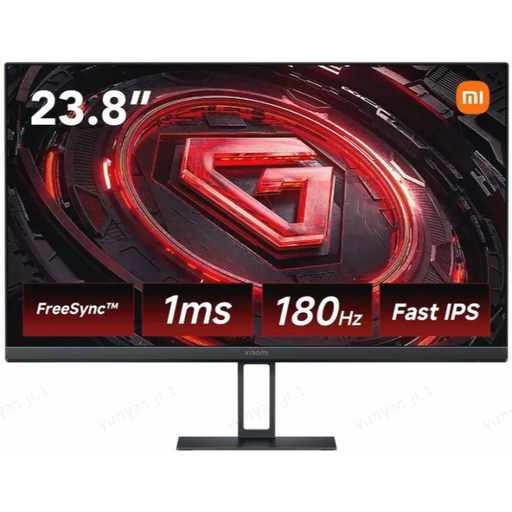
Why it stands out: Xiaomi proves you don't need to empty your savings account for a responsive monitor. With its 180 Hz refresh rate and Fast IPS panel, the G24i delivers a smooth gaming experience and vivid colours at an unbeatable price.
Key Features:
Who is it for? The smart choice for FPS and competitive gamers on a tight budget, or as a first proper gaming monitor. Its compact size and FHD resolution make it less demanding, ideal for mid-range graphics cards.
Our selection is just a glimpse of what's available. To discover other sizes, resolutions, or features, feel free to browse our full catalogue.
Discover Our Full Range of Gaming Monitors
A curved gaming monitor enhances immersion by engaging your peripheral vision. This is especially enjoyable in simulation games (racing, flight) or first-person adventure titles. The effect is most noticeable on diagonals of 27 inches and up. Ultimately, it's a matter of personal preference.
No, it's not a requirement at all. A 4K gaming monitor delivers a visual knockout with its level of detail, but it demands a very beefy graphics card to maintain smooth frame rates. For the majority of gamers, WQHD (1440p) remains the best compromise between image quality and performance, especially when paired with a 144 Hz or higher refresh rate.
It's all about smoothness. Moving from 60 Hz to 144 Hz is a revolution: the improvement in gaming comfort is massive. The gain from 144 Hz to 240 Hz is more subtle and mainly concerns competitive players who chase every last millisecond to gain an edge. For the vast majority of gamers, a 144Hz or 180 Hz monitor is more than enough.