
Livraison le jour même ou le lendemain

Qualité garantie

Débloquez vos offres de bienvenue: Livraison GRATUITE | Jusqu'à -80 % | 30 jours d'essai gratuits à JoyPlus
Téléchargez l'application
Choosing a new gaming monitor can quickly become a daunting task. Between refresh rates in hertz (Hz), response times in milliseconds (ms), resolution, and different panel types, it's easy to get lost in a sea of spec sheets. Don't panic! This guide is here to demystify the jargon and help you find the gaming monitor that's truly tailor-made for your gaming sessions, free from marketing fluff.
To get a clearer picture, let's review the criteria that will determine your choice.
The balance between high resolution and a high refresh rate depends on your games of choice.
The panel technology is the heart of your monitor. It has a direct impact on colour rendering, contrast levels, and responsiveness.
To prevent screen tearing—that unpleasant effect that occurs when the graphics card and monitor are out of sync—manufacturers have developed dedicated technologies. FreeSync (from AMD) and G-Sync (from NVIDIA) adapt the monitor's refresh rate to the GPU's output in real time. Today, most monitors are compatible with one or both of these standards.
We've selected three models that perfectly illustrate different player profiles, chosen for their technical relevance and price point.
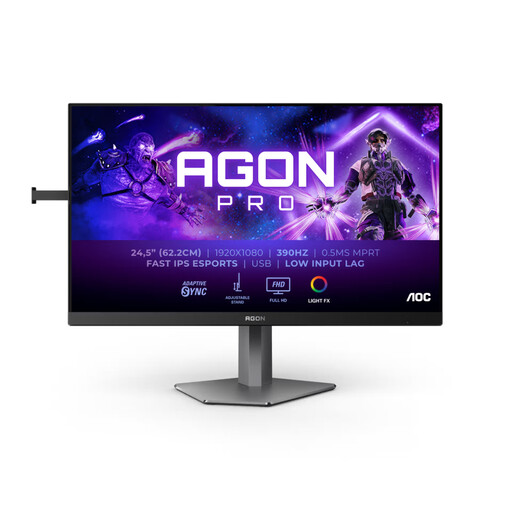
Why it stands out This monitor is a performance powerhouse, entirely focused on raw performance. With a native 360Hz refresh rate that's overclockable to 390Hz, it's built for absolute fluidity, where every millisecond counts.
Advantages
Who is it for? For competitors and aspiring esports pros who swear by speed and fluidity in fast-paced FPS games. If your sole objective is pure online performance, this monitor is for you.
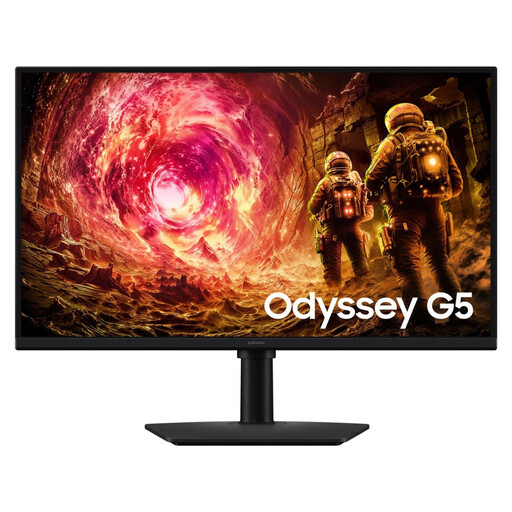
Why it stands out The Samsung Odyssey G5 G50F is the quintessential balanced QHD 180Hz monitor. It checks all the boxes: image quality, fluidity, and a competitive price. Its 27-inch diagonal and QHD (2560x1440) resolution make it the new standard for versatile gaming.
Advantages
Who is it for? For the versatile gamer who switches from a frantic action game to a narrative-driven adventure. It's the perfect choice for anyone looking to level up from a 1080p screen, finding the best compromise between performance and a stunning visual upgrade.
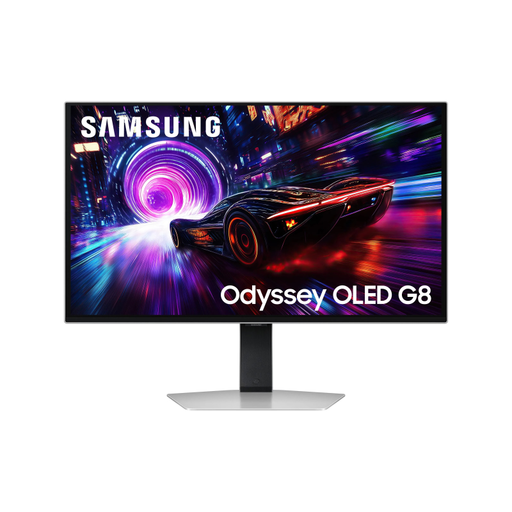
Why it stands out This model is a technological showcase. It combines the best of all worlds: an OLED panel, 4K UHD resolution, and a 240Hz refresh rate. The result? Simply spectacular image quality, infinite contrast, and top-tier fluidity.
Advantages
Who is it for? For enthusiasts who refuse to compromise on visual quality and own a very high-end PC setup capable of running games in 4K at a high frame rate. It's a passion purchase for the ultimate gaming and multimedia experience.
Our selection covers several use cases, but the monitor market is vast. If none of these models meet your needs or if you're simply curious, feel free to explore our complete catalogue.
? Explore Our Full Range of PC Monitors
FreeSync is an open technology developed by AMD, while G-Sync is NVIDIA's proprietary solution. Their goal is the same: to synchronise the monitor's refresh rate with the number of frames per second sent by the graphics card to eliminate tearing and micro-stuttering. Historically, G-Sync required a dedicated hardware chip in the monitor, making it more expensive. FreeSync, being an open standard, is more widespread. Today, the line is blurrier with "G-Sync Compatible" monitors, which are essentially FreeSync monitors validated by NVIDIA. The key is to check that the monitor is compatible with your graphics card (AMD or NVIDIA).
Yes, 27 inches is often considered the sweet spot for PC gaming. This diagonal offers excellent immersion without taking up all the space on a standard desk. It's the ideal size for QHD (2560x1440) resolution, which ensures great display sharpness for gaming as well as for office work or web browsing.
For the vast majority of gamers, a 144Hz, 180Hz, or even 240Hz monitor already provides an exceptionally smooth experience. A 360Hz (and above) esports monitor targets a niche of highly competitive players for whom every extra frame can make a difference. If you're not aiming for the top ranks of esports, a monitor with a slightly more modest refresh rate but better resolution or more accurate colours will likely be a wiser and more balanced choice.