
Livraison le jour même ou le lendemain

Qualité garantie

Débloquez vos offres de bienvenue: Livraison GRATUITE | Jusqu'à -80 % | 30 jours d'essai gratuits à JoyPlus
Téléchargez l'application
Choosing a new gaming monitor can quickly become overwhelming. Between refresh rates, panel types, resolutions, and synchronisation technologies, it's easy to get lost in a sea of technical jargon. This guide is here to demystify it all and present our selection of the best gaming monitors, whether you're a hardcore competitor or a fan of immersive experiences.
Before diving into our selection, let's review the essential criteria for finding the perfect monitor for your needs and your PC.
The monitor's size and resolution are the winning combination that defines image sharpness and your immersion in the game.
These two specifications are crucial for your display's responsiveness.
The panel technology has a direct impact on colour rendering, contrast depth, and viewing angles.
AMD FreeSync and NVIDIA G-Sync technologies are designed to synchronise the monitor's refresh rate with the frames sent by the graphics card. The result: goodbye to screen tearing and micro-stutters.
Here are three models that tick all the right boxes for different needs and budgets.
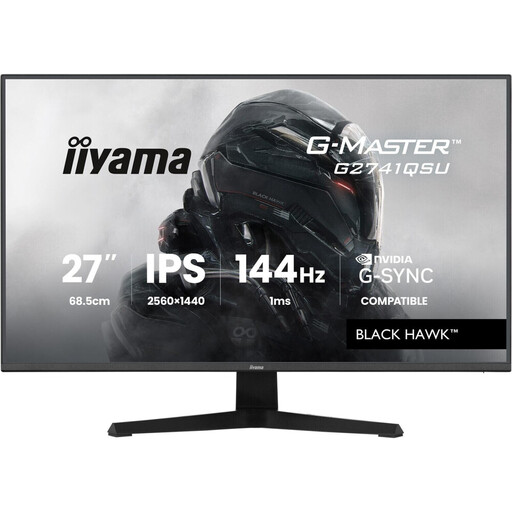
Why it stands out This iiyama monitor is the perfect compromise for gamers who want to step up their game without breaking the bank. It brings together the current winning trio: a 27-inch diagonal, QHD resolution, and a 144Hz refresh rate.
Key features
Who is it for? For PC gamers who want to experience the joys of high-definition gaming. It's versatile enough to admire the landscapes of an adventure game, yet responsive enough for intense competitive sessions.
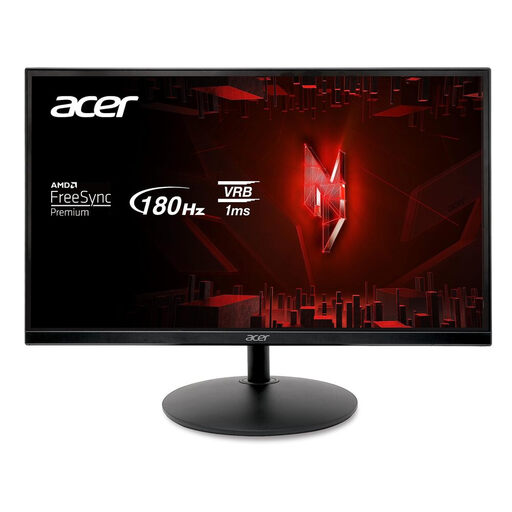
Why it stands out The Acer Nitro XF240Y S3 has one goal: pure performance for e-sports. With its Full HD resolution and very high refresh rate, it's built to maximise fluidity and responsiveness—two decisive advantages in fast-paced games.
Key features
Who is it for? For FPS, MOBA, or fighting game tryhards who swear by fluidity and high frame rates. An excellent choice for mid-range setups that prioritise performance above all else.
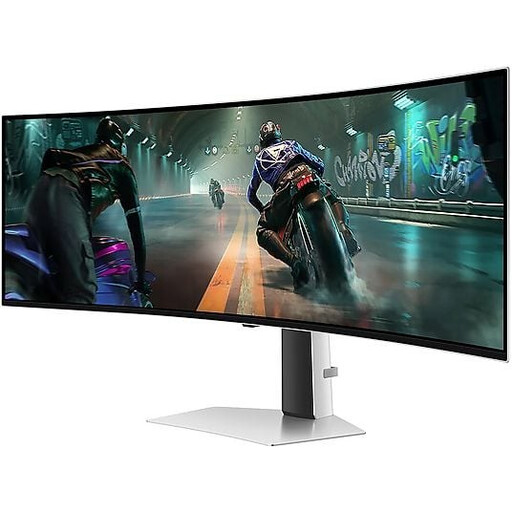
Why it stands out This gaming monitor is in a league of its own. Its massive 49-inch curved OLED panel with a 32:9 aspect ratio provides a completely immersive visual experience. The magic of OLED delivers perfect blacks and explosive colours, while its technical specs place it at the top of the food chain.
Key features
Who is it for? For technology enthusiasts and simulation fans (racing, flight) seeking the ultimate immersion. It's also a productivity powerhouse: its ultrawide format easily replaces a dual-monitor setup.
Our selection is just a glimpse of what's available. If fluidity is your top priority, the 144Hz standard is an excellent starting point for many gamers. Feel free to explore our full range of 144Hz PC monitors to find the perfect fit.
A curved gaming monitor aims to enhance immersion by matching the natural curve of your field of view. The effect is particularly successful on large screens (27 inches and up) and ultrawide formats, where it makes the experience feel more natural. It's ideal for simulation or adventure games. On the other hand, some competitive players prefer flat screens to avoid any potential distortion at the edges. Ultimately, it's a matter of personal preference, and nothing beats trying it for yourself.
The difference is fluidity. A 240Hz monitor displays 240 frames per second, compared to 144 for a 144Hz model. The jump from 60Hz to 144Hz is spectacular and immediately noticeable. Moving from 144Hz to 240Hz offers a more subtle improvement, but one that can give a decisive edge to pro or highly demanding players in ultra-fast-paced titles—provided, of course, that the PC can keep up and generate that many frames.
A 4K gaming monitor is a feast for the eyes, especially for single-player games with gorgeous graphics, whether on a console (PS5, Xbox Series X) or a high-end PC. But be warned: to play at 60 FPS (or more) in 4K, a top-tier (and therefore very expensive) graphics card is essential. For primarily competitive use, a 1440p 144Hz monitor (or faster) often remains the smarter compromise between image quality and performance.