
Livraison le jour même ou le lendemain

Qualité garantie

Débloquez vos offres de bienvenue: Livraison GRATUITE | Jusqu'à -80 % | 30 jours d'essai gratuits à JoyPlus
Téléchargez l'application
Choosing a new gaming monitor can quickly become a real headache. Between indecipherable spec sheets and sometimes misleading marketing, it's easy to feel lost or make a purchase you'll bitterly regret. My role here at Joybuy is to help you decode this jargon so you can invest in THE monitor that truly fits YOUR needs, without spending a penny more than you have to.
Before diving into the technical details, let's identify the three most common pitfalls that gaming monitor buyers fall into.
To avoid these traps, focus on a few key criteria that define a monitor's quality and suitability for your use case.
The panel technology largely determines your monitor's image quality. There are three main types:
Pixel density (PPI) is crucial for image sharpness. The ideal combo, offering an excellent balance between performance and visual quality, is the 27-inch gaming monitor in QHD 1440p resolution (2560 x 1440 pixels). It provides a noticeable leap in quality over Full HD (1080p) without demanding the firepower needed for a 4K display.
For those seeking maximum immersion or a massive workspace, an ultrawide monitor (21:9 or 32:9 aspect ratio) offers a panoramic field of view, perfect for simulation games and heavy multitasking.
The refresh rate, measured in Hertz (Hz), indicates how many times per second the screen updates the image. A standard 60?Hz monitor may suffice for slower-paced games, but for a truly fluid gaming experience, a minimum of 144?Hz is now almost essential.
This smoothness must be paired with adaptive synchronization (Adaptive Sync) technology, such as AMD FreeSync or NVIDIA G-Sync. This syncs the monitor's refresh rate with the frames sent by your graphics card, eliminating screen tearing for a perfectly sharp and stable image.
Rather than an endless list, here are a few models that cater to specific gamer profiles, taking into account the criteria we've just discussed.
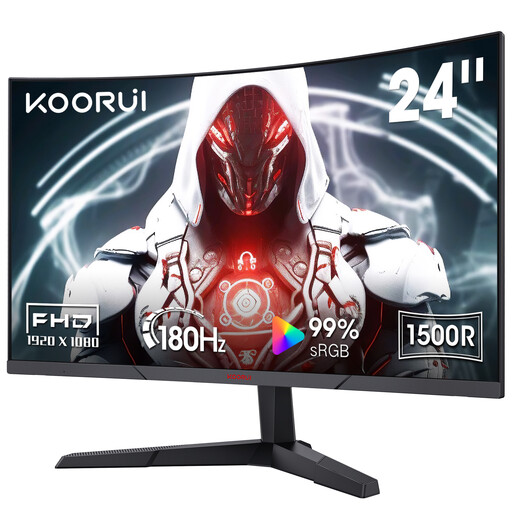
Why it's the right choice: This profile prioritizes smoothness above all for fast-paced games (FPS, battle royale) without breaking the bank. The 24-inch size and FHD (1080p) resolution are less demanding on the graphics card, making it easier to hit 180 FPS.
It avoids the superfluous Hertz trap by offering a 180 Hz rate on an FHD resolution, a realistic target for mid-range builds.
High refresh rate (180 Hz) and FreeSync compatibility for maximum fluidity. The VA panel offers good contrast for a budget-friendly gaming monitor.
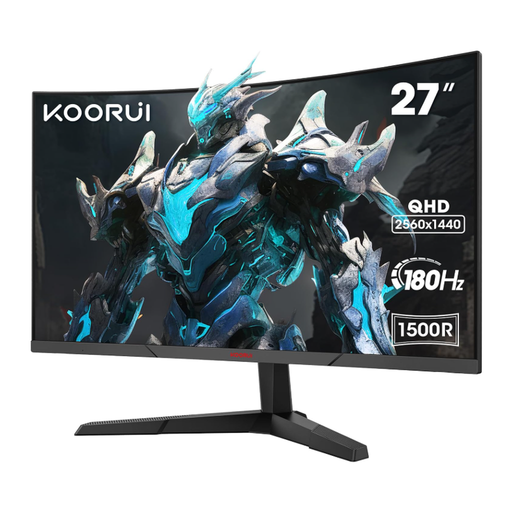
Why it's the right choice: This profile needs a monitor that can switch from gaming to photo editing or video production. The QHD resolution on a 27-inch screen provides the necessary workspace and sharpness, while its good colorimetry ensures faithful rendering.
It doesn't sacrifice image quality for speed. By combining a QHD 1440p resolution with good DCI-P3 coverage (85%), it avoids the trap of fast screens with dull colors.
Excellent performance/quality balance with its 27-inch QHD panel at 180 Hz. The 1500R curve is immersive without being too aggressive for office applications.
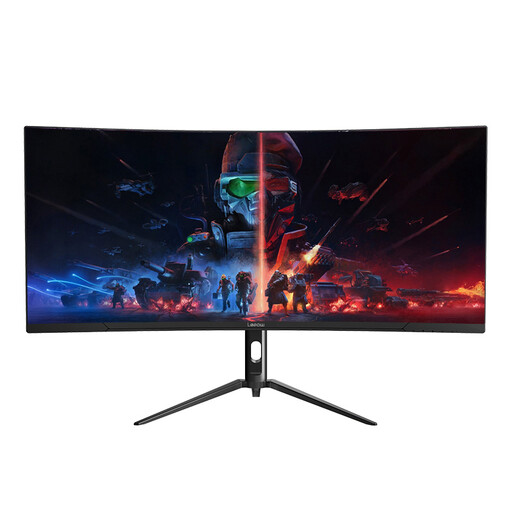
Why it's the right choice: Ideal for fans of cinematic games (RPGs, adventure) and professionals who juggle multiple applications. The 21:9 format offers a panoramic field of view and considerable workspace, effectively replacing a dual-monitor setup.
It avoids the gimmicky curved screen trap by offering an ultrawide format where the curve has a real practical benefit, both for in-game immersion and for visual comfort in office work.
WQHD resolution (3440x1440) for a detailed image over a large surface area. The VA panel ensures high contrast, and the 165 Hz refresh rate guarantees excellent fluidity.
Browse our full selection of gaming monitors, all tested and approved by our experts to meet demanding performance and quality criteria.
Yes, for many types of games, a curved monitor can enrich the experience. By subtly wrapping around your field of view, it increases the sense of immersion, particularly in first-person games, racing simulations, or adventure games. However, the effect is more striking on screens 27 inches and larger, and especially on ultrawide models. For office or graphic design tasks involving straight lines, some users may prefer a flat screen.
The best method is to check online benchmarks for your specific graphics card model. Look for tests on the games you play most, at 1440p resolution. As a general rule, to comfortably aim for over 100 FPS in 1440p on recent titles, a graphics card like the NVIDIA GeForce RTX 4060, AMD Radeon RX 7700 XT, or higher is a good starting point.
A monitor's lifespan is generally tied to its backlight, which is often rated for between 30,000 and 60,000 hours. For normal use (about 8 hours a day), this translates to a lifespan of 5 to 8 years, or even more. Factors like constantly setting the brightness to maximum can reduce this longevity. That said, technological obsolescence (the emergence of new standards, resolutions, etc.) often pushes people to upgrade their hardware long before it actually fails.