
Livraison le jour même ou le lendemain

Qualité garantie

Débloquez vos offres de bienvenue: Livraison GRATUITE | Jusqu'à -80 % | 30 jours d'essai gratuits à JoyPlus
Téléchargez l'application
Choosing a new gaming monitor can quickly become a headache. Resolution, refresh rate, panel type, technologies like FreeSync… Faced with an avalanche of technical specs, it's easy to feel lost. This guide is here to decode the jargon and help you find THE gaming monitor that will elevate your gaming sessions, perfectly suited to your machine and your budget.
Before diving into our top picks, let's review the essential criteria that will guide your choice.
Resolution determines the sharpness of the image, while screen size affects the feeling of immersion.
In competitive games, every millisecond counts. Smoothness and responsiveness are therefore two pillars.
The panel technology is the heart of the monitor?: it determines colour reproduction, contrast, and viewing angles.
Let's get down to business with three models with distinct profiles, selected for their excellent performance-to-price ratio.
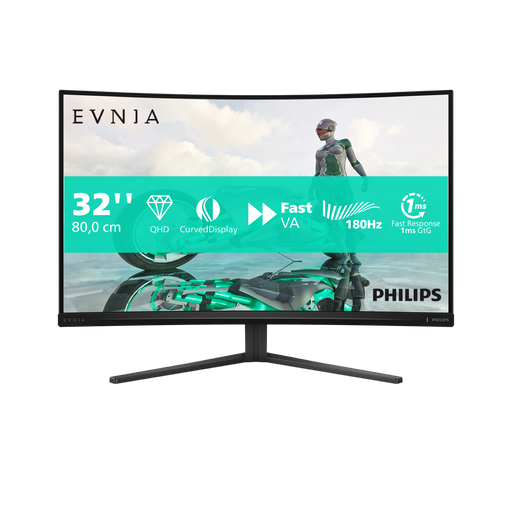
Why we picked it?? This Philips Evnia monitor is all about immersion?: a large 32-inch panel, a comfortable QHD resolution, and a pronounced 1500R curve to wrap you in the action. Add a 180?Hz refresh rate and a responsive VA panel, and you have an excellent candidate for open-world or simulation gamers.
Key Features
Who is it for?? Ideal for fans of AAA games, RPGs, and simulations (racing, flight...) who are primarily seeking the immersion of a large, smooth screen, without necessarily aiming for the pure performance of e-sports monitors.
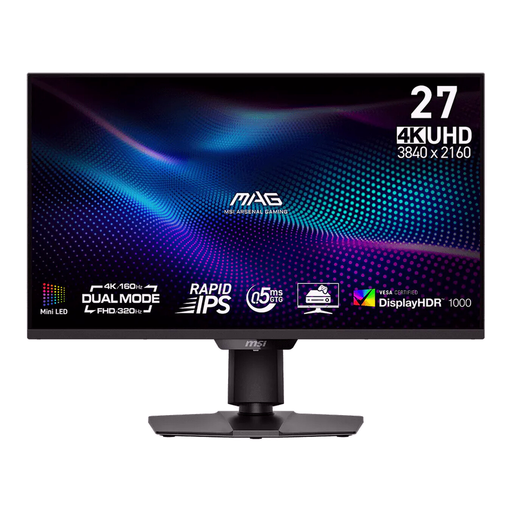
Why we picked it?? The MSI MAG 274UPDF is a true chameleon. Its secret weapon?? Cutting-edge Mini-LED technology and a game-changing dual-resolution mode. It juggles between a 4K UHD at 160?Hz setting for a stunning visual experience in single-player games, and a Full HD at 320?Hz mode for absolute responsiveness in competitive multiplayer. The best of both worlds.
Key Features
Who is it for?? For the passionate gamer who doesn't want to compromise. It's the perfect monitor for someone who grinds ranked matches in Valorant in 320?Hz mode and then wants to marvel at the landscapes of Cyberpunk 2077 in 4K.
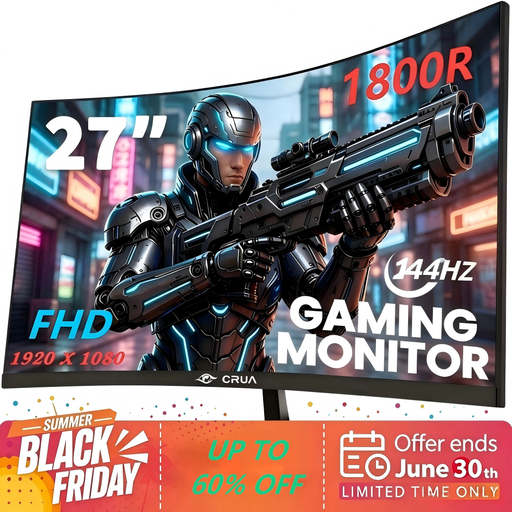
Why we picked it?? This 27-inch CRUA monitor gets straight to the point?: delivering a smooth and responsive gaming experience without breaking the bank. It checks all the boxes for a smart gaming setup?: a less-demanding Full HD resolution, a 144?Hz refresh rate, and a curved VA panel (1800R). The winning trio for a first setup or a tight budget.
Key Features
Who is it for?? For all gamers who want to finally experience the joys of 144?Hz without breaking the bank. It's the perfect choice for e-sports titles like Valorant or CS:GO, where fluidity is far more important than pixel count.
Our selection is just a sneak peek. If the immersion offered by curved screens catches your eye, many other models might appeal to you.
? Explore our full selection of curved monitors to find the perfect fit for your gaming space.
1. What's the difference between a VA panel and an IPS panel?? To put it simply?: a VA panel shines with its high contrast, offering deeper blacks that are perfect for dark atmospheres. An IPS panel, on the other hand, is the champion of colour fidelity and wide viewing angles (colours don't shift when you look at the screen from the side).
2. Is a 144?Hz monitor really necessary for gaming?? It's not absolutely mandatory, but once you've tried it, it's hard to go back! The jump from 60?Hz to 144?Hz (or more) provides a spectacular gain in smoothness and sharpness. In fast-paced games (FPS, racing), it's a significant competitive advantage. For more relaxed games (strategy, RPGs), the gain is less crucial, but the visual comfort is very real.
3. Is AMD FreeSync technology compatible with NVIDIA graphics cards?? Yes, most of the time. For several generations (GeForce 10-series and newer), NVIDIA graphics cards have been compatible with the Adaptive Sync standard, which FreeSync is based on. In practice, you can enable adaptive sync on a FreeSync monitor with an NVIDIA card (via a DisplayPort connection). Even if the monitor isn't officially certified as "G-Sync Compatible" by NVIDIA, it works in the vast majority of cases. A quick online check on the specific model you're interested in is always a good idea.