
Livraison le jour même ou le lendemain

Qualité garantie

Débloquez vos offres de bienvenue: Livraison GRATUITE | Jusqu'à -80 % | 30 jours d'essai gratuits à JoyPlus
Téléchargez l'application
Choosing a new gaming monitor can often feel like a daunting task. Between spec sheets packed with jargon and marketing promises of absolute superiority, it's easy to feel lost or end up with buyer's remorse. As a product expert at Joybuy, my mission is to help you decode this information so you can invest in a monitor that truly fits your needs, not just the latest trends.
Before diving into the features, let's identify the most common pitfalls that await buyers?:
To avoid these pitfalls, let's review the three pillars that define a good PC gaming monitor.
This is the classic dilemma for any PC gamer.
The panel technology directly determines image quality and responsiveness.
To eliminate screen tearing, synchronisation between the graphics card and the monitor is essential. AMD's FreeSync Premium technology (and NVIDIA's G-Sync compatibility) ensures a perfectly smooth gaming experience by dynamically adjusting the monitor's refresh rate to match the graphics card's output. This is a feature not to be overlooked for optimal gaming comfort.
Instead of an endless list, here are targeted recommendations for different types of gamers, always based on objective criteria.
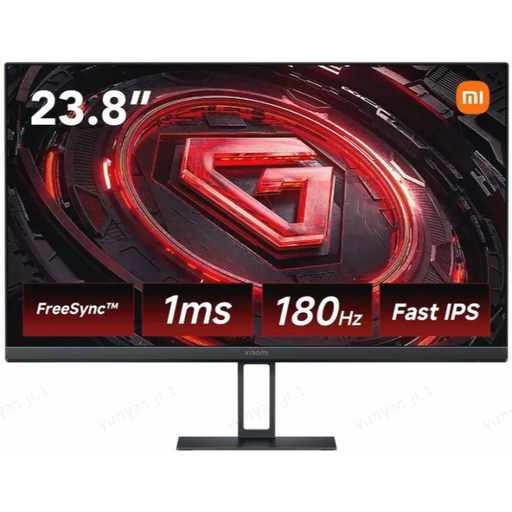
Why it's the right choice: Perfect for competitive gamers who prioritise fluidity and responsiveness above all. Its compact size and Full HD resolution allow you to hit a very high refresh rate with a mid-range PC build, maximising in-game performance.
It combines a true 1 ms GtG response time with a Fast IPS panel, avoiding the blur from often-misleading MPRT measurements. Its 1080p resolution is perfectly matched to its 180 Hz refresh rate, ensuring optimal use without overspending.
The combination of 180 Hz and a Fast IPS panel ensures impeccable motion clarity and faithful colours: the winning combination for competitive play.
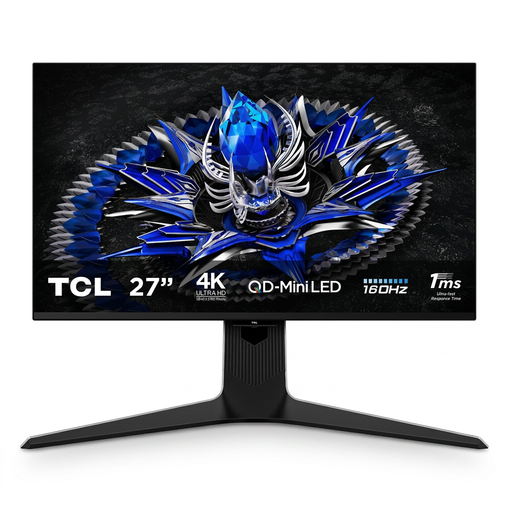
Why it's the right choice: Built for powerful rigs, this monitor is for demanding gamers who want no compromises. It's as comfortable with stunning single-player games as it is in multiplayer sessions where fluidity is king.
Here, there's no need to choose between resolution and refresh rate. Its QD-Mini LED technology with 1152 local dimming zones delivers a true HDR experience (HDR1400), far beyond entry-level "HDR-compatible" screens.
The exceptional image quality of Mini LED, combined with 4K resolution and a 160 Hz refresh rate. It's a versatile monitor that excels in all areas.
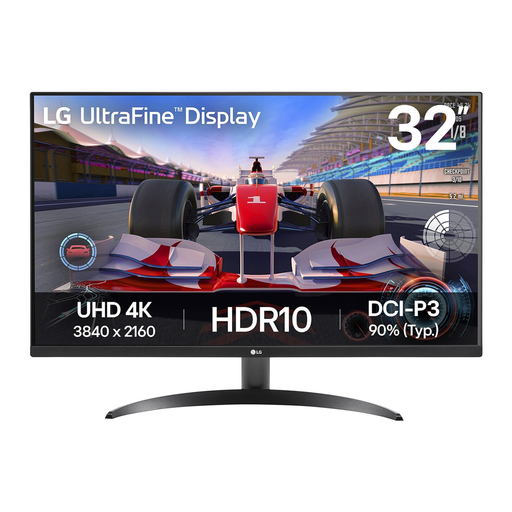
Why it's the right choice: Its large 31.5-inch 4K panel is perfect for console immersion (PS5, Xbox) and provides ample workspace for video editing or photo retouching. An excellent choice for mixed use for gaming and productivity.
It focuses on the essentials for this user profile: a large screen and high resolution. It doesn't inflate its price with a 120 Hz or higher refresh rate, which is often underutilised on consoles or for creative tasks.
A large 4K screen at an accessible price point. Its 90% DCI-P3 coverage is a bonus for colour accuracy, whether for gaming or content creation.
We've gathered a full selection of products that meet our selection criteria and current safety standards.
For competitive games like FPS, a 144?Hz (or higher) monitor provides an undeniable boost in fluidity and responsiveness, which can give you an edge. For adventure, strategy, or RPG games, a 60?Hz or 75?Hz monitor can be perfectly adequate, especially if you prioritise graphic quality and 4K resolution.
A well-made gaming monitor typically has a lifespan of 5 to 8 years with standard use. The component most prone to wear is the LED backlight, which can gradually dim after several tens of thousands of hours of operation. Premature failures are rare if the device is well-ventilated.
A curved monitor can enhance immersion, particularly on large screens (27 inches and up) and ultrawide formats. The curvature (expressed in "R," like 1500R) is designed to match the natural field of view of the eye, reducing distortion at the edges and eye strain. The effect is more pronounced when you are sitting close to the screen. For some, it's a gimmick; for others, it's a real plus for immersion.