
Livraison le jour même ou le lendemain

Qualité garantie

Débloquez vos offres de bienvenue: Livraison GRATUITE | Jusqu'à -80 % | 30 jours d'essai gratuits à JoyPlus
Téléchargez l'application
The era when PC gaming meant a massive, noisy tower is long gone. Today, a gaming mini PC can deliver top-tier performance in a chassis that disappears on your desk, or even fits in the palm of your hand. But whether you're an avid gamer, a content creator, or simply looking for a powerful and compact workstation, navigating the jungle of available models can be a daunting task.
This guide is here to help you make sense of it all. Our mission?is to decode the market, analyse the spec sheets, and offer you a selection of models that truly meet your needs—all without the unnecessary marketing jargon.
Before we dive into our selection, let's review the essential criteria to ensure you make the right choice.
This is the tandem that dictates your machine's ability to handle modern games and demanding software. For a smooth gaming experience, a modern processor like an AMD Ryzen 5 or higher is an excellent starting point. The latest models, such as the Ryzen 9 mini PC, now integrate dedicated AI cores (AI mini PC), an asset that boosts performance in optimised applications and upcoming games. As for the integrated graphics chip (iGPU), the latest generations like AMD Radeon have become surprisingly fast, allowing you to comfortably play many titles in 1080p.
A compact desktop PC shouldn't have to sacrifice connectivity. Be sure to check the number and type of ports?:
For gaming and versatile use, 16 GB of RAM is a solid foundation today. Faster DDR5 memory provides a noticeable boost in responsiveness for the most demanding tasks. On the storage side, an NVMe PCIe 4.0 SSD has become the standard for near-instant loading times. A 512 GB capacity is the bare minimum?; aim for 1 TB or more to install your game library without a second thought.
We have selected three models that stand out for their market position and technical specifications.
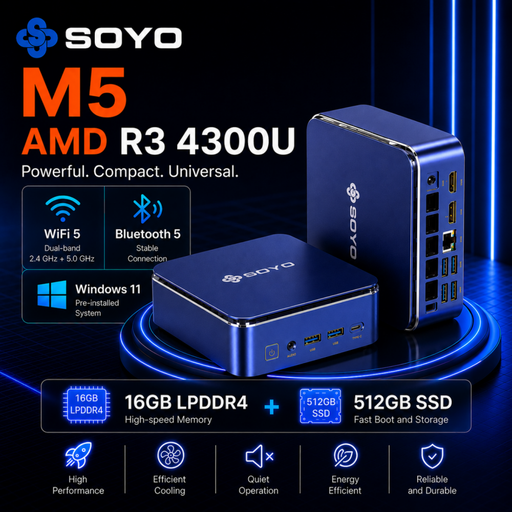
What sets it apart?: The SOYO M5 presents itself as a well-balanced solution for demanding office work and multimedia. Its AMD Ryzen 3 4300U processor and 16 GB of LPDDR4 RAM ensure excellent fluidity in daily tasks. Its ability to drive a triple 4K display setup makes it a prime choice for productivity.
Key strengths?:
Who is it for?? Ideal for remote professionals, students, or as a living room media centre. It can run light or older games, but it's clearly not built for recent AAA titles at max settings.
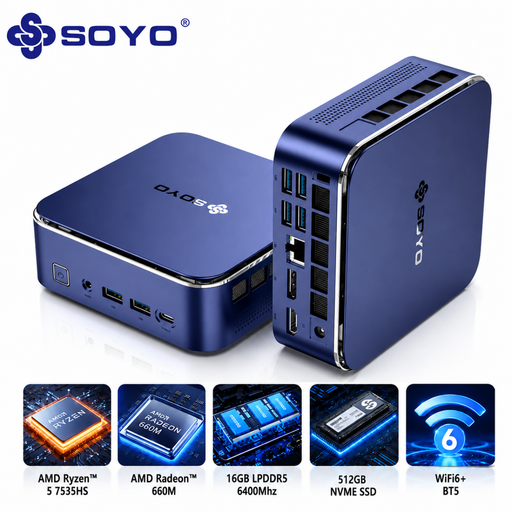
What sets it apart?: The S5Air is a clear step up with its AMD Ryzen 5 7535HS processor (6 cores, 12 threads) and 6400?MHz LPDDR5 memory. This duo, supported by the AMD Radeon 660M graphics chip, offers a real leap forward for 1080p gaming and creative applications (light video editing, photo retouching).
Key strengths?:
Who is it for?? For those seeking the sweet spot between a workstation and a gaming machine. It's a powerful mini PC that is versatile enough to run a wide variety of titles under good conditions and accelerate creative workflows.
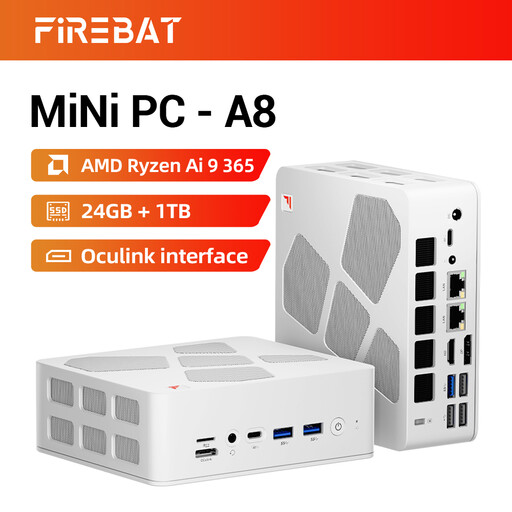
What sets it apart?: The FIREBAT A8 is aimed at the most demanding users. It packs the brand-new AMD Ryzen AI 9 365 processor (10 cores, 20 threads), 24 GB of DDR5 RAM, and a Radeon 880M graphics chip. This is a powerhouse configuration that rivals many traditional desktop PCs, all in a pocket-sized form factor.
Key strengths?:
Who is it for?? For demanding gamers, content creators, and tech enthusiasts who want a gaming mini PC with zero compromises. Its power and connectivity make it a future-proof investment for years to come.
This selection is, of course, just a glimpse into the vast market of compact computers. To explore a wider range, with other configurations and brands, feel free to browse our complete category.
? Discover our full range of desktop computers
Yes, absolutely. High-end models like the FIREBAT A8, equipped with recent processors (like Ryzen 9) and powerful integrated graphics (Radeon 880M), can run most AAA games in 1080p, and even in 1440p by adjusting some graphics settings. For ultimate performance, the inclusion of an Oculink port to add an external graphics card is a true game-changer.
Upgradability largely depends on the model. Most often, the RAM and storage (SSD) are the easiest components to upgrade. However, the processor and graphics chip are almost always soldered to the motherboard and are therefore not replaceable. It is crucial to choose wisely at the time of purchase by anticipating your future needs.
The Oculink port is a very high-speed connection interface based on the PCIe standard. In practical terms, it allows you to directly connect an external graphics card (eGPU) without the bottleneck sometimes encountered with Thunderbolt/USB4 ports. For a gaming mini PC, this opens the door to graphics performance worthy of a traditional gaming tower, simply by connecting a powerful dedicated graphics card.