
Livraison le jour même ou le lendemain

Qualité garantie

Débloquez vos offres de bienvenue: Livraison GRATUITE | Jusqu'à -80 % | 30 jours d'essai gratuits à JoyPlus
Téléchargez l'application
A gaming mechanical keyboard can improve typing comfort and accuracy, but product descriptions often stack up features that are difficult to compare. RGB lighting, ‘anti-ghosting’, wireless connectivity and interchangeable keys do not, on their own, guarantee that a keyboard will suit your needs.
Before placing your order, three common pitfalls are worth bearing in mind:
60%, 75% or 96% compact keyboards do not meet the same needs:
Also check whether the keyboard is described as US QWERTY. This ANSI layout does not correspond to French AZERTY: accented characters, the position of certain keys and several shortcuts may require software adjustments or replacement keycaps.
Linear and blue switches offer completely different typing experiences:
A hot-swappable mechanical keyboard allows you to remove the switches without soldering. However, you should check whether they are compatible with 3- or 5-pin sockets. This feature makes customisation easier, but does not guarantee that every switch on the market will work with the case, stabilisers or supplied software.
A wired mechanical keyboard with USB Type-C is simple to set up and does not need recharging. On a desktop setup or for competitive gaming, it also reduces the number of settings you need to monitor.
A wireless gaming keyboard gives you greater freedom. Bluetooth is convenient when switching between devices, while 2.4 GHz with a USB receiver is mainly intended for use with a computer. When choosing a Bluetooth mechanical keyboard or a tri-mode mechanical keyboard, compare the compatible devices, the number of profiles that can be stored, the claimed battery life and recharge time.
Finally, PBT keycaps generally resist developing a shine better than ABS keycaps, although the result depends on their construction and finish. RGB is primarily aesthetic, with some practical value in a dark room. So check how many modes are available, the brightness level and whether the lighting can be switched off completely.
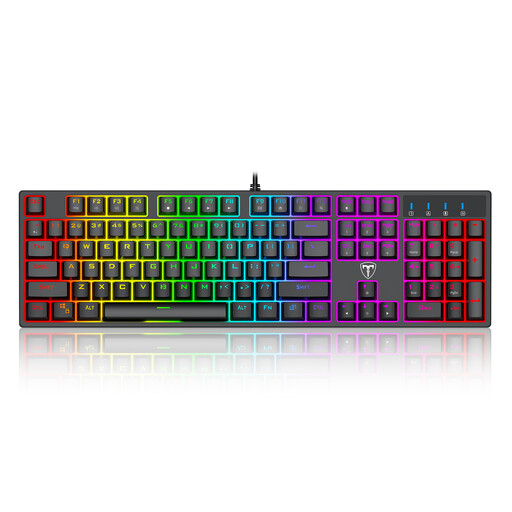
Why this choice suits this type of user : This 104-key wired mechanical keyboard retains the numeric keypad and features a USB connection. It is a sensible first option for PC gaming, typing and everyday work.
The full-size format means you do not have to sacrifice the navigation keys or numeric keypad. However, the drainage holes and advertised splash-resistant design are not a substitute for genuine liquid protection.
Blue switches, 104 keys, backlighting with several modes and advertised anti-ghosting functionality. Please note that the layout is US QWERTY.
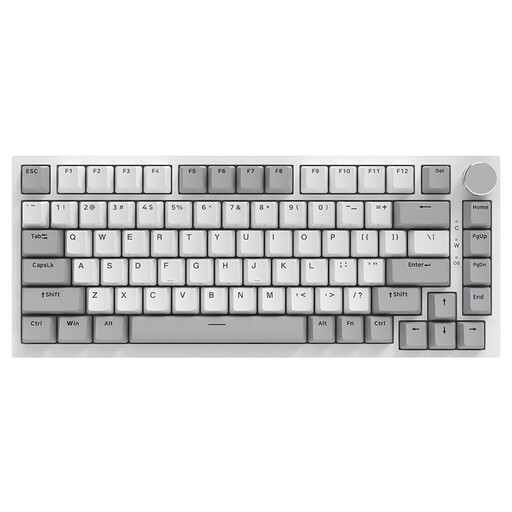
Why this choice suits this type of user : Its 75% format and 82 keys free up space for your mouse while retaining the essential controls. It is equally suitable for PC gaming, working from home or moving between two workstations.
The wired Type-C connection means you do not need to keep an eye on the battery level. 3/5-pin hot-swap compatibility also lets you upgrade the keyboard, provided you choose compatible components.
PBT keycaps, volume knob, gasket structure, RGB lighting and advertised compatibility with Windows and macOS.
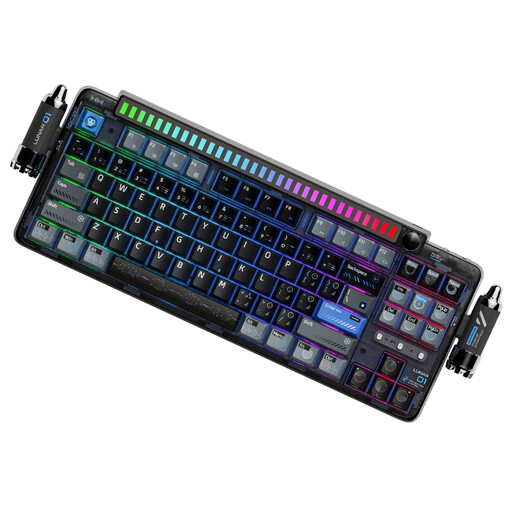
Why this choice suits this type of user : This model is designed for those looking for extensive customisation, several connectivity options and a more refined finish for a versatile desk setup.
The product details clearly specify the three connection modes, full hot-swap functionality and 4 000 mAh battery. This lets you assess exactly what the keyboard offers, rather than focusing solely on the lighting effects.
Bluetooth, 2.4 GHz and Type-C, PBT keycaps, programmable knob, linear switches and advertised compatibility with Windows, macOS, iOS and Android.

Why this choice suits this type of user : With 61 keys, this RGB mechanical keyboard is easy to carry and leaves more room for mouse movement, particularly in first-person shooters.
The product details the 2.4 GHz, Bluetooth and Type-C connections, as well as the 1 600 mAh battery. However, you will need to work with the Fn shortcuts associated with the 60% format.
16 advertised RGB modes, clicky blue switches, compatibility with PCs, Macs, iPads, phones and Xbox, plus an automatic sleep mode.
We have brought together a complete, real-time selection of products that meet these strict criteria while complying with European safety regulations.
Yes, provided you choose a noise level that suits your environment. Linear switches are generally quieter than clicky blue switches. A volume knob, adjustable tilt and clearly legible keys can also make everyday use more comfortable.
With a desktop computer, a wired keyboard is easy to set up and does not need recharging. Wireless is more convenient with a laptop, tablet or several devices. A tri-mode model offers greater flexibility, but check the battery life, receiver type and compatibility with your system.
Its lifespan depends on the switches, keycaps, intensity of use and maintenance. Manufacturers sometimes claim several tens of millions of keystrokes, but this figure refers to a component specification rather than a guaranteed lifespan under all conditions. Avoid liquids, unplug the keyboard before cleaning it and regularly remove dust with a soft brush.