
Livraison le jour même ou le lendemain

Qualité garantie

Débloquez vos offres de bienvenue: Livraison GRATUITE | Jusqu'à -80 % | 30 jours d'essai gratuits à JoyPlus
Téléchargez l'application
A gaming mechanical keyboard should not be chosen solely for its RGB lighting or the noise of its keys. Between claims of minimal latency, compact formats and wireless connections, some features are mainly marketing unless they suit the way you use your keyboard.
Whether you play on PC, work from home or programme, three common pitfalls come up time and again:
A 75% mechanical keyboard generally retains the function row, arrow keys and some navigation keys, while taking up less space. This format is particularly appealing to gamers who want to free up room for their mouse, as well as developers and remote workers who regularly use the F1 to F12 keys.
The 80% format, also known as TKL, offers a similar layout and is sometimes slightly wider. The 98% format adds a compact number pad, making it more suitable for spreadsheet users, accountants and anyone who frequently enters numbers. Before ordering, measure your desk and check that all the keys you need are included.
Linear switches offer a smooth travel, which is often appreciated in fast-paced games. Tactile switches provide noticeable feedback when activated, while ‘clicky’ models produce a pronounced click that can be difficult to tolerate in an open-plan office.
A hot-swap keyboard lets you gradually customise the actuation force, sound and typing feel. However, check compatibility carefully: a board that accepts 3- or 5-pin switches will not necessarily support every proprietary format.
The gasket mount design places flexible elements between the plate, printed circuit board and case. This can make typing feel softer and reduce metallic resonance. It does not turn the keyboard into a silent model, though: the switch type, keycaps and force applied remain decisive factors.
A wireless mechanical keyboard can connect via Bluetooth, 2.4 GHz or USB-C. For competitive gaming, 2.4 GHz and a wired connection are generally the simplest choices for limiting connection fluctuations. Bluetooth is particularly convenient with a laptop, tablet or an environment containing several devices.
A tri-mode model combines all three options. If you use macros, customised RGB lighting or several key profiles across different machines, check whether it has integrated memory.
A programmable mechanical keyboard can be used to assign shortcuts, manage profiles or control a dial. On some models, the software is only compatible with Windows, so it is best to check the supported operating systems before buying.

Why this choice suits this user profile : This wired 75 % model is ideal for a first gaming or home-office setup. It features a US QWERTY layout and a CNC-machined volume dial.
The Type-C connection means there is no battery to manage, while the hot-swap PCB lets you replace compatible switches without soldering.
75 % format, gasket mount design, PBT keycaps, RGB backlighting and volume dial.

Why this choice suits this user profile : PC gamers looking for precise actuation-point adjustment can opt for this wired 75 % Hall Effect mechanical keyboard.
The product details state that the actuation point can be adjusted and that Rapid Trigger is supported. However, these options require suitable software configuration and do not replace the quality of the USB connection.
Hall Effect technology, adjustable actuation point, advertised 8KHz polling rate, metal dial and profile memory.
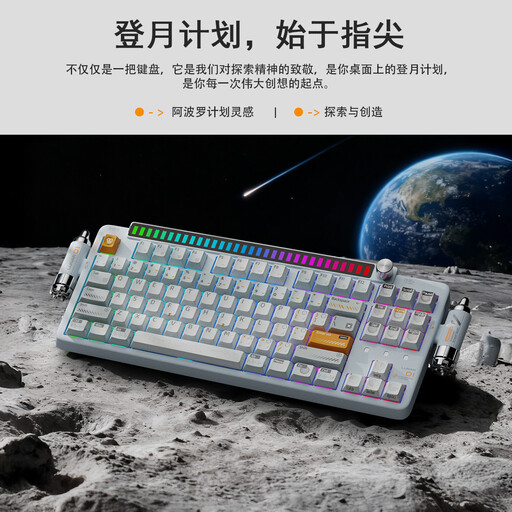
Why this choice suits this user profile : This wireless mechanical keyboard is aimed at users who switch between a PC, Mac, tablet or another workstation while still wanting to customise their typing experience and lighting.
The three connection modes mean you are not reliant on a single protocol. The 5-pin hot-swap design and PBT keycaps also let you upgrade the keyboard over time.
Bluetooth, 2.4 GHz and USB-C, advertised 4000 mAh battery, programmable controls, dial and gasket mount design.
A QWERTY keyboard can work perfectly well with Windows, macOS or Linux, but its physical layout is still different from that of a French keyboard. If you regularly type accented characters, check the available shortcuts and consider a suitable keycap set, provided that the profile and stabilisers are compatible.
PBT keycaps generally resist developing a shine better than ABS keycaps. However, their quality also depends on their thickness and the printing method used. RGB lighting improves the visibility of the legends and the atmosphere at your desk; on a wireless keyboard, it can also reduce battery life.
Finally, a programmable dial can be used to adjust the volume, scroll through pages or control certain video-editing shortcuts. Also check whether the keyboard has a wrist rest, adjustable feet and a detachable cable: in everyday use, these details often have a greater impact on comfort than an additional lighting effect.
Yes, provided you choose a switch and design that suit your environment. Linear or moderately tactile switches can work well, while clicky models are considerably louder. A gasket mount design and several layers of dampening can reduce some resonance without making the keyboard completely silent.
Not necessarily. 8KHz refers to an advertised polling rate of 8,000 reports per second. The real-world benefit depends on your setup, the game and the system’s ability to process these reports. For most users, a stable wired connection, good switches and a comfortable setup should remain the priority.
This varies depending on the switches, frequency of use, dust and handling. Manufacturers sometimes claim several tens or even several hundreds of millions of actuations. However, these figures refer to a component’s specifications and do not guarantee the same lifespan for every buyer. A hot-swap model simplifies maintenance by allowing you to replace compatible switches.