Joybuy Insights

Gaming Lighting Guide: Perfect Your Setup and Avoid Common Mistakes

Good gaming lighting is the finishing touch that transforms a simple desk into a truly immersive battlestation. The problem? The market is saturated with products that make tempting but often disappointing promises. Between LED strips that peel off after three days and colours that look nothing like the description, it's easy to make a misstep. Our mission? To guide you through this dazzling jungle to find the accessories that will truly enhance your gaming space.

The 3 Pitfalls to Avoid When Buying Your Gaming Lighting

Before you pull out your credit card, keep these common disappointments in mind that could make you regret your purchase.

  1. Adhesive That Doesn't Hold Up: This is the number one problem with entry-level LED strips. After a few weeks, the heat from your monitor or tower is enough to soften the glue... and your beautiful strip ends up dangling pitifully behind your desk. Our advice: opt for brands known for their high-quality adhesive (often 3M) or plan on using additional fasteners from the start.
  2. Dull and Inaccurate RGB Colours: You wanted an electric purple or a magma orange, and you ended up with a washed-out mauve? That's a dead giveaway: many low-end models are incapable of reproducing faithful colours. A white that turns bluish or a red that leans towards pink betrays poor-quality diodes.
  3. Limited or Unstable Connectivity: A "smart" luminous gaming accessory is only useful if its app and connection are reliable. An app that can't detect the device, frequent disconnections, incompatibility with major ecosystems (Razer Chroma, Corsair iCUE)... These are all frustrations that make customisation impossible and the accessory completely useless.

Key Criteria for Successful Gaming Ambient Lighting

To avoid mistakes and invest in a gaming setup decoration that will last, here are the three technical points to check before you check out.

LED Type?: The Difference Between RGB and RGBIC

This is the key technical detail to understand.

  • RGB (Red, Green, Blue): This is the basic technology. An RGB gaming LED strip displays a single colour at a time along its entire length. You can, of course, change this colour, but you can't display a gradient or multiple shades simultaneously.
  • RGBIC (Independent Chip): Here, each segment of the strip has its own chip (the "IC" for Independent Chip). The result: you can display multiple colours at the same time, creating wave effects, rainbows, and complex gradients. For dynamic and fluid animations, RGBIC technology is what you need.

Power and Connectivity

A detail that is anything but: the power method determines the simplicity and performance of your installation.

  • USB Power: Ultra-convenient, this option allows you to plug your lights directly into a USB port on your PC, console, or a simple smartphone charger. Be careful not to overload your motherboard's ports, especially with multiple accessories.
  • AC Power: Essential for long strips or very powerful systems. It's the only way to guarantee maximum, stable, and consistent brightness. Also, remember to check for compatibility with voice assistants (Alexa, Google Assistant) and control apps if you plan to integrate your lighting into your smart home ecosystem.

Form Factor and Modularity?: Beyond the LED Strip

Fortunately, setup lighting isn't just about LED strips. Other formats exist to create a truly unique look:

  • LED Neons: Flexible and intense, they are perfect for drawing shapes, logos, or words on a wall. A gaming neon light brings that retro-futuristic touch that's very popular among streamers.
  • Lamps and Light Bars: Placed on the desk or vertically behind the screen, a gamer setup lamp (or a light bar) projects an indirect ambient light. This is ideal for reducing eye strain and enhancing immersion (an effect known as Ambilight).
  • Modular Wall Panels: Popularised by Nanoleaf, these geometric panels (triangles, hexagons...) fit together like LEGOs to create a luminous and interactive wall mural. A more expensive solution, but one that unleashes your creativity.

Recommended Options for Different Gamer Profiles

Every gamer has different needs and a different budget. Here is a selection of products suited to specific profiles.
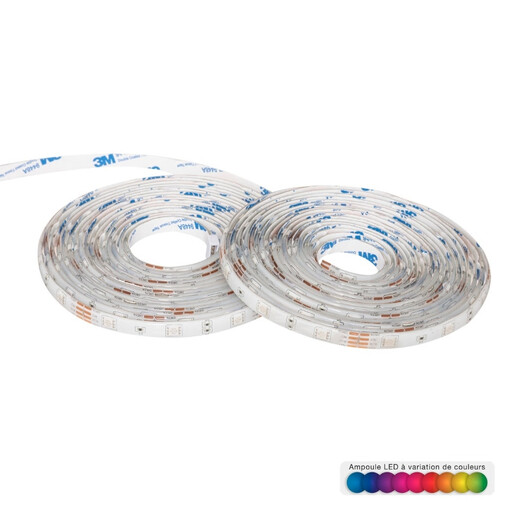
IDEAL FOR : THE BEGINNER ON A TIGHT BUDGET
Bandeau lumineux LED Atmosphera avec prise secteur 10 m

Atmosphera 10m LED Light Strip with AC Adapter

Why we recommend it: It's the perfect kit for getting started without breaking the bank. With 10 metres of length, you have enough to go around a large desk, trim the back of a monitor, or highlight a shelf. Its AC power supply is a guarantee of stable brightness.

The Pitfall Avoided

Thanks to its AC adapter, there's no risk of underpowering the strip via a weak USB port. The infrared remote, though basic, is simple and reliable: no need for a fickle app to change colours.

Its Strong Point

An unbeatable length-to-price ratio (10m). Control is simple via the included infrared remote.
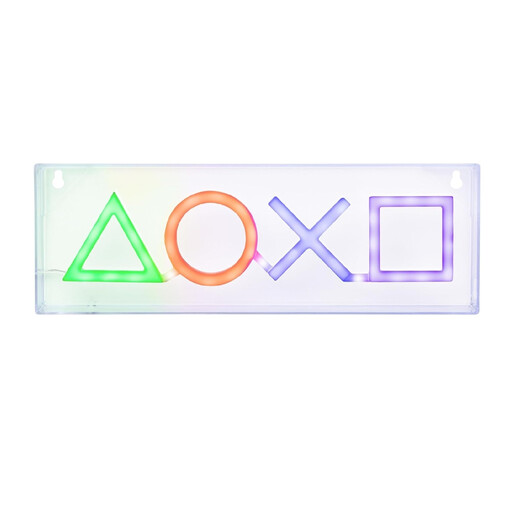
IDEAL FOR : THE FAN OF ICONIC ITEMS
Néon LED Ic?nes PlayStation - Licence Officielle

PlayStation Icons LED Neon Light - Officially Licensed

Why we recommend it: To show off your passion with an item that makes a statement. More than just a light, this officially licensed neon sign is a true collector's item. Placed on a shelf or mounted on the wall, it instantly adds character to any setup.

The Pitfall Avoided

Official licensing means strict quality specifications for finishes and colour accuracy. Its USB power makes it plug-and-play, with no app to install.

Its Strong Point

An iconic, instantly recognisable design. Its dual installation option (freestanding or wall-mounted) makes it very versatile.
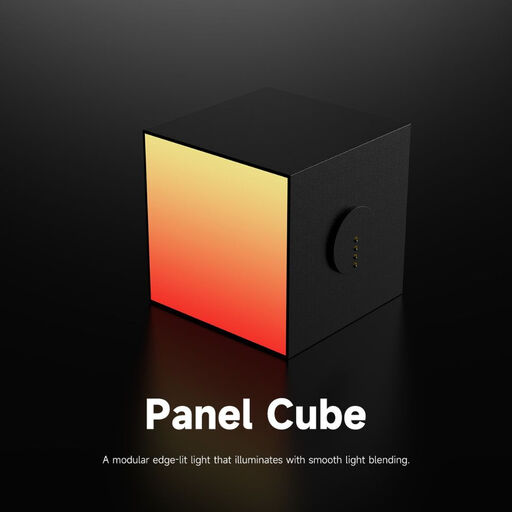
IDEAL FOR : THE CREATIVE AND MODULAR GAMER
Yeelight Cube Smart Lamp - Panneau d'extension

Yeelight Cube Smart Lamp - Expansion Panel

Why we recommend it: For creatives who see their setup as an ever-evolving canvas. The Yeelight Cube system is a luminous construction set: you assemble "spot," "panel," and "matrix" cubes to create a unique interactive sculpture on your desk.

The Pitfall Avoided

Yeelight is a trusted name in the smart home world. Its software ecosystem is stable and seamlessly integrated with gaming (Razer Chroma) and smart home platforms. The colour quality and responsiveness are impeccable.

Its Strong Point

A modular and magnetic concept that opens the door to endless customisation. The software integration is highly advanced, allowing for perfect synchronisation with games and music.

Looking for other gems?

Discover our full selection of tested and approved products that meet our quality criteria and safety standards.

Your Questions, Our Answers on Gaming Lighting

1. Does gaming LED lighting use a lot of power?

No, and that's one of the biggest advantages of LED technology. A complete gaming lighting setup, even with multiple strips and lamps, remains very energy-efficient. To give you an idea, a 5-metre LED strip consumes on average between 15 and 30 watts at full power, which is much less than an old incandescent bulb. So, your electricity bill won't skyrocket.

2. How do I sync my lights with my games?

For your lighting to react in real-time to the action on screen (an explosion, a change of scenery...), you need two things: compatible hardware and synchronisation software. The two leading ecosystems are Razer Chroma RGB and Corsair iCUE. Before buying, make sure the product page mentions compatibility with one of these systems. Brands like Yeelight, for example, offer this integration natively.

3. Can an LED strip damage my monitor or PC?

The risk is virtually zero with quality products. The heat generated by LEDs is minimal and will never damage the components of your monitor or PC. The only real risk, as we've seen, comes from the adhesive: a low-quality glue could leave stubborn residue when you remove it. A good rule of thumb: thoroughly degrease the surface before application and never stick the strip on a ventilation grille.