
Livraison le jour même ou le lendemain

Qualité garantie

Débloquez vos offres de bienvenue: Livraison GRATUITE | Jusqu'à -80 % | 30 jours d'essai gratuits à JoyPlus
Téléchargez l'application
Choosing a gaming laptop in 2026 can quickly become overwhelming. Between the endless spec sheets and flashy marketing claims, it's easy to feel lost or make a purchase you'll bitterly regret. As a Product Recommendation Manager at Joybuy, my role is to guide you through this jungle. The goal? To give you the keys to decode spec sheets, identify what really matters to you, and avoid costly rookie mistakes.
The market is saturated with options, but not all are created equal. Here are three common pitfalls we see buyers fall into and how to get around them.
To make the right choice, focus on the balance of a trio of components.
This is the key component that dictates the fluidity and visual quality of your games. In 2026, the NVIDIA GeForce RTX 50 series stands out as the benchmark.
The size, resolution, and refresh rate must be perfectly aligned with your usage and your GPU's power.
These components support the graphics card and ensure the overall system responsiveness.
Here are a few configurations that cater to distinct player profiles, taking into account the criteria and pitfalls we've discussed.
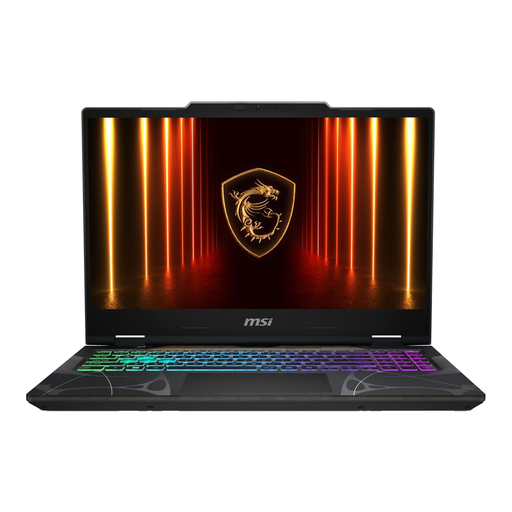
Who is it for? Ideal for those looking for a machine capable of running recent games in Full HD, while also being effective for school or work. Its 15-inch form factor makes it quite easy to carry.
This model pairs a NVIDIA GeForce RTX 5060 card with a 144Hz Full HD screen. It's a perfectly balanced combination where the GPU is powerful enough to take full advantage of the screen's refresh rate in most games.
The Intel Core 7 240H processor offers excellent responsiveness for gaming and multitasking, forming a very balanced duo with the RTX 5060.
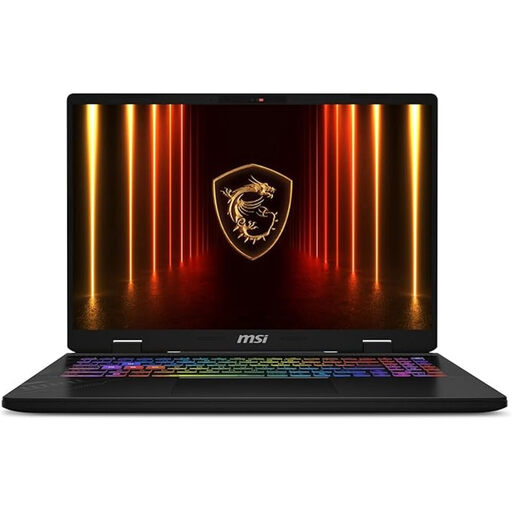
Who is it for? For players of competitive titles (Valorant, Apex Legends, etc.) where every millisecond counts. The absolute priority is extreme fluidity and display responsiveness.
It doesn't just settle for a fast screen. The Intel Core Ultra 7 255HX processor and 32GB of RAM are built to generate a very high number of frames per second, allowing you to truly leverage the 240Hz QHD+ screen.
The combination of a 240Hz screen and QHD+ resolution delivers an image that is both incredibly smooth and highly detailed, a decisive advantage in competition.
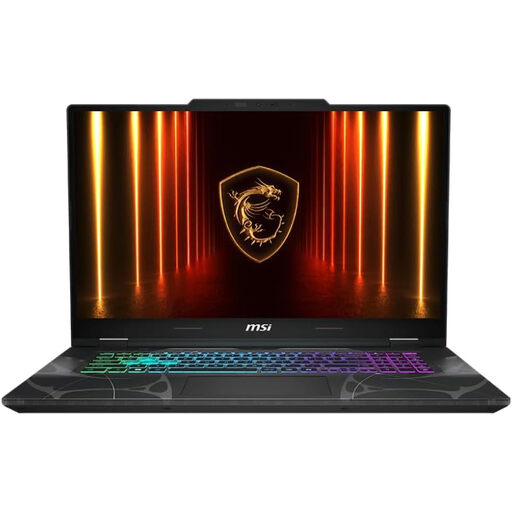
Who is it for? Perfect for gamers who prioritize grand single-player adventures and open worlds. The large screen diagonal offers an enveloping visual experience, similar to that of a desktop monitor.
This model focuses on the essentials: a large screen for immersion. By sticking to a Full HD resolution, it ensures that the RTX 5060 can run games smoothly, without trying to integrate a QHD resolution that would be too demanding for the GPU on this diagonal.
Its 17.3-inch screen offers superior visual comfort for long gaming sessions and watching movies, turning the laptop into a true entertainment station.
We have compiled a complete and updated list of laptops that meet our strict selection criteria.
A gaming laptop can run without issues for 4 to 6 years. However, its ability to run the latest games at maximum settings will start to decline after 3 or 4 years. Regular maintenance, like cleaning the fans, can help maintain its performance and extend its lifespan.
Yes, power consumption is significant during gaming sessions. A model equipped with an RTX 5060 can consume over 150 watts at full load. For lighter tasks like web browsing, consumption is much more moderate. It remains more energy-efficient than an equivalent gaming desktop PC, but it consumes significantly more than a standard ultrabook.
ASUS and MSI are two excellent, benchmark brands in the market. The choice depends less on the brand than on the specific model. It is therefore crucial to compare the technical specifications (GPU, CPU, screen), the quality of the cooling system, and the performance-to-price ratio of the models that fit your budget. Both manufacturers, as with the ASUS gaming laptop Gaming V16 or the MSI gaming laptop Katana 17, offer a wide variety of ranges for all player profiles.