
Livraison le jour même ou le lendemain

Qualité garantie

Débloquez vos offres de bienvenue: Livraison GRATUITE | Jusqu'à -80 % | 30 jours d'essai gratuits à JoyPlus
Téléchargez l'application
For a gamer, choosing the right gear can quickly become an ordeal. Between complex spec sheets, marketing jargon, and a myriad of models, it's easy to feel lost. A good gaming keyboard and mouse combo can transform your gaming experience, but a poor choice often means wasted money and frustration.
Our mission at Joybuy: to help you cut through the noise. We've decoded the most common pitfalls so you can make an informed choice that's tailored to your actual needs, not the siren song of marketing.
The 3 Pitfalls to Avoid When Buying Your Peripherals:
To avoid falling into these traps, focus on the features that truly matter for your comfort and in-game performance.
For a gaming keyboard, the key type is the number one criterion.
For a gaming mouse, it's all about balance.
Always check your hardware's compatibility, especially if you're looking for a keyboard and mouse bundle for PS5 or Xbox. Most USB peripherals are plug-and-play, but advanced features (macros, effect customisation) often depend on PC software. Finally, while an RGB gaming keyboard and RGB gaming mouse add a nice touch to your setup, lighting should never take priority over performance.
To guide you, here are a few products that suit different types of gamers, all while avoiding the pitfalls we've discussed.
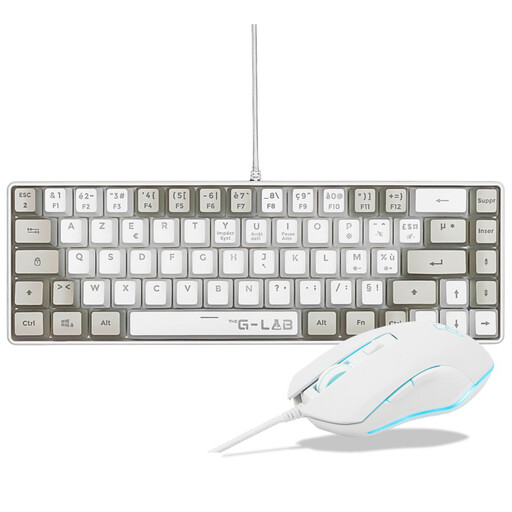
Why we chose it: This gaming keyboard and mouse combo is the perfect all-in-one solution for getting started without breaking the bank. It provides the essentials for gaming on PC or console (PS4/PS5), all with a sleek design and RGB backlighting.
It embraces its status as a semi-mechanical keyboard, offering quiet, responsive keys without pretending to be a true mechanical one. The mouse offers an adjustable sensitivity up to 7200 DPI, a realistic and more than sufficient range.
Complete and affordable 2-in-1 bundle. Compact 60% keyboard layout to optimise desk space. PC and console (PS4, PS5) compatibility.
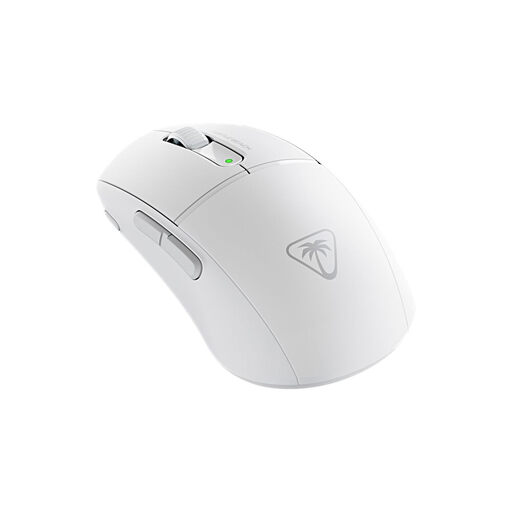
Why we chose it: Designed for speed and precision, this lightweight gaming mouse is the weapon of choice for demanding FPS players. Its feather-light weight and high-performance components are built for competition.
It focuses on the essentials for performance: a feather-light 47 g weight for lightning-fast movements and optical switches for maximum responsiveness. Here, the 26,000 DPI sensor is a true precision tool, not just a marketing gimmick.
Feather-light 47 g weight. Titan Optical Switches for instantaneous actuation. Dual wireless connectivity (2.4 GHz and Bluetooth).
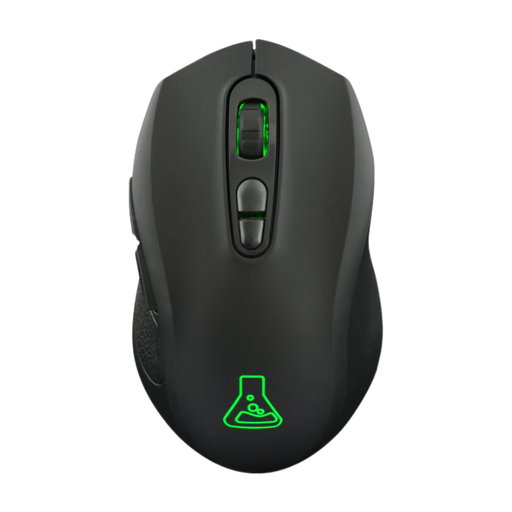
Why we chose it: For gamers who juggle multiple devices (PC, console, laptop), this wireless gaming mouse offers impressive flexibility thanks to its dual connectivity and ambidextrous design.
It offers total versatility with its 2.4 GHz mode (for gaming) and Bluetooth mode (for office work or tablets), without ever sacrificing performance. Its 95 g weight is an excellent compromise between stability and agility.
Dual wireless connectivity (2.4 GHz + Bluetooth). Excellent battery life (up to 100 hours without RGB). Comfortable ambidextrous design.
The mice in our selection all feature 6 buttons, a highly versatile standard for gaming. We've put together a full range of products that meet these same quality standards.
Not necessarily, but it's an undeniable advantage for responsiveness and precision. A mechanical keyboard registers keystrokes faster and offers sharper tactile feedback, which can make all the difference in competitive games. For casual use or if you prefer silence, a good membrane keyboard is still an excellent option.
Don't be mesmerised by the highest numbers. Most pro gamers use settings between 400 and 1600 DPI. The important thing is to have a mouse with several on-the-fly adjustable DPI levels. This allows you to adapt the sensitivity mid-game: low for precision (in sniper mode, for example) and high for quick movements (in close-quarters combat).
Yes, most wired USB gaming bundles are automatically recognised by the PS5 and Xbox. Just plug them in to navigate menus and play compatible titles. However, advanced features like RGB customisation or macro programming via dedicated software will generally only be accessible on a PC.