
Livraison le jour même ou le lendemain

Qualité garantie

Débloquez vos offres de bienvenue: Livraison GRATUITE | Jusqu'à -80 % | 30 jours d'essai gratuits à JoyPlus
Téléchargez l'application
Choosing a new gaming keyboard and mouse set can quickly become a headache. Between the technical jargon, marketing promises, and flashy designs, it's easy to feel lost and end up with buyer's remorse. Our mission at the editorial desk? To help you see things more clearly. Let's cut through the noise and focus on what's essential: what truly impacts your gaming experience and your wallet.
Before pulling out your credit card, watch out for these three common traps that cost uninformed gamers dearly:
To build a high-performance, long-lasting gaming setup, you need to focus on the features that truly matter for your comfort and performance. Here are the three pillars to check before any purchase.
The choice of a mechanical keyboard primarily depends on its switches. They define the typing feel, noise, and responsiveness. There are three main families:
Also, consider the form factor. A full-size keyboard is practical, but a TKL keyboard (tenkeyless, without a number pad) or a 75% layout frees up valuable desk space for wide mouse movements.
As we've seen, high DPI isn't everything. Here's what really counts for a gaming mouse:
The wired vs. wireless debate is no longer as clear-cut as it once was.
Rather than just a list of features, let's see which products meet specific needs, all while avoiding the traps we've discussed.
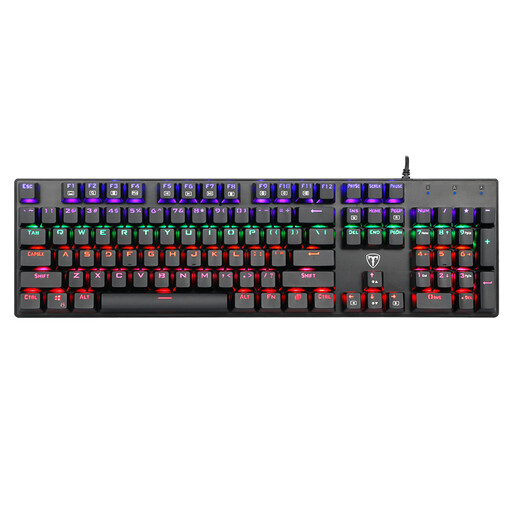
Why this choice? Ideal for experiencing the feel of a mechanical keyboard without breaking the bank. It focuses on the essentials: a responsive and tactile keystroke, a robust build, and a full-size layout for those who need the number pad. It's an excellent entry point into the world of PC gaming accessories.
This keyboard focuses on what matters: the quality of its mechanical switches (Blue), rather than complex RGB lighting that would drive up the price. It offers real added value compared to a standard membrane keyboard.
Excellent value for money to get started with a mechanical keyboard, featuring the satisfying "clicky" typing feel and a splash-resistant design.
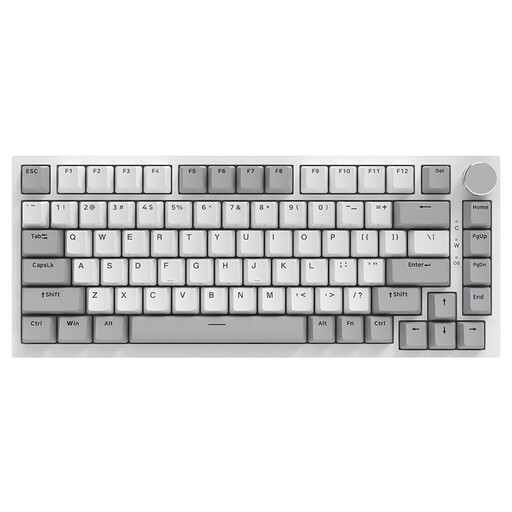
Why this choice? Perfect for those who want to optimise their desk space without sacrificing performance. Its 75% layout retains essential function keys while being much more compact than a standard keyboard. Its "Gasket Mount" structure provides a softer and quieter typing experience.
It doesn't rely solely on RGB marketing but on innovations that genuinely improve the experience: a Gasket structure for typing comfort and hot-swappable switches for deep customisation.
A premium typing experience thanks to its Gasket structure and a compact form factor that frees up space for a cleaner, more ergonomic gaming setup.
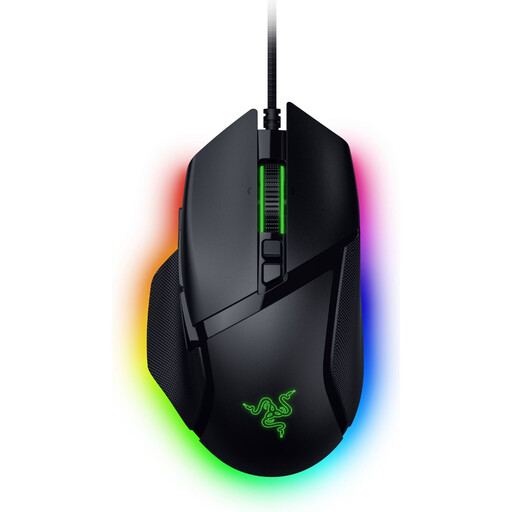
Why this choice? A mouse built for performance. It's aimed at gamers who demand precision and responsiveness without compromise. Its optical switches and cutting-edge sensor make it a formidable weapon for competitive games.
Although its sensor has a stratospheric DPI, its true value lies in its advanced technology (Focus Pro sensor, Gen-3 optical switches). These elements provide tangible benefits in precision, actuation speed, and durability, far beyond a simple marketing gimmick.
An ultra-precise optical sensor and optical switches for superior responsiveness and durability, not to mention its 13 programmable controls to adapt it to your playstyle.
If these models didn't convince you, don't worry. We have compiled a comprehensive list of products that meet our strict selection criteria.
What is the lifespan of a mechanical keyboard? The lifespan of a mechanical keyboard primarily depends on its switches. Most are rated to withstand 50 to 100 million keystrokes per key, which represents many years of heavy use. Regular maintenance, such as simple dusting, also helps to extend its life.
Does an RGB gaming keyboard use a lot of electricity? No, the power consumption of an RGB gaming keyboard is negligible. LEDs are a very energy-efficient technology. The impact on your electricity bill will be minimal, even with the brightness turned all the way up.
Do I need software to use a gaming keyboard or mouse? Generally, no. Most gaming keyboards and mice work right out of the box (plug-and-play) for basic functions. However, to take full advantage of your hardware (customising RGB lighting, programming macros, adjusting your mouse's DPI levels), installing the proprietary software becomes essential.