
Livraison le jour même ou le lendemain

Qualité garantie

Débloquez vos offres de bienvenue: Livraison GRATUITE | Jusqu'à -80 % | 30 jours d'essai gratuits à JoyPlus
Téléchargez l'application
Choosing a gaming keyboard in 2026 is a real headache. Between promises of absolute responsiveness, futuristic designs, and sometimes opaque technical jargon, it's easy to get lost or make a purchase you immediately regret. My role, as Head of Product Recommendations at Joybuy, is to decipher the marketing jargon to guide you toward the features that truly make a difference.
Before you dive in, watch out for these three classic pitfalls that many gamers fall into:
To make the right choice, focus on these three pillars. They determine 80% of your final experience.
The typing feel, sound, and responsiveness of your keyboard depend entirely on its switches.
The size of your keyboard should suit your desk and your habits.
Two details that are very important:
Let's get practical with a few models that check all the right boxes for different types of gamers.
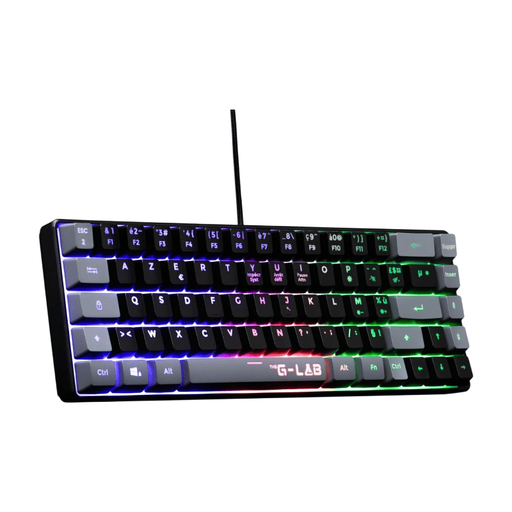
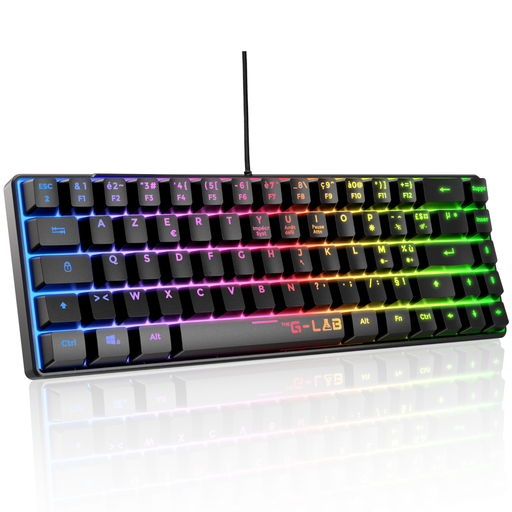
Why we chose it: Perfect for beginners or those with a small desk. Its 60% form factor frees up maximum space for the mouse, and its mecha-membrane technology offers a more responsive feel than a standard membrane keyboard, without the extra cost of a 100% mechanical model.
It avoids the trap of a cheap gaming keyboard that is unreliable by offering proven, quiet, and responsive mecha-membrane technology, perfect for both gaming sessions and daily use.
Compact AZERTY format, backlighting for aesthetics, and multi-platform compatibility (PC, PS4, PS5, Xbox).
Why we chose it: Built for competitive players who prioritise responsiveness and space above all else. The TKL format is an e-sports standard for allowing wide mouse movements, and the red mechanical switches are the benchmark for their linear and instant actuation.
It directly addresses the problem of an unsuitable form factor by removing the number pad. Its TKL design is optimised for FPS players who use low mouse sensitivity.
Ultra-responsive red mechanical switches, TKL format optimised for e-sports, and full anti-ghosting technology to ensure every action, even simultaneous ones, is registered.
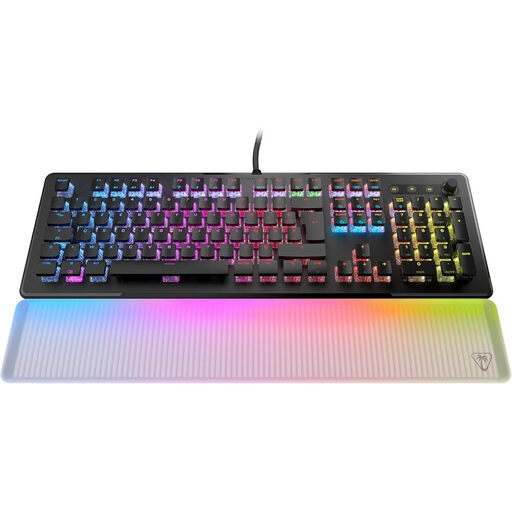
Why we chose it: The perfect solution for those who refuse to compromise between in-game performance and everyday comfort. Its full-size format with a number pad and dedicated media controls makes it as effective for work as it is for play. The AIMO lighting and translucent wrist rest create a setup with a spectacular aesthetic.
It sidesteps the trap of noisy mechanicals thanks to its linear TITAN II optical switches, which are as fast as they are quiet. The detachable wrist rest ensures prolonged comfort, an often-overlooked detail.
Ultra-fast and durable optical switches (200 million keystrokes), immersive AIMO RGB lighting, and an ergonomic wrist rest for maximum comfort.
We have put together a complete selection of products that meet our demanding selection criteria.
It's not essential, but a keyboard and mouse transform the experience on compatible games (like Fortnite, Call of Duty, or Final Fantasy XIV). They offer far superior aiming precision and command speed compared to a controller. However, always check the game's compatibility and keep in mind that customisation software (for RGB, macros) is often reserved for PC.
It all depends on the quality of the switches. Most models are rated for 30 to 50 million keystrokes per key, while higher-end options, especially optical ones, can reach 100 to 200 million. In short, even with heavy use, your keyboard is set to last for many years to come. Additionally, the keycaps can often be replaced, which extends the aesthetic life of the keyboard.
Safety first: always unplug the keyboard.