
Livraison le jour même ou le lendemain

Qualité garantie

Débloquez vos offres de bienvenue: Livraison GRATUITE | Jusqu'à -80 % | 30 jours d'essai gratuits à JoyPlus
Téléchargez l'application
The appeal of a clean desk and an optimized gaming space has propelled the 60% gaming keyboard into the spotlight. Compact, stylish, and portable, this form factor appeals to gamers and remote workers alike who are looking for a minimalist setup. But be warned: the market is flooded with options, and behind the marketing promises, you can sometimes find real disappointments.
As expert editors, our role is to help you gain some clarity. Let's break down the pitfalls to avoid and the essential criteria for making the right choice, without falling for marketing traps.
The 2 Pitfalls to Avoid When Buying a Mini Gaming Keyboard:
Before you make a decision, let's review the technical specifications that will make all the difference in your daily use.
A 61-key keyboard, or 60% form factor, is one of the most compact on the market. It omits the number pad, the function keys (F1-F12), and the dedicated arrow keys. These functions remain accessible via a key combination (usually with the "Fn" key). This layout frees up maximum space for mouse movement, a major advantage for first-person shooter (FPS) games. If dedicated arrow keys are a must-have for you, a 65% layout might be a better compromise.
A wired gaming keyboard remains a reliable choice. It offers near-zero latency, which is essential for competitive gaming, and never needs to be recharged. Its USB connection makes it compatible with a multitude of devices, from PCs to consoles like the PS4 or Xbox, as well as Macs. It's a simple, dependable, and often more affordable solution.
The RGB keyboard has become a staple. Beyond aesthetics, it's very practical for gaming or working in low-light conditions. Entry-level models often offer predefined lighting modes, while more advanced versions provide deep customization. Be sure to check the available options: can you adjust the brightness, the speed of the effects, or choose a static color?
To guide you, here are a few models that meet different needs, taking into account the criteria we've just discussed.
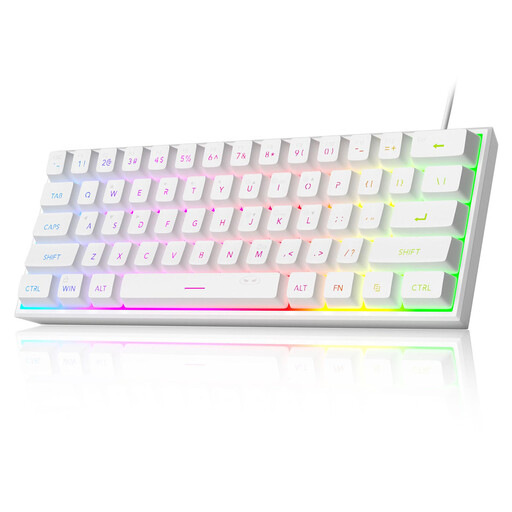
Why it's a great pick: Its clean, white design and ultra-compact form factor fit perfectly into a modern gaming or work environment. It frees up maximum desk space for a polished aesthetic.
The manufacturer is transparent: this is indeed a membrane keyboard that mimics a mechanical feel, not a true mechanical one. The QWERTY US layout is clearly stated, preventing any surprises.
60% form factor (61 keys) for maximum space saving. RGB backlighting with multiple modes and adjustable brightness. Its printed circuit board is IPX4 certified, a welcome protection against spills.
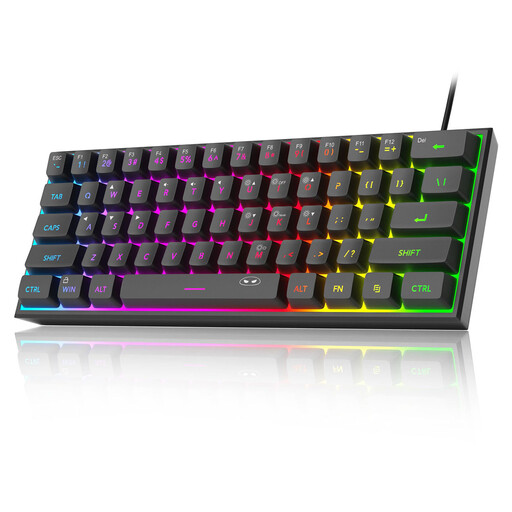
Why it's a great pick: It checks all the boxes for a budget-friendly gaming keyboard: compact form factor, RGB backlighting, and reliable wired connectivity. It's an ideal entry point into the world of compact keyboards without breaking the bank.
No false promises: the brand specifies a membrane technology, not mechanical, while ensuring a pleasant typing experience. The QWERTY layout is clearly indicated so you can make an informed purchase.
Excellent features-to-price ratio. Wide compatibility (Windows, macOS, PS4, Xbox). Ergonomic design intended to reduce fatigue during long sessions.
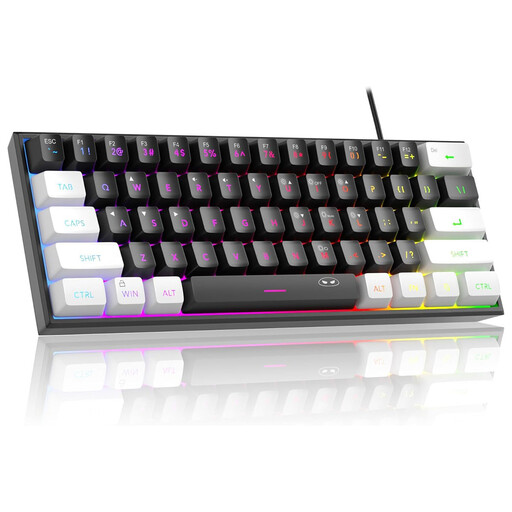
Why it's a great pick: Its two-tone design strikes the right balance between a gaming aesthetic and a more understated look, perfect for the office. Being compact, it's easily portable from home to work.
Here again, the spec sheet is clear: membrane with a mechanical feel and a QWERTY layout. The user knows exactly what to expect, which is especially useful for specific tasks like coding.
Versatile, all-rounder design. "Plug-and-play" wired connection for maximum simplicity. Adjustable (or deactivatable) backlighting for more discreet use during the day.
Explore our full selection of compact keyboards, all tested and approved by our editors according to strict criteria.
Yes, but it requires forming new habits. You just need to switch your operating system's (Windows or macOS) input language to "English (US)" so that the characters printed on the keys match what you type. For special characters or accents, keyboard shortcuts exist, although using them is less straightforward. Many developers and bilingual users have adopted it for its layout, which is often considered more practical for coding and English.
These functions are accessible via a secondary "layer." By holding down the Fn key (usually located in the bottom right), the number keys (1, 2, 3...) transform into function keys (F1, F2, F3...). Similarly, a set of keys (often I, J, K, L) acts as directional arrows in combination with the Fn key. Your keyboard's user manual will always specify the exact combinations.
The IPX4 certification for the printed circuit board, as seen on the MageGee TS91, guarantees protection against water splashes from any direction. In simple terms: if you spill a glass of water on it, the internal circuitry is very likely to survive unscathed. However, this does not make the keyboard waterproof. The USB port and other external parts remain vulnerable, and it should absolutely not be submerged. It's a welcome safeguard against everyday mishaps.