
Livraison le jour même ou le lendemain

Qualité garantie

Débloquez vos offres de bienvenue: Livraison GRATUITE | Jusqu'à -80 % | 30 jours d'essai gratuits à JoyPlus
Téléchargez l'application
A gaming headset with microphone should deliver clear communication, enjoyable sound and enough comfort for several hours of use. Yet some purchases disappoint from the very first session: the cable is too short, the connection is incompatible, the microphone is poorly designed or the advertised battery life does not specify the testing conditions.
Before comparing a wireless gaming headset, a wired model or a Bluetooth option, start by checking three things: genuine compatibility with your devices, the type of connection and long-term comfort.
A 3.5 mm jack will generally let you receive sound from several devices. However, voice chat, volume control and surround sound can vary from one platform to another. In particular, an Xbox gaming headset must be compatible with your console generation and connection method.
The Turtle Beach Recon 70 listing states that it is compatible with Xbox Series X|S, PlayStation, PC, Nintendo Switch and mobile devices via its 3.5 mm jack. This versatility nevertheless depends on the controller, console or device being used having a suitable socket.
7.1 surround is usually virtual and may require software to be installed on a PC. On console, the headset generally uses the platform’s spatial audio technology: Windows Sonic on Xbox or Tempest 3D Audio on PS5, for example. The ‘7.1’ label alone is therefore not enough to judge sound quality.
A flip-up microphone with a mute function is very practical, while a detachable model makes storage easier and lets you use the headset for listening to music. The material used for the ear cushions also deserves your attention: faux leather provides effective isolation, but fabric often reduces the feeling of warmth.
For a multi-platform gaming headset, prioritise models offering several connection modes: 2.4 GHz, Bluetooth and USB-C, as well as a 3.5 mm jack where possible. The Razer BlackShark V3 Pro for PlayStation offers these three main options, while the Xbox versions benefit from compatibility designed specifically for that console.
For team gaming, choose a microphone positioned close to your mouth, with good passive reduction of background noise or a mute function. A flip-to-mute microphone switches off simply by lifting it up, so there is no need to search for a button in the middle of a game.
A built-in microphone may be sufficient for calls and mobile use, but it is generally harder to position. For regular Discord or group chat, a flip-up boom or detachable microphone is more practical.
A comfortable gaming headset should hold your ears securely without applying excessive pressure. Check:
Active noise cancellation can be useful in a noisy home, but it generally increases the price and requires a battery. In a quiet room, good passive isolation may be more than enough.
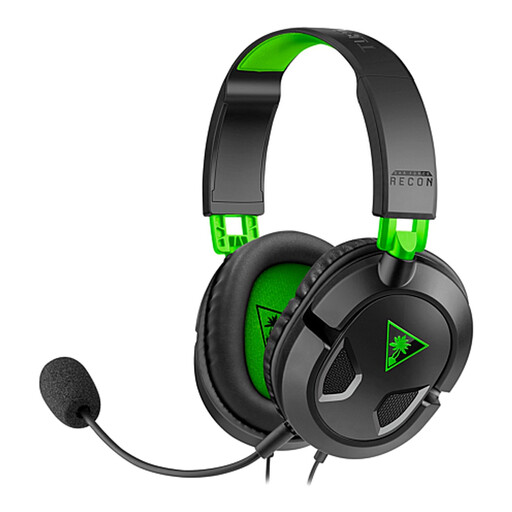
Why this model is a good fit: Its 3.5 mm jack works with Xbox, PlayStation, PC, Nintendo Switch and compatible mobile devices.
The wired connection eliminates recharging and pairing problems. The detachable microphone and volume control provide greater flexibility.
40 mm speakers, detachable microphone and controls built into the cable.
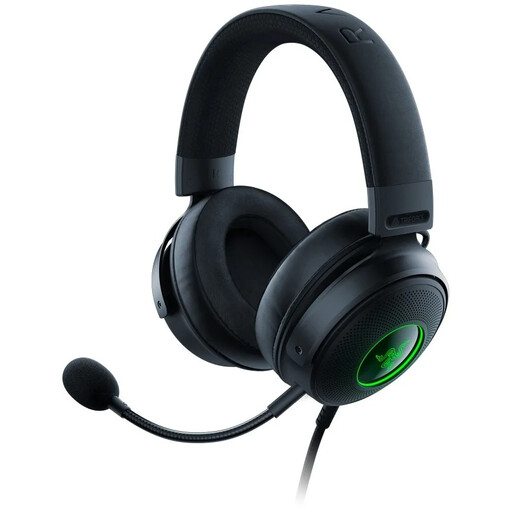
Why this model is a good fit: This black USB gaming headset is aimed at players who mainly use PC or PlayStation and want to benefit from the settings available in the Razer ecosystem.
The listing clearly states the USB connection and compatible platforms, reducing the risk of choosing a headset that cannot be used with another console.
50 mm drivers, detachable HyperClear cardioid microphone, memory foam ear cushions and Chroma RGB lighting.
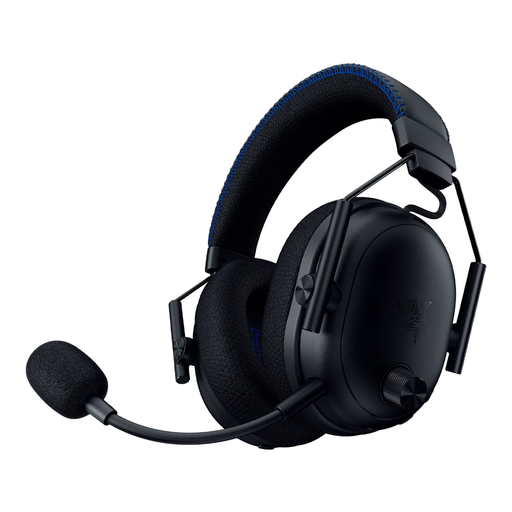
Why this model is a good fit: It is designed for PS5 and PC players looking for wireless connectivity, Bluetooth and active noise cancellation in a single headset.
The HyperSpeed 2.4 GHz, Bluetooth 5.3 and 3.5 mm jack modes are clearly separated. Battery life depends on the mode used: up to 48 hours on PS5 and 70 hours on PC.
Hybrid active noise cancellation, detachable 12 mm microphone, Tempest 3D Audio on PS5 and THX Spatial Audio 7.1.4 on PC.
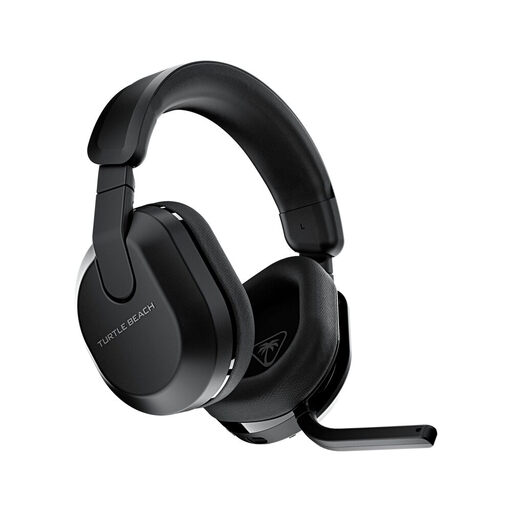
Why this model is a good fit: Its 2.4 GHz connection, Bluetooth and advertised battery life of up to 80 hours make it suitable for long sessions on Xbox, PlayStation, PC or mobile devices.
The QuickSwitch button lets you distinguish between the two wireless sources. The microphone flips up to mute the conversation instantly, while the app lets you adjust the equaliser and microphone.
50 mm speakers, Bluetooth 5.2, 2.4 GHz connection, flip-up microphone and Swarm II app.
We have brought together a complete, real-time updated selection of products that meet these exacting criteria and European safety standards.
A wired model with a 3.5 mm jack can easily be moved between a PC, a PlayStation controller, an Xbox, a Switch or a mobile device. For wireless models, check that the appropriate USB receiver is included and that compatibility with each console is clearly stated.
Bluetooth can be perfectly suitable for a compatible phone, tablet or computer. For competitive gaming and voice chat on console, a 2.4 GHz or wired connection generally offers more reliable performance. Also check that the microphone remains active with the Bluetooth mode being used.
It all depends on how often it is used, how it is stored and the quality of the cable or battery. A wired model avoids battery ageing, while a wireless headset needs to be recharged and kept away from heat and moisture. In all cases, keep the volume at a sensible level and take breaks during long sessions.