
Livraison le jour même ou le lendemain

Qualité garantie

Débloquez vos offres de bienvenue: Livraison GRATUITE | Jusqu'à -80 % | 30 jours d'essai gratuits à JoyPlus
Téléchargez l'application
Upgrading your gaming graphics card can transform your gaming experience. But a glossy spec sheet alone doesn't guarantee compatibility with your computer. Video memory, power supply, dimensions and connectivity all need to be considered together. A powerful card that's poorly installed, or simply too large for your case, can quickly lead to extra costs and disappointing performance.
A 4 GB graphics card may be sufficient for multimedia display or some less demanding games. An 8 GB graphics card will give you more headroom with textures and high resolutions. However, video memory alone isn't enough to judge a card: the graphics processor architecture, memory type, bus width and clock speeds all matter just as much.
A 32 GB graphics card, like certain top-end models, is aimed at very specific uses. It's not automatically the best choice for a PC intended solely for gaming at standard resolution.
Power consumption can vary considerably from one model to another. A 20 W low profile graphics card can run without an additional power cable, whereas a very high-performance model may require a 1,000 W power supply, or even more depending on the configuration.
Before placing your order, check:
Form factor is often the forgotten factor when upgrading. A card that takes up three or four slots can block other expansion ports. Measure the space between the back of your case and the front fans before making your choice.
The stated dimensions usually refer to length, width and thickness. For example, the ASUS ROG Astral GeForce RTX 5090 measures 357.6 × 149.3 × 76 mm and occupies 3.8 slots. It therefore needs a spacious case, as well as a support bracket to stop its weight from straining the PCIe port.
For a gaming graphics card, GDDR6 or GDDR7 memory generally offers higher bandwidth than DDR3 or GDDR4. However, you need to compare the full set of specifications. A card with 8 GB of GDDR6, like the RX 7600, isn't positioned the same way as a model with 8 GB of GDDR7 and a bandwidth of 448 GB/s, like the RTX 5060 Ti.
The resolution you use should also be taken into account:
A PCIe graphics card must be installed in a compatible PCI Express slot. Recent generations generally remain usable with previous generations, although the bandwidth may then limit performance.
The RTX 5060 Ti uses a PCI Express 5.0 x8 interface. It can be installed in a PCIe 5.0 x16 or PCIe 4.0 slot, according to the manufacturer's instructions. The RX 7600, for its part, adopts a PCIe 4.0 interface. With an older setup, remember to also check compatibility with your motherboard, system and drivers.
Check the number and type of ports you need for your monitors. DisplayPort and HDMI come on most recent models, while some older cards still offer a VGA or DVI output.
Cooling also needs to be suited to your usage. A single-fan model can be fine for moderate power consumption. A card that's heavily used during long gaming or compute sessions will instead need a well-ventilated case. Automatic fan stop at low load can reduce noise, but it doesn't replace good airflow.
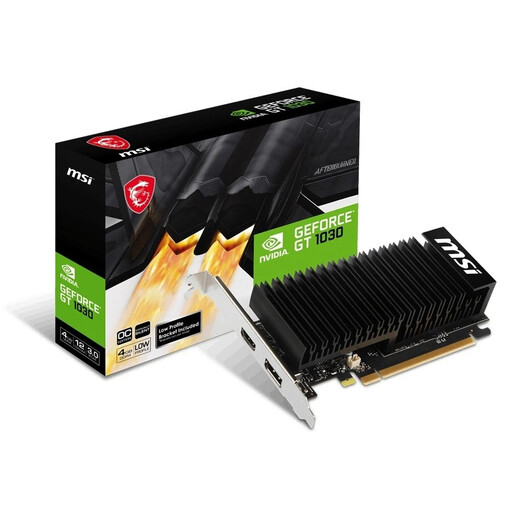
Why this choice suits this profile: Its low profile design and stated 20 W power consumption make it suitable for small cases and upgrades without replacing the power supply.
The spec sheet clearly states that no external power connector is needed, which reduces the checks required before installation.
4 GB of GDDR4 memory, PCI Express 3.0 interface and HDMI and DisplayPort outputs.
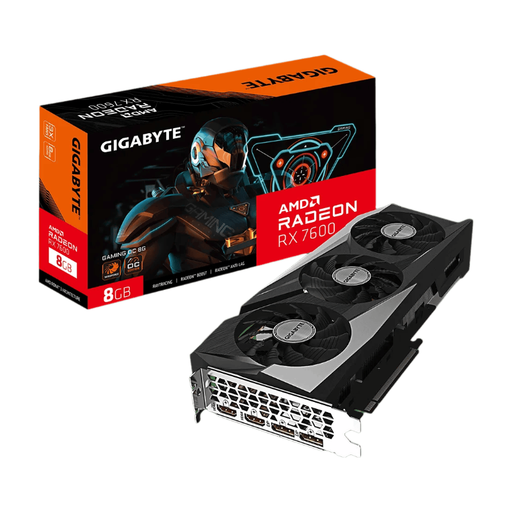
Why this choice suits this profile: This AMD graphics card combines 8 GB of GDDR6, a PCIe 4.0 bus and a dual-fan cooling system.
The recommended 550 W power supply and 8-pin connector are clearly stated, making it easy to prepare your setup.
Boost clock up to 2,755 MHz, four video outputs and WINDFORCE cooling.
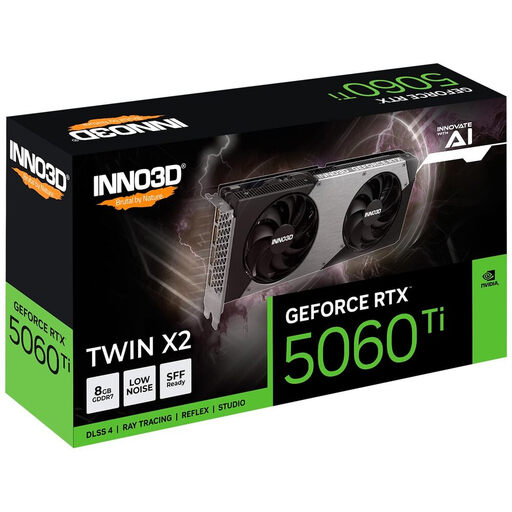
Why this choice suits this profile: Its NVIDIA Blackwell architecture, GDDR7 memory and HDMI 2.1b and DisplayPort 2.1b outputs are aimed at modern builds.
Its dimensions of 250 × 116 × 41 mm and recommended 650 W power supply let you plan for the space and power needed.
4,608 CUDA cores, 8 GB of GDDR7, a stated bandwidth of 448 GB/s and a 0 dB mode at low load.
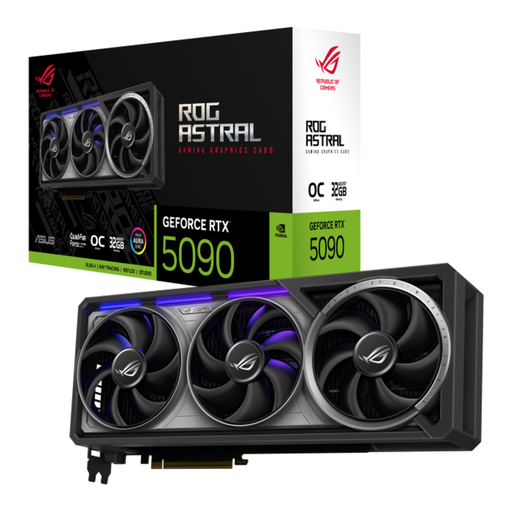
Why this choice suits this profile: With its 32 GB of GDDR7, PCIe 5.0 x16 interface and recommended 1,000 W power supply, it's aimed at powerful workstations for gaming, creation and intensive computing.
Its constraints are clearly stated: 3.01 kg, 3.8 slots, 16-pin connector and included graphics card support bracket.
32 GB of GDDR7, 512-bit memory bus, five video outputs and a stated maximum resolution of 7,680 × 4,320.
We've put together a comprehensive, real-time updated selection of products that meet these demanding criteria, as well as European safety regulations.
Before fitting, turn off your PC, unplug the mains cable and discharge any static electricity. Insert the card into the PCIe slot until the latch clicks into place, then secure it to the case. The power cables must be fully pushed in and not bent sharply at the connector exit.
Power consumption varies depending on the model and load. A 600 W card will generate more heat and put more strain on the power supply than a 20 W model. Regularly cleaning the filters and maintaining good airflow will help keep operating temperatures reasonable.
It can be suitable for less demanding games, an older setup or multimedia display. For recent games with high textures, an 8 GB graphics card generally offers more memory headroom. However, it alone doesn't guarantee a specific frame rate.
Rely on the recommended power rating on the model's spec sheet and check the available connectors. The RTX 5060 Ti featured here, for example, recommends 650 W, compared to 550 W for the RX 7600. The total power consumption of your PC, the processor and the number of peripherals should also be taken into account.
It all depends on the games you play, the resolution you choose, driver support and the level of performance you're aiming for. A card can remain perfectly functional for several years, but you may need to lower settings on the latest titles. With every upgrade, remember to check compatibility with your case, power supply and motherboard.