
Livraison le jour même ou le lendemain

Qualité garantie

Débloquez vos offres de bienvenue: Livraison GRATUITE | Jusqu'à -80 % | 30 jours d'essai gratuits à JoyPlus
Téléchargez l'application
A gaming graphics card isn't something you pick just by looking at its name or the number of gigabytes on the spec sheet. A recent model might be too long for your case, too power-hungry for your PSU, or far too powerful for your monitor. On the flip side, a cheap card might be perfectly fine for an office PC, but will quickly show its limits with modern games.
Before you buy a NVIDIA GeForce RTX graphics card, an AMD Radeon graphics card or a complete gaming PC, take the time to check three things: what you'll be using it for, component compatibility, and the amount of video memory available.
An 8 GB graphics card won't necessarily deliver the same performance as another model with the same amount of memory. The GPU architecture, memory type, bus width and clock speed all play a major role too. A card equipped with GDDR7 can therefore have very different characteristics from a model with DDR3 or GDDR6.
The amount of video memory should mainly be considered alongside the resolution and detail level you're using. At 1080p, 8 GB can be enough in many cases. For a 4K gaming PC, ray tracing, 3D creation or certain AI software, a larger capacity can make all the difference.
The most powerful cards often take up two, three or even four PCIe slots. So you need to measure the available length, but also check the space in front of the fans and the power cables. At roughly 332 mm long and taking up three slots, the Palit GeForce RTX 5080 GamingPro V1 needs a roomy case, plus an anti-sag bracket.
Compact formats also need a bit of attention. A low profile graphics card can fit into some small cases, but its performance and cooling system won't necessarily match those of a full-size gaming card.
The wattage recommended by the manufacturer doesn't always match the card's power draw alone. You also need to factor in the CPU, drives, fans and any extra components. The Palit RTX 5080, for example, recommends an 850 W power supply, while the ZOTAC RTX 5070 is happy with 650 W or more.
Also remember to check the connector type: 8-pin, 12V-2x6 or another compatible configuration. The cable must be properly plugged in, without excessive bending. In a poorly ventilated case, a very powerful card can also generate more heat and noise.
These are general guidelines: every game has its own requirements. The CPU, RAM and software optimisation also contribute to smooth performance.
GDDR7 is found on the RTX 5060 Ti, RTX 5070, RTX 5070 Ti and RTX 5080 featured in this selection. Older cards or those intended for basic display may use DDR3 or DDR4. So for good gaming performance, don't just look at the number of gigabytes – also check the memory generation and bandwidth.
A 16 GB GDDR7 graphics card can be a good choice for high-resolution gaming, video editing or 3D creation. However, this usually means higher power consumption and a bigger budget.
Before replacing your graphics card, check the following points:
For a new build, a pre-assembled gaming PC can make it easier to check compatibility between the CPU, graphics card, memory and cooling system.
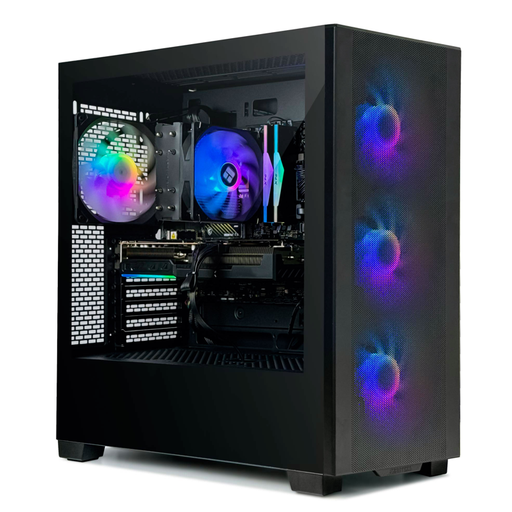
Why this choice suits this profile: This build combines an 8 GB RTX 5050, 16 GB of DDR4 and a 480 GB SSD. A ready-to-use solution for getting started on PC without having to choose every component separately.
The main components are listed together. This stops you from choosing a graphics card without checking the CPU, RAM or storage.
Ryzen 5 5500, 16 GB of RAM, 480 GB NVMe SSD and four ARGB fans.
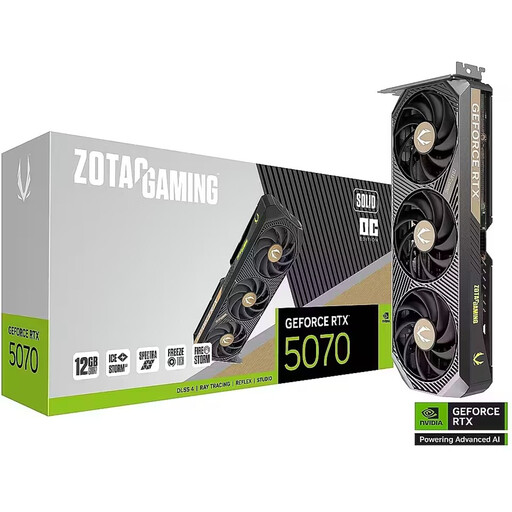
Why this choice suits this profile: With its 12 GB of GDDR7, PCIe 5.0 interface and multiple display outputs, this card is ideal for gamers who also want to dip into content creation.
The spec sheet clearly states the memory capacity, the roughly 2.5-slot form factor and the recommended 650 W or higher PSU.
12 GB of GDDR7, three DisplayPorts, one HDMI port, active cooling and DLSS 4 support.
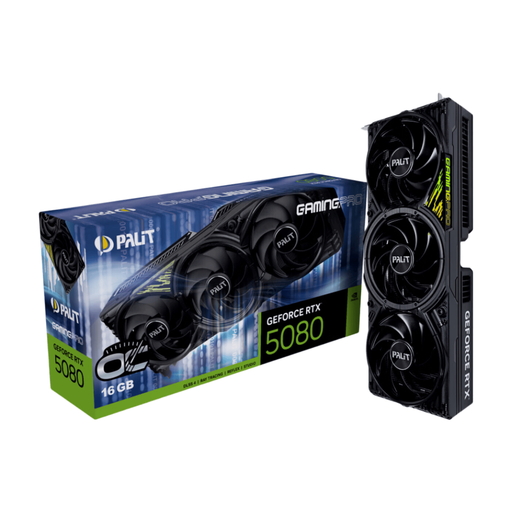
Why this choice suits this profile: This gaming graphics card is aimed at builds for high-resolution gaming, 3D rendering and intensive graphical tasks.
Its dimensions, 350 W power draw and recommended 850 W PSU are all clearly stated before purchase.
16 GB of GDDR7, 256-bit bus, three DisplayPorts, HDMI 2.1b and triple-fan cooling.
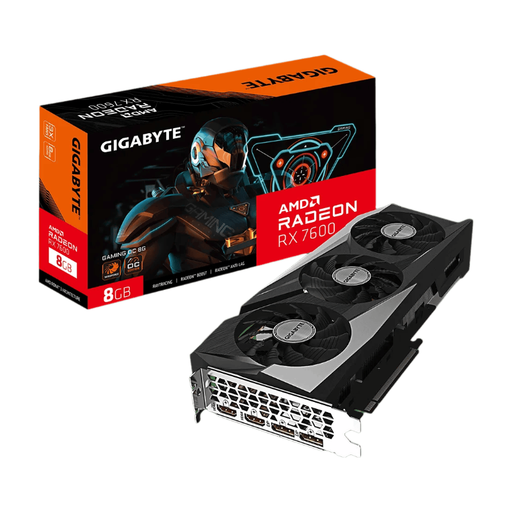
Why this choice suits this profile: This AMD Radeon graphics card is a good fit for an upgrade aimed at 1080p gaming and multimedia use. Its recommended PSU is 550 W.
The spec sheet details the 8-pin connector, 282 mm form factor and power requirements, which limits nasty surprises during installation.
8 GB of GDDR6, RDNA 3 architecture, four video outputs and WINDFORCE dual-fan cooling.
We've put together a complete, real-time updated selection of products that meet these demanding criteria, while complying with European safety regulations.
Start by comparing the RTX 5050 and RTX 5060, as well as the Radeon RX 7600, against the requirements of your games. Then check the video memory, the PSU wattage needed and the maximum length your case can take. A cheap graphics card can be perfectly adequate if you're gaming at 1080p with sensible settings.
For 1080p gaming under normal conditions, 8 GB can be enough depending on the titles. At 1440p, or for video editing, 3D rendering or using highly detailed textures, 12 or 16 GB gives you more headroom. However, capacity shouldn't be considered in isolation: the architecture, bandwidth and overall level of the card matter just as much.
It all depends on the card's power draw, how many hours you play and the price of electricity. A model that consumes 350 W will put a lot more strain on your PSU than a 20 W card. Very compact cards, like some GT 1030 or GT 710 models, can handle display and light tasks, but they're not in the same league as an RTX 5070 or RTX 5080.