
Livraison le jour même ou le lendemain

Qualité garantie

Débloquez vos offres de bienvenue: Livraison GRATUITE | Jusqu'à -80 % | 30 jours d'essai gratuits à JoyPlus
Téléchargez l'application
Upgrading your gaming graphics card can transform your PC. But an impressive spec sheet alone won’t help you make the right choice. PC gamers, content creators, streamers and users of 3D software all need to find the right balance between resolution, video memory, power supply and size.
A high clock speed or factory overclock doesn’t tell you everything about a GPU’s capabilities. The number of compute units, architecture, memory bandwidth and driver optimisation all affect performance too. An RTX 5070 with a higher clock speed, for example, may be less suitable than a model with more memory for certain creative tasks.
For gaming at 1440p or 4K with detailed textures, 12 GB may be enough in some cases. However, 16 GB of GDDR7 or more gives you more headroom for demanding games, 3D work and AI. Memory capacity alone doesn’t guarantee a particular frame rate: it needs to be considered alongside the GPU and the software you use.
A card over 300 mm long or taking up three slots may not fit in a standard case. The RTX 5080 and RTX 5090 also need a suitable power supply, often specified at 850 W or 1,000 W, depending on the model. The 12V-2x6 connector must be fully inserted and not sharply bent near the socket.
GDDR7 memory, found in several NVIDIA Blackwell cards, offers high bandwidth. The RTX 5070 Ti, RTX 5080 and RTX 5090 models featured here come with 16 or 32 GB, depending on the model. A card for 4K gaming should also be paired with a compatible monitor, a sufficiently powerful processor and settings that suit your system.
For 8K, DisplayPort 2.1b or HDMI 2.1b outputs may come in handy. However, the resolution and refresh rate you actually achieve also depend on your monitor, cable and overall system configuration.
A graphics card that supports ray tracing uses dedicated units to calculate lighting, shadows and reflections in real time. NVIDIA’s DLSS 4 technology and Tensor cores can improve smoothness in compatible games, depending on the settings and the game. These features are software-based, so their results and effectiveness can vary from one game to another.
AMD RX 9070 and RX 9070 XT cards also include ray tracing and AI acceleration features. However, their software ecosystem and application compatibility may differ from NVIDIA’s. Creators should check that their editing, rendering or AI software is supported.
An SFF model is designed for compact cases, but you should still check its length, height and thickness. The cooling system also deserves your attention: cards with two or three fans can shift more heat, while a fan-stop mode can help keep noise down when the card is idle.
Finally, check the manufacturer’s recommended power supply, the cables available from your PSU and the case’s overall airflow. A support bracket can be useful with heavier cards to reduce strain on the PCIe slot.
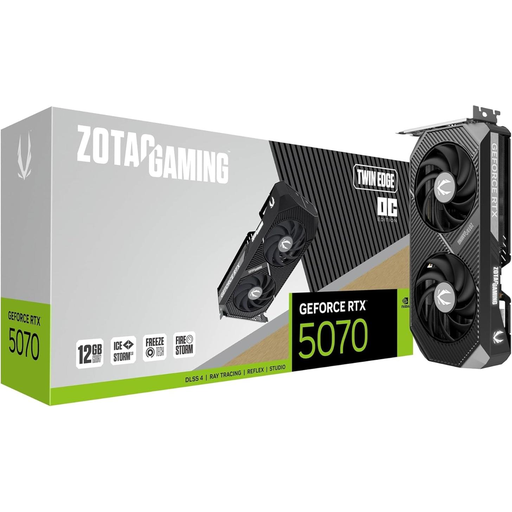
Why it suits this user: Measuring 241.5 × 120.1 × 40.6 mm and taking up two slots, it’s easier to install in a compatible desktop PC.
The specs recommend a 650 W power supply and list a 12V-2x6 connector: check both before installation.
12 GB of GDDR7, PCIe 5.0 x16, three DisplayPort outputs and DLSS 4 support.
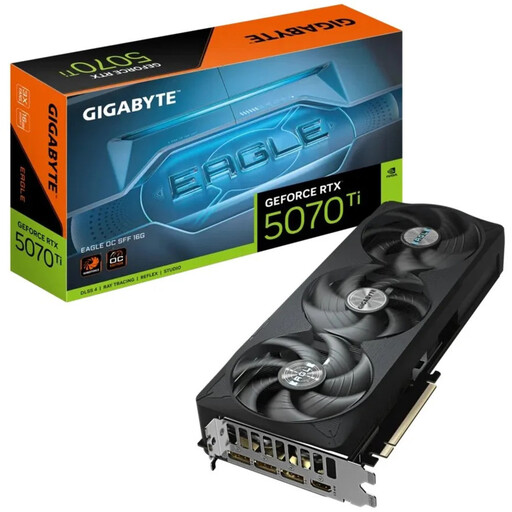
Why it suits this user: Its SFF dimensions of 304 × 126 × 50 mm are designed for compatible compact cases, while still offering 16 GB of GDDR7.
SFF doesn’t mean you can skip measuring your case: check the 50 mm thickness and the clearance around the power connector too.
16 GB of GDDR7, 256-bit bus, dual Performance/Silent BIOS and WINDFORCE cooling.
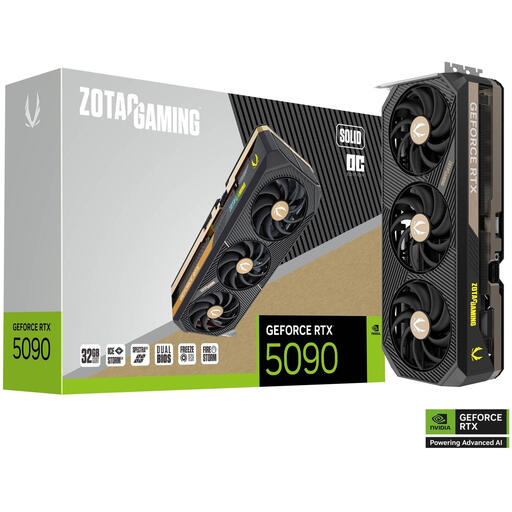
Why it suits this user: Its 32 GB of GDDR7 and 512-bit bus are built for demanding textures, 3D, AI or setups with several high-resolution screens.
The specs list power consumption of up to 575 W and recommend a 1 000 W power supply: make sure your PSU, cabling and airflow are up to the task.
21 760 CUDA cores, 32 GB of GDDR7, IceStorm 3.0 cooling and support for up to four screens.
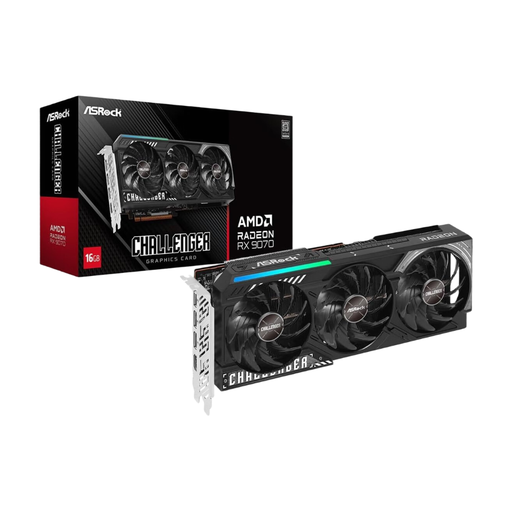
Why it suits this user: This RX 9070 combines 16 GB of GDDR6, a 256-bit bus and five video outputs for gaming, creative work and multi-screen setups.
Its triple-fan cooling with 0 dB mode is suited to long sessions, but the specs recommend a 700 W power supply. Check this requirement and your PSU before buying.
56 AMD RDNA compute units, ray tracing and AI accelerators, DisplayPort 2.1a and HDMI 2.1b.
An RTX 5070 Ti, RX 9070 or RTX 5080 may be worth considering, depending on the games you play, the refresh rate and the level of detail you want. If you’re interested in ray tracing and DLSS 4 features, a compatible NVIDIA card may be a better fit. Remember to check your power supply’s wattage and the amount of video memory available too.
No. A PCIe 5.0 graphics card can generally work in a compatible PCIe 4.0 or 3.0 slot, within the bandwidth limits of that interface. However, your motherboard, processor and case must support the card’s physical form factor and power requirements.
Enable the manufacturer’s silent mode or power profile, limit the frame rate in games and avoid further overclocking unless you’ve checked that your system remains stable. A well-ventilated case also helps keep performance stable. With an RTX 5090 or RTX 5080, pay particular attention to your PSU’s capacity and the 12V-2x6 connection.