
Livraison le jour même ou le lendemain

Qualité garantie

Débloquez vos offres de bienvenue: Livraison GRATUITE | Jusqu'à -80 % | 30 jours d'essai gratuits à JoyPlus
Téléchargez l'application
A true gaming setup is more than just a powerful PC. It's a complete ecosystem where every component, from the keyboard to the smallest storage solution, contributes to immersion and performance. But faced with the overwhelming number of options available, it's easy to feel lost. This guide is here to give you clear guidance and practical advice for building your ideal gaming desk.
As the Hardware Editor at Joybuy, my mission is to navigate the market to help you find the equipment that truly meets your needs. Together, we'll explore how to optimise your space, choose the right peripherals, and maintain a pristine desk, so you can focus on what matters most: the game.
Before we dive into our selection, let's cover the basics. A good gaming desk is built on a simple trifecta: performance, ergonomics, and organisation.
Your desk surface isn't infinite. Smart space optimisation is therefore the starting point for a comfortable setup. For gamers, especially FPS enthusiasts, a large surface for mouse movement is non-negotiable. Opting for a mini gaming keyboard, like a 60% or 75% model, can free up valuable desk space without sacrificing essential gaming functions. Also, think vertically: wall shelves or a monitor arm can dramatically declutter your workspace.
Your PC peripherals are an extension of your hands. The keyboard, in particular, deserves special attention. While membrane models are common, a custom mechanical keyboard offers a far superior experience in terms of responsiveness, durability, and customisation. The switches determine the typing feel:
The final choice will depend on your preferences and your environment: a clicky keyboard can quickly become a source of annoyance in a shared office or living room!
A desk cluttered with boxes, cables, and all sorts of accessories is concentration's worst enemy. A suitable storage solution is therefore essential for maintaining order. Stackable bins, cable organisers, drawers... anything goes for storing unused equipment (controllers, spare cables, tools) in an accessible yet discreet way. It's a bonus for your setup's aesthetics, but more importantly, for its day-to-day efficiency.
Here is a selection of products that embody the principles we've just discussed, with options for all needs and budgets.
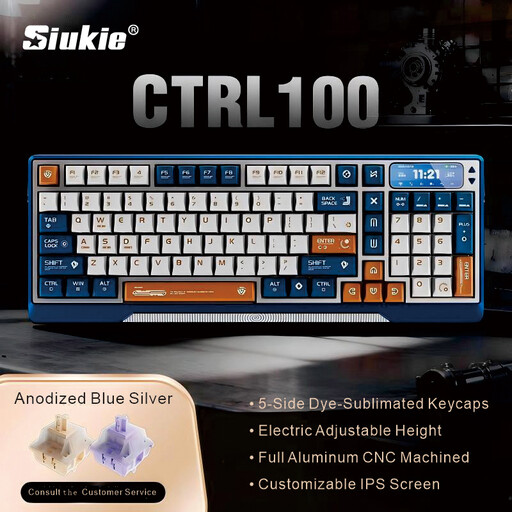
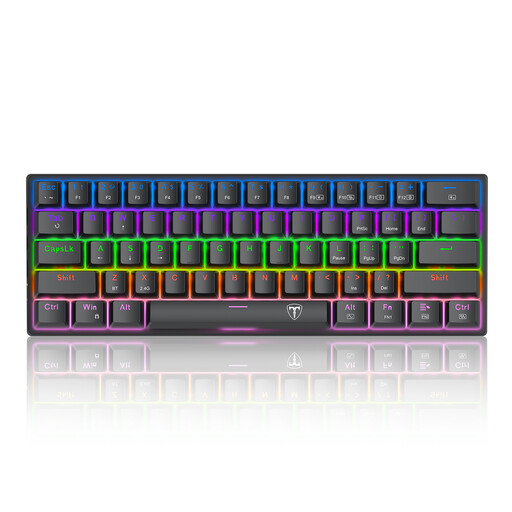
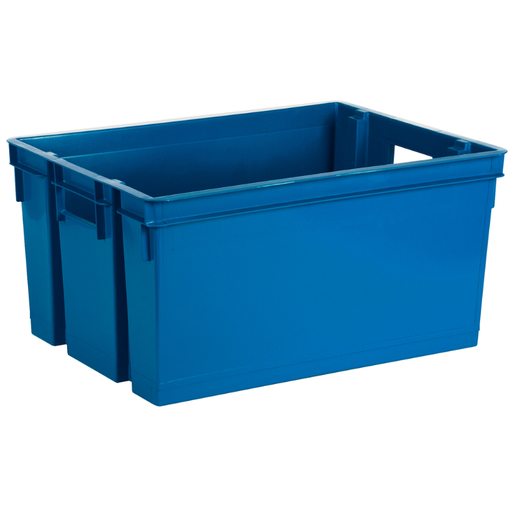
Our selection focuses on the fundamentals of a functional setup. But a successful arrangement is also a matter of style and personal touch. To unearth other accessories, decorative elements, or more advanced ideas, feel free to explore our other categories. You might just find the hidden gem that will define the unique character of your space, like the finds in our Sable bleu collection.
Cable management is the key to a clean look. Use braided sleeves to group the wires going to your monitor and tower. Adhesive cable clips attached under the desk help guide them discreetly. Finally, a storage box or a bin like the EDA model is perfect for hiding unsightly power strips and power bricks.
A mechanical keyboard has several key advantages for gaming. The first is precision: each key is independent and registers the action without any ambiguity. They are also much more durable than membrane keyboards. Finally, the wide variety of switches allows each player to find the typing feel that suits them, which is a real bonus for performance and comfort during long gaming sessions.
A mini gaming keyboard (60%, 65%, or 75% layout) is an excellent ally for optimising desk space. By getting rid of the number pad (and sometimes the function keys), it frees up a considerable amount of surface area on the right. This space is precious for FPS players who need to make large, low-sensitivity mouse movements. It's a pragmatic choice to maximise your playing surface.